Blizii
Members
-
Joined
-
Last visited
-
Ok, thanks for your help! So the issue with Docker in the question shouldn't reoccur?
-
I have one Question about the Mover. If I run the mover, will the files be moved from the SSD to the array and only used from the array?
-
This is a package manager and for example i have a pytop with this package manager.
-
It started automatically because i have removed one parity disk until i can upgrade my unraid license
-
Ich have now removed all empty folders on the array server01-diagnostics-20230117-2157.zip
-
server01-diagnostics-20230117-2132.zip
-
server01-diagnostics-20230117-2128.zip
-
Okay, can i now start the Docker service?
-
I think with compute all button. I made this in the past with the file explorer
-
how can i fix this?
-
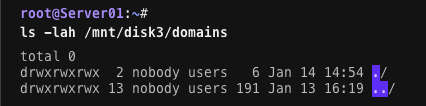
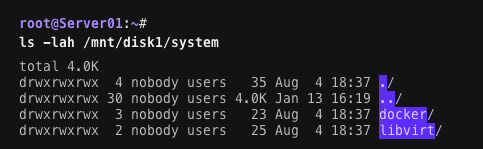
And i have now a seperate Cache with 250G for System, Domain and Appdata. Heres the new Diagnostics. server01-diagnostics-20230116-1414.zip
-
To be honest i have done that because when i started setting up Unraid, in the Tutorials was told this is better than the default mode. Can i switch the mode when the docker.img is better?
-
Even if i have docker images in folder-mode? When i move some gameservers (which are much bigger) to the array, can i leave the appdata to prefer?
-
My Goal is to have for the System, Appdata and Domains a seperate pool, but my problem is, i don't find a good hba card. And until i have a hba card i don't have enough ports on my motherboard. Okay thank you, i will not doing this anymore.