MotorN
Members
-
Joined
-
Last visited
-
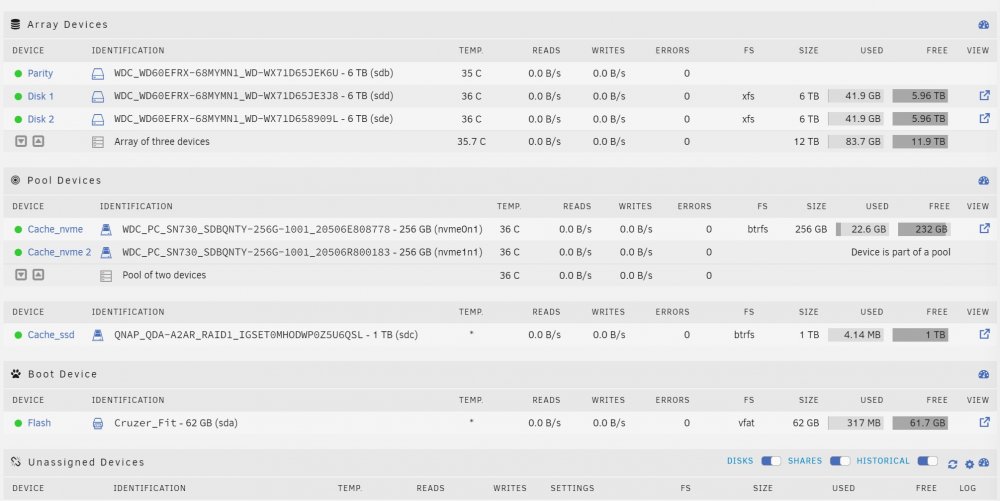
Just did a new install, I didn't bother copying the config file from the previous install as the URL has worked for me successfully many times in the past. Any advice would be appreciated. **Saw another thread, contacted support.**
-
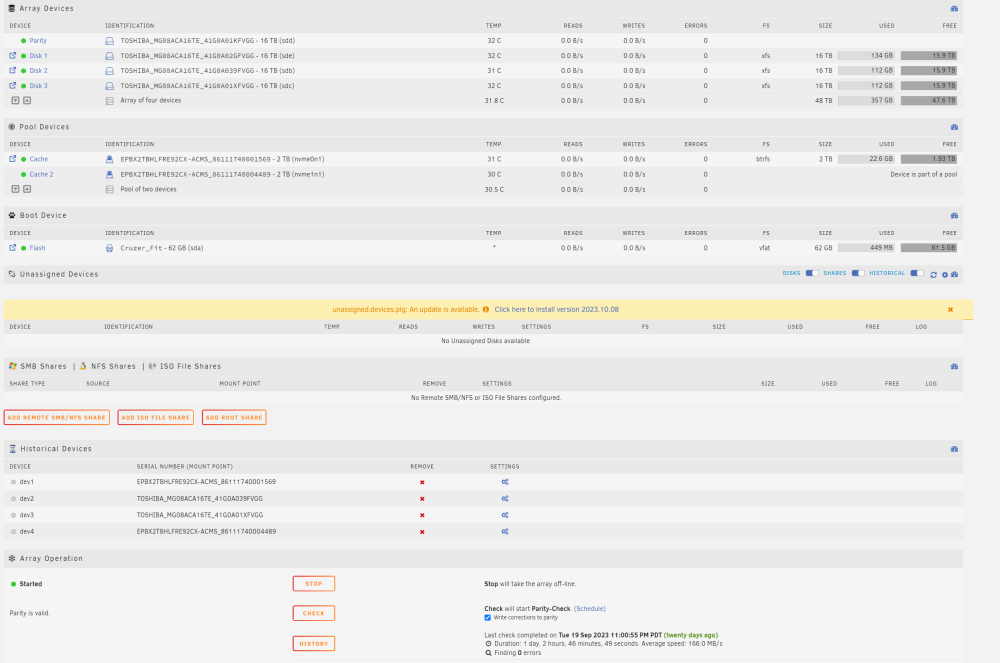
I added 2 more 16TB Toshiba's (Disk 2/3) to the existing array. I also swapped a hot running PCIe SSD card for 2 NVMEs for cache. I seemed to have started my array with no errors but there is no activity on any of the HDDs. Is that normal? It's a fresh install.
-
Hello, I had Unraid setup with 2 x 16TB HDDs. I added 2 more HDDs. I precleared them, stopped the array and added them. Do I now select "check parity"?
-
Hello, What's the easiest way to zero a HDD in Unraid. I am hoping to repair a bad sector.
-
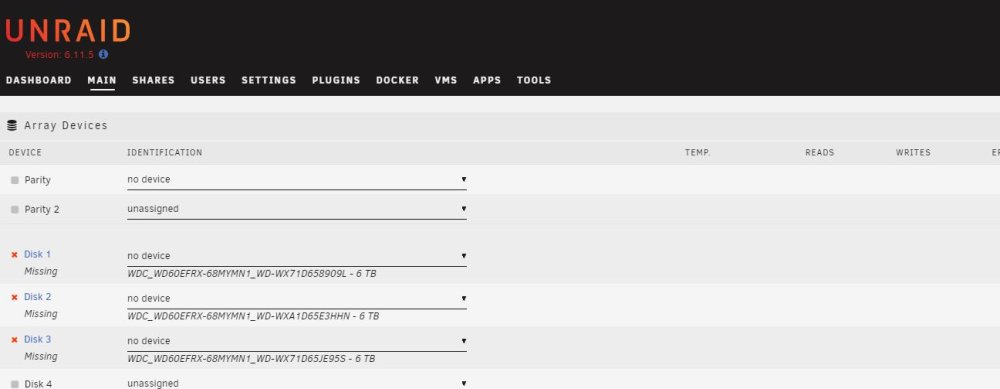
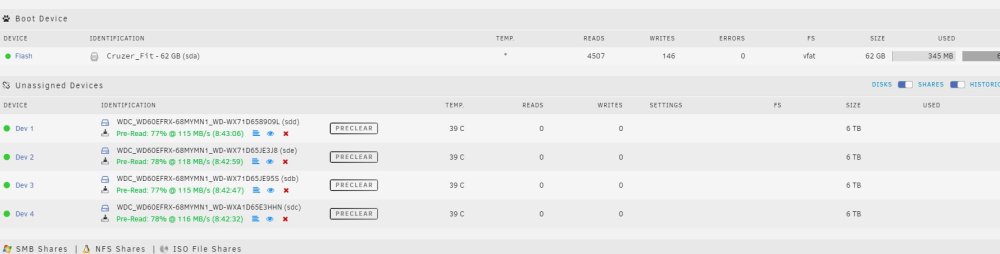
Hi all, I am in the process of doing a fresh install. Small Plex Media server with 4 HDDs and 2 mirrored SSDs. In the Array section the system says I am missing disks. I am in the process of pre-clearing the 4 HDDs. Will the "Missing Disks" error fix itself after the pre-clear and disks selected or is there something else I should do? TIA
-
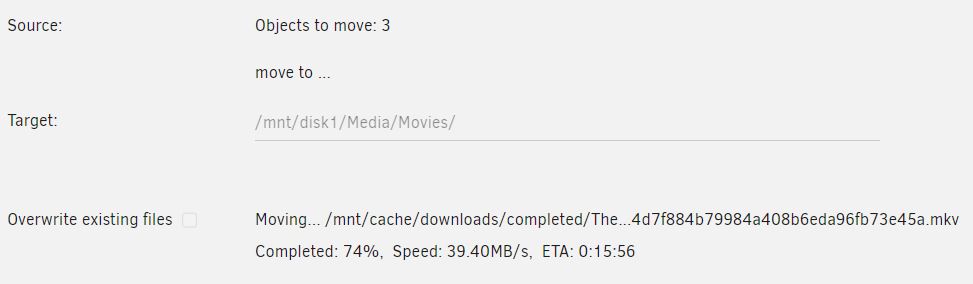
4 x 6TB WD Reds connected to HBA IT Mode 2 x 800GB 2.5" SATA SSDs connected same HBA IT Mode The transfer starts at 850MB and then rests at 45MB soon afterwards. Let me know if more info is needed. TIA
-
Thanks for the reply, I was able to source cables locally and will pick them up tomorrow. Just to clarify "serial numbers of the drives in the same way", does that include and require the same order as well. I currently have 4 x 6TB HDDs and 2 x 800GB SSDs connected.
-
I want to swap the HBA controller. Is it just a matter of physically swapping the cards or is there more configuration required. I just completed setup and parity and would like to continue configuration but won't have a required cable to swap the HBAs for a week or 2. TIA
-
I am running Unraid on a QNAP TS-453D. I have 3 USB devices that were PnP in QNAP QTS 5.0. Do I manually need to install the drivers and /or enable devices. I read manually might be a future feature. https://www.bhphotovideo.com/c/product/1496990-REG/oyen_digital_3r2_2c_m_mobius_usb_c_raid_2_bay.html https://www.dodocool.com/p-dc29b.html This adapter recently became PnP in a QTS update. https://www.amazon.ca/3D-CAC-1420-Gigabit-Ethernet-Adapter/dp/B07Q626XK2/ref=sr_1_2?crid=1401M1U5M7I28&keywords=club+3d+2.5g+usb&qid=1661491506&s=electronics&sprefix=club+3d+2+5g+usb%2Celectronics%2C68&sr=1-2
-
There is not any user data on the device aside from the default created folders. ts453d-diagnostics-20220820-2222.zip
-
I just completed a fresh install and would like to swap my RAID1 1TB SSDs for 800GBs. What's the correct procedure to avoid rebuilidng RAID and maintaining default created directories.
-
Thanks, all is good.
-
I would like to do a fresh install of Unraid. My main priority is retaining my basic.key to "import" to the new installation. I have read that procedures don't fully erase the drives. I am hoping removing and wiping them on another system will resolve this. As long as I have a USB key backup with the Basic.key am I good as far as licensing. I have Unraid installed on a QNAP TS-453D with 2 cache pools (Downloads and Appdata/Dockers). Am I wasting my 2 x 1TB SSDs for downloads? A tutorial said that any drives are fine including 3.5" HDDs.