



Skip to content
View in the app

A better way to browse. Learn more.

Unraid

A full-screen app on your home screen with push notifications, badges and more.

To install this app on iOS and iPadOS
  1. Tap the Share icon in Safari
  2. Scroll the menu and tap Add to Home Screen.
  3. Tap Add in the top-right corner.
To install this app on Android
  1. Tap the 3-dot menu (⋮) in the top-right corner of the browser.
  2. Tap Add to Home screen or Install app.
  3. Confirm by tapping Install.

elokaynu

Members
  • Joined

  • Last visited

  1. @Goobaroo Tried the chown and nothing worked, its refuses to load like SevTech did before you did the update. Now SkyFactoryOne is doing the same thing.
  2. Looks like SkyFactoryOne is doing the same issue as the previous SevTech error I posted about
  3. ATM7 seems fine now. Thanks a bunch
  4. Yep it does, started right away
  5. It is, for some reason this only occurs with SevTech and ATM installs, SkyFactory 4 installs fine. I've tried another SEvtech Repo and it worked only problem is that is was a very old server
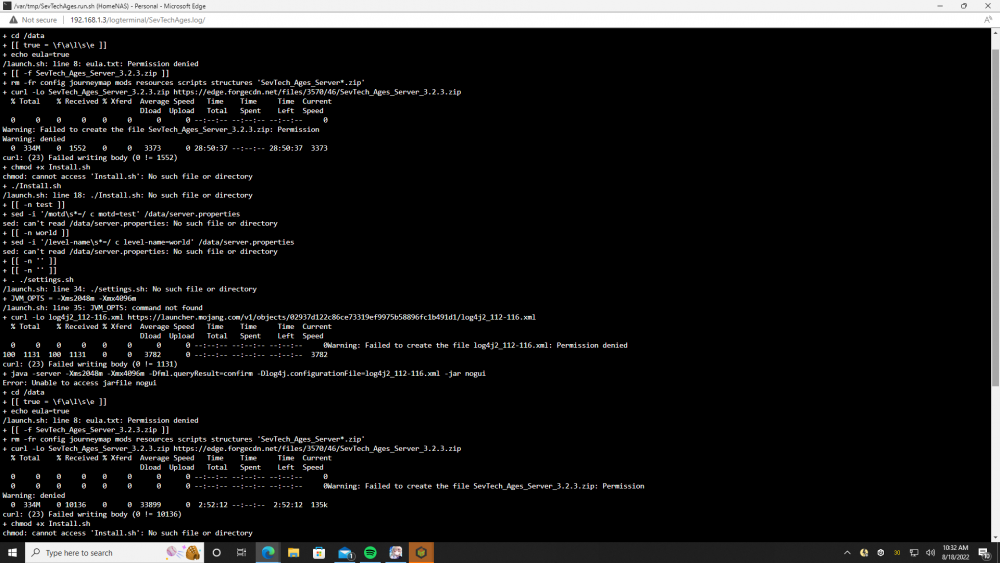
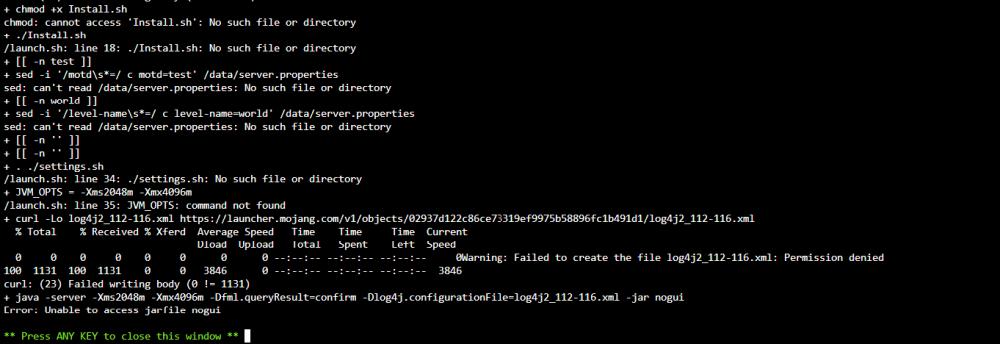
  6. Theres an issue with SevTech. Using the Apps installer and it fails to load. Seems this and ATM7 don't start. SkyFactory 4 starts though.
Account

Navigation

Search

Search

Configure browser push notifications

Chrome (Android)
  1. Tap the lock icon next to the address bar.
  2. Tap Permissions → Notifications.
  3. Adjust your preference.
Chrome (Desktop)
  1. Click the padlock icon in the address bar.
  2. Select Site settings.
  3. Find Notifications and adjust your preference.