





troglodytis
Members
-
Joined
-
Last visited
-
Looks like Plex broke Overseerr's watchlist sync. Word is the Overseerr dev build has it fixed. Is there a way to get that build for this container? Thanks for all you do! (Please excuse any dumbass verbage by this filthy casual)
-
Followed your instructions and mover is now doing its thing. Thank you so much!
-
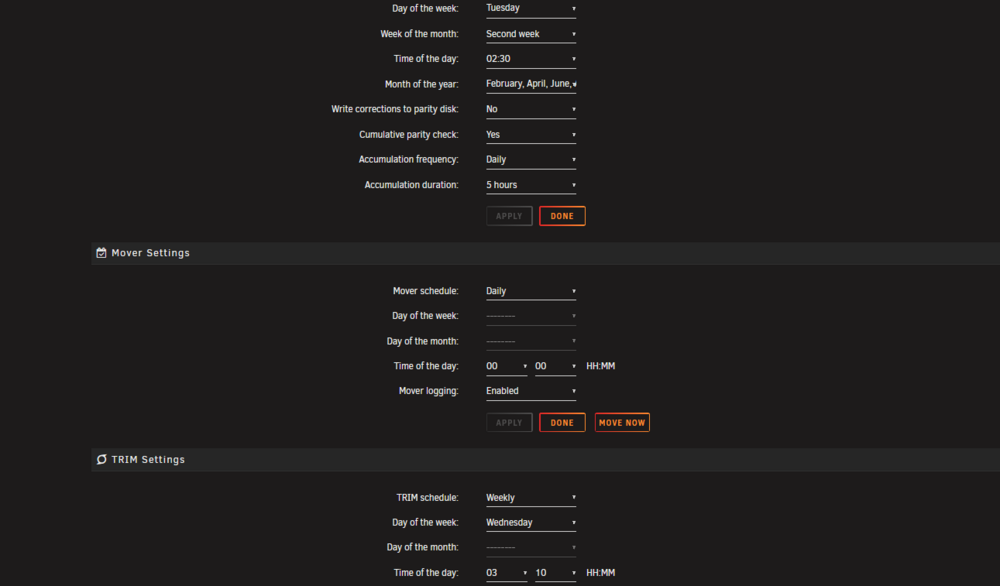
Thanks for stepping up. Mover Logging was enabled for both of those moves. I triple checked that it is still enabled, tried to move again, and grabbed the attached diagnostics. I am expecting /data to move unicorn-diagnostics-20250522-0932.zip
-
Morning all and thank you for your time. When I first updated to 7.0 mover didn't work and I rolled back to 6.15.12 and all was well. Fast forward to a couple days ago, updated to 7.1.1 and I thought it was good. Checked yesterday and cache was full, mover not moving. At the time it was scheduled for hourly moves with mover tuner uninstalled, same as it was on 6.15.12 Saw the 7.1.2 and updated. Still nothing moving. Disabled docker. VM is and has been disabled throughout this issue. Reboot try again. Full cache, nothing moves. Here is the current diagnostic output For fun I installed mover tuner, turned off test mode, and gave it a try. That diagnostics is attached also, 0311 Any ideas what I've mucked up? Thanks again for your time and expertise unicorn-diagnostics-20250522-0846.zip unicorn-diagnostics-20250522-0311.zip

