





NRBP5
Members
-
Joined
-
Last visited
-
Hello again, Bought the hardware, the hard drives still didn't show up on unraid, did some extra research and found a thread with a simple solution, use IDE to Sata power adapters, then everything started working. Also read that it was a must to install the Spin Down SAS Drives Plugin, wich I did. Eveything seems to be working fine now, I don't want to jynx it, but everything seems normal Any other advice? Anything else I should install or keep an eye on? Thanks guys!
-
Thanks for the help. I will buy the hardware and do a small follow up.
-
Hello, I bought 2 really cheap SAS hard drives (ST4000NM0125) (4Tb) and now I want to connect it to my B550 Motherboard that I currently use on my unraid system. I found the hard way (bought adapters that won't work obviously) that I need some sort of SAS controller for them to work on a normal SATA motherboard. I did a quick search on aliexpress and found these: SAS CARD CABLE Can anyone confirm that what I linked above will work? Do I need anything else? Sorry for the questions but I never used a SAS drive before.
-
I do have a backup from July.... But I don't have any issue on my drive. It doens't seem like a drive issue...
-
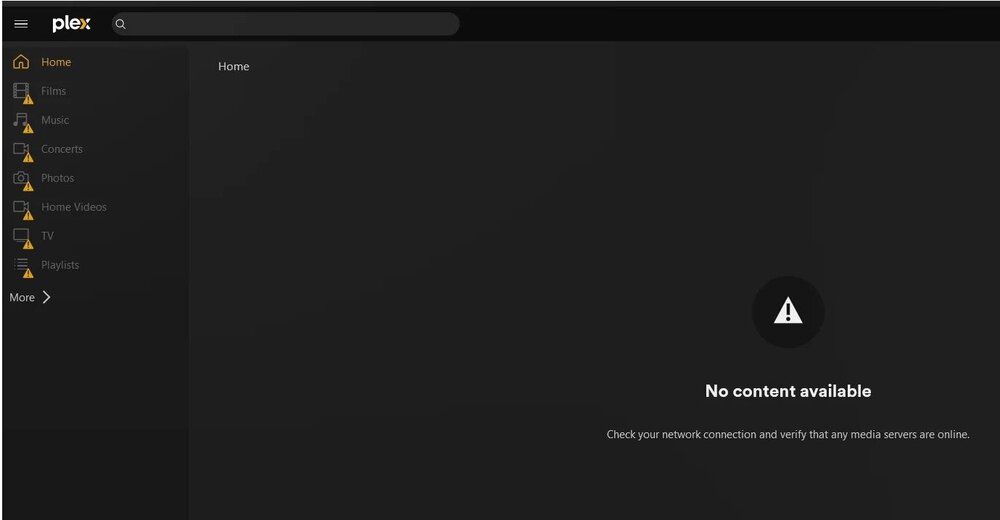
Hello everyone, I have a major issue in my server. The main user on my Plex server cannot recognize the server, its just empty. Other users can see the server and use the content inside it without any issues, but I can't search for new files, and even though I have it set to search each 6 hours it doesn't do it automatically either. It stared by just saying that the content was unavailable like on the pic that I attached but now it's like I'm using a fresh account or something like that. I didn't change anything (apart from adding new content) and it simply stopped working properly. Can someone help me please, I'm really stressed about this, I have dozens(probably hundreds to be fair) of hours put into this server Plex server and I really don't want to lose my configs and database...
-
Thank you for the answer! I'm happy that its actually possible to do
-
Hello, Question: Is it possible to add to my library a folder on a different server that is on the same physical home network? So I have a server "A" and I ran out of physical space to put hard drives, so what I thought was to just add a DIY Nas (server "B") just for storage and add a folder to my library on server "A" Is this possible? Will I have issues? Has anyone done this?
