





Beardiful
Members
-
Joined
-
Last visited
Everything posted by Beardiful
-
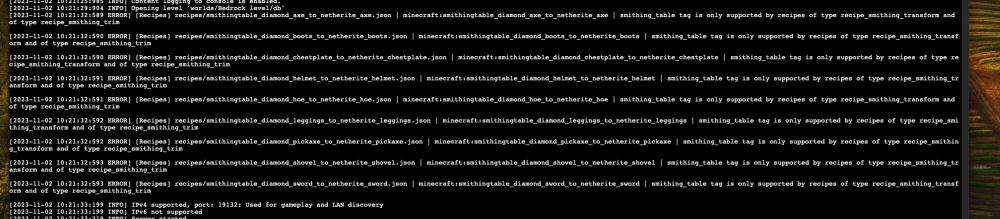
So it was my Switch. Got that sorted. I noticed this and was wondering if others are getting this as well? Is it an issue?
-
I'm am starting to think its something with my switch. It happens when we are just playing on the LAN too. Strange stuff.
-
Its wired in so no wifi issue to be expected. Do you use Cloudflare? If no what do you use. I find it interesting that I set up a Bedrock server on Ubuntu server an entire different device and it does the exact same thing. So its not Binhex's container at all. I don't suspect my router. Maybe my ISP or Cloudflare is my guess. Any ideas?
-
Has anyone experienced a consistent disconnect from the server? About every 20 min. with no apparent reason the player is disconnected. The CPU and machine overall seems to be idling. I lowered a few settings in the server config file and changed compression to snappy but it still disconnects. This is Bedrock and it does this on local lan and from the outside world as well. Never had this problem until recently. Had this container for about a year now.
-
Ever since my update I have to reboot my server every few days. Docker containers wont update even thought the UI is telling me there is an update. If a container is not running and I try to start it I just get the "Server Error" window that pops up. A reboot solves it but only last for a couple of days. Anyone have this happening? Any suggestions?
-
Looks like this container has stopped working. Says it needs a license now.
