






Green Dragon
Members
-
Joined
-
Last visited
-
At least an option to do so! Maybe not even write them to begin with? Great work!
-
Got it installed and configured. Initial look is good! I'll run defaults as they are fine for me. Thanks for the advice and the plugin. Like I said earlier, its long overdue!
-
My sincere apologies. This is entirely on me for not thoroughly reading the clear/simple instructions. I was on auto-pilot and went to \plugins expecting to click the name of the plugin to get to config options. Going to \settings and finding it there works as expected. I will continue setup and testing as time permits. Thank you for developing this plugin. It is sorely needed...
-
Tried to install this plugin and get only this: Unraid version: 7.2.4 Clicking where the shortcut should be yields nothing... Thoughts?

-
Thanks JorgeB! I'll do that
-
Twice now I have had this problem where UnRaid throws a warning, 'Cannot access your USB Flash boot device'. (see image) When this happens Connect lists 'No Flash'. (see image) Docker and VMs shut down. I am unable to access the Dashboard so unable to restart from the GUI, requiring a reboot from CL. Boot Device is still listed on the Main Menu but also in Unassigned Devices. All drive data is greyed. (see image) I am unable to stop the array in the GUI. Diags are included though they were generated after a successful restart. I read somewhere that a VM could be trying to use the flash drive and although I have three vms this would not be something I configured intentionally. Thanks in advance! gothamcity-diagnostics-20250613-2233.zip
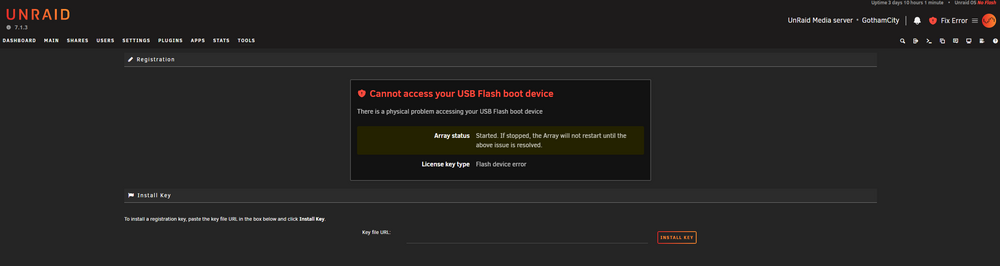
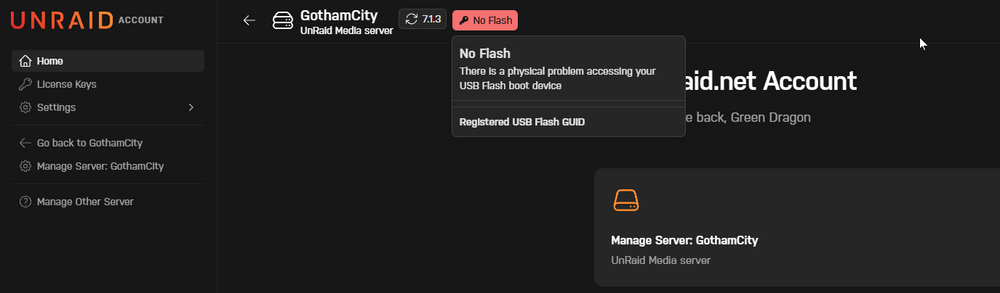
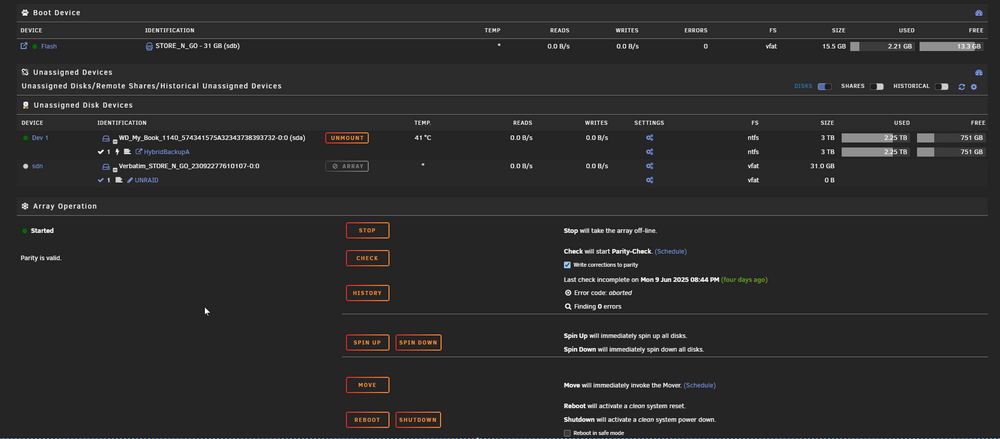
-
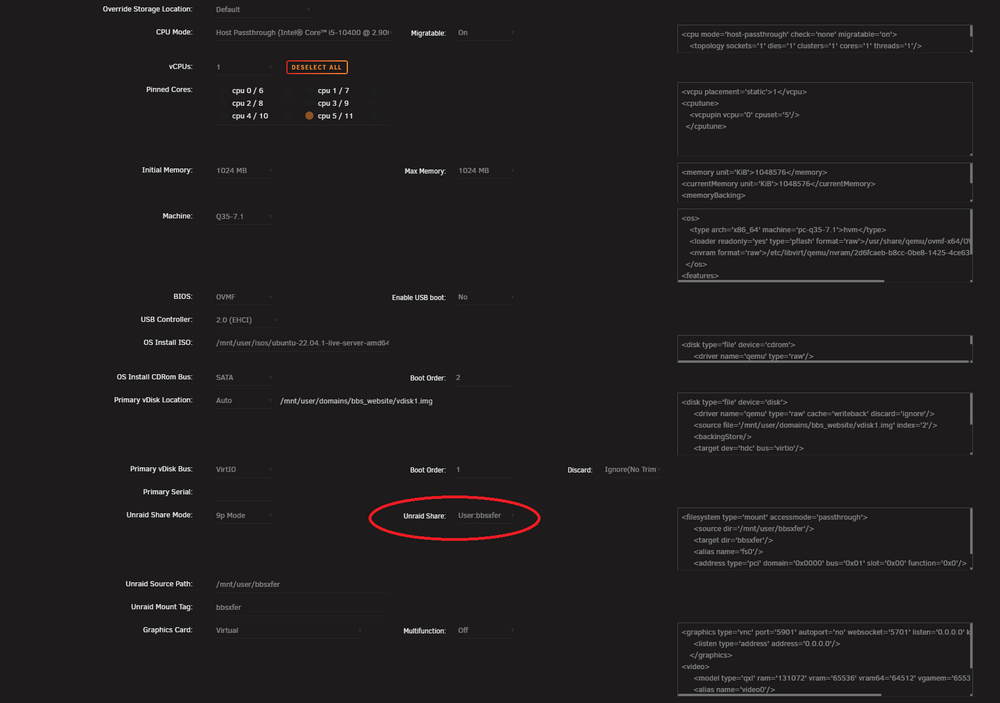
I recently created a VM with a passthru to an Unraid share thinking I would use it but later determined that I could not. Now, I want to remove the share but because the VM is configured to use it the VM fails to start if I remove the share. All attempts to remove the passthru config from the VM in the GUI fail. Is there any way to remove the passthru config from the VM? Id rather not rebuild the VM from scratch.
-
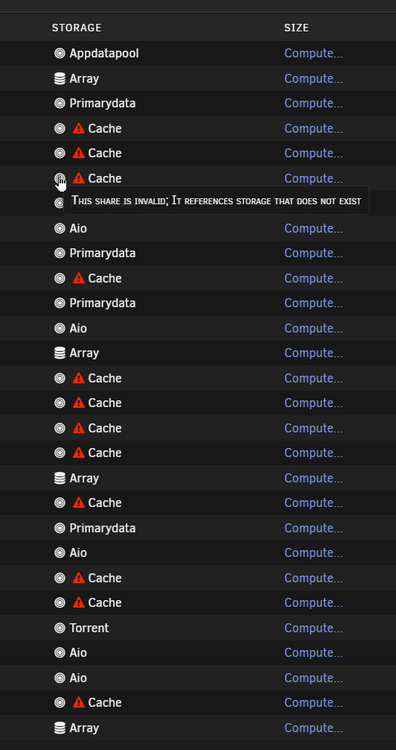
Yes, sorry! Some of the names are: retrogaming (disk2) compilations (disk3) homevideos (disk3) pics (disk3) Note that I was able to get this to 'go away' by changing the config of each share, adding then removing an excluded drive on each. I have not yet restarted the array and would still like to know why this happened, if possible.
-
When looking at the 'Shares' screen I see the following (see image) This issue just turned up tonight. No recent major changes. Thoughts on why this would happen? (production rig specs in signature, i am including diags) Thanks for looking! gothamcity-diagnostics-20250102-1834.zip
-
After investigating a recent issue I had with SMART read errors on a Parity drive (caused by a power outage) I cleared the error in the UnRaid UI but cannot get the warning to disappear from FCP. Other than 'IGNORE ERROR' how can I clear this in FCP? The FCP warning is 'parity2 (ST12000NM0008-2H3101_ZL0033AV) has read errors' Thanks in advance!

-
So, is there no upgrade path from Plus to Lifetime?
-
This did it. Shutdown, changed usb port, started, works a charm!
-
Thanks for the prompt reply @JorgeB Attached are my diags. gothamcity-diagnostics-20241030-2011.zip
-
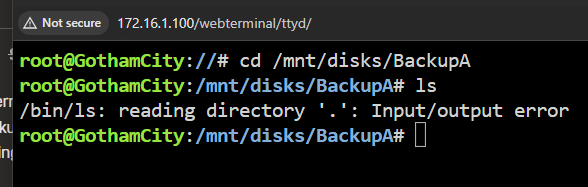
I have an external USB drive (spinner) that I have been using as external backup of key shared for several years (actually three drives that I rotate through to my lockbox). Recently, backups have been failing and I notice that the drive does not appear to be mounted with the only option 'reboot' greyed out. I tried restarting both the array and the machine. No joy. I cannot access the drive from console either. Thoughts?

-
On the PIA OpenPVN issue guys; this worked for me using the .zip I downloaded years ago. The one linked in the reddit post does not work though you can browse the website for it to download but its probably the one you already have from 2020): https://old.reddit.com/r/synology/comments/jwbtld/1819_trouble_connecting_to_pia/ Good luck!


