Skip to content
View in the app

A better way to browse. Learn more.

Unraid

A full-screen app on your home screen with push notifications, badges and more.

To install this app on iOS and iPadOS
  1. Tap the Share icon in Safari
  2. Scroll the menu and tap Add to Home Screen.
  3. Tap Add in the top-right corner.
To install this app on Android
  1. Tap the 3-dot menu (⋮) in the top-right corner of the browser.
  2. Tap Add to Home screen or Install app.
  3. Confirm by tapping Install.

jimix

Members
  • Joined

  • Last visited

  1. jimix started following Speed Differences
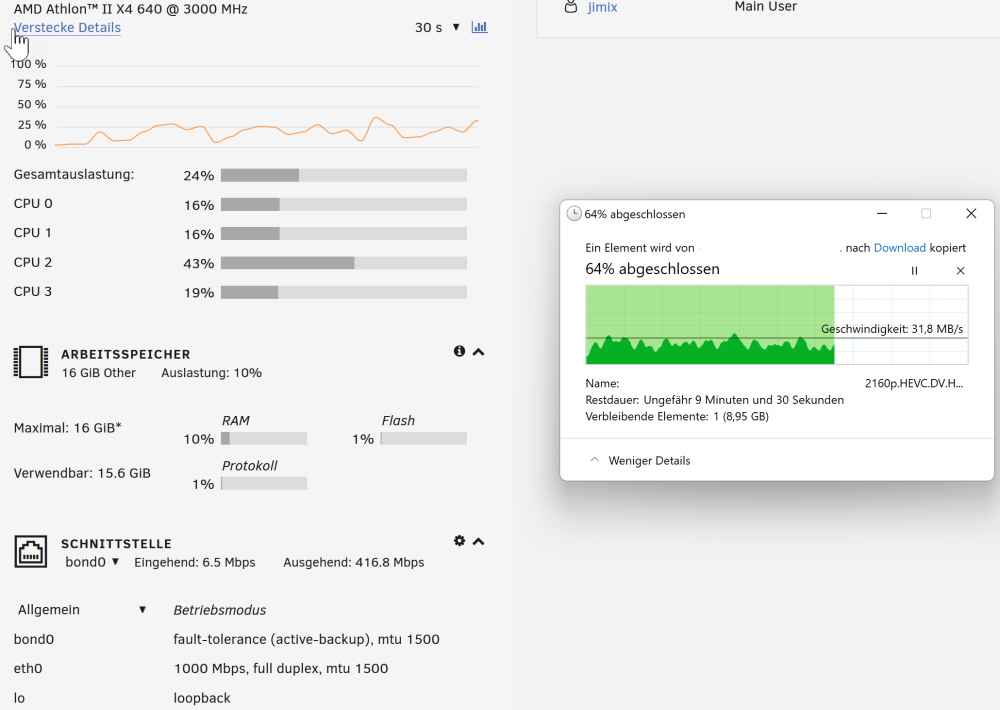
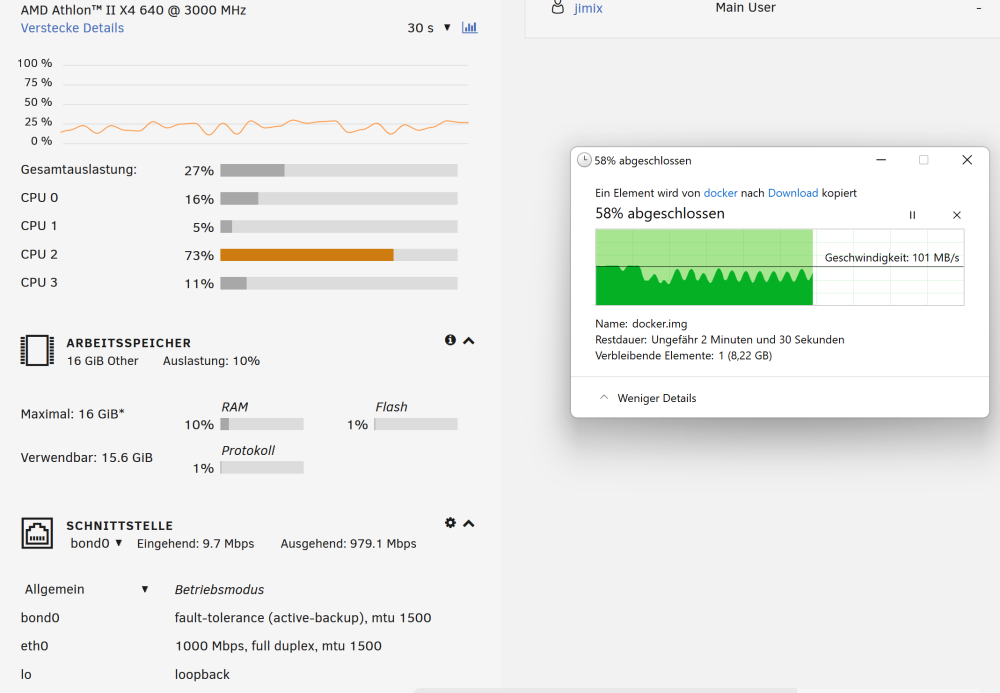
  2. Hi everyone! I discovered slow transfer speeds on my Unraid NAS. So i started somekind of a little test. I am dowloading 2 diferent Files from the NAS to my PC. The 1. File is is the docker.img stored in "\disk1\system\docker". Its size: ~ 21gb The 2. File is a movie file stored in a shared movie folder. Size ~ 27gb The Transfer Speed for the 1. File is just fine ... For the 2. File it's not! Can anyone explain this? Its just a simple Config withj just 1 SSD Disk in the Array, so no Parity and no Pool/Cache Disks!
  3. jimix changed their profile photo
  4. Hi! Just want to know what happens after Trial period ends. Is the data on the storage accessible? greetz

Account

Navigation

Search

Search

Configure browser push notifications

Chrome (Android)
  1. Tap the lock icon next to the address bar.
  2. Tap Permissions → Notifications.
  3. Adjust your preference.
Chrome (Desktop)
  1. Click the padlock icon in the address bar.
  2. Select Site settings.
  3. Find Notifications and adjust your preference.