





error311
Members
-
Joined
-
Last visited
Everything posted by error311
-
- everytime i reload the site the slider jumps to 3 back - 3 is default and isnt saved after refresh. - if i try to upload pictures, the upload gives me an "error upload, check the list", i have try to upload some diferent sizes of pictures and check out that i cant upload pictures or files over 2 mb . is it 1,5 mb ( thats what i have testet ) isit completed but is it over 2 mb gives me an error - this I believe is issue with resumable uploads chunk size being same as image size. I need to look into this more. Thanks for letting me know. You can bypass resumable uploads by dragging and dropping the image for now until I resolve the issue. This is fixed now. I added force chunk size and made some additional adjustments to the upload logic. Please report back. You will need to clear browser cache for this to work. - The header Title in Admin Menu Works for the time you are active at the page, if i reload the site complete, it turns back to filerise, if try it to rename it to filerise2, after i click the reload button or the fileriseicon at the top left, the name turns back, it dont saved it - this might be a cache issue can you try in a private window? ill look into resolving this though. - is it possible to add a delete button to the files in the gallerywiev or maybe a checkbox linke in the filewiev ? - Yeah still working on gallery view.
-
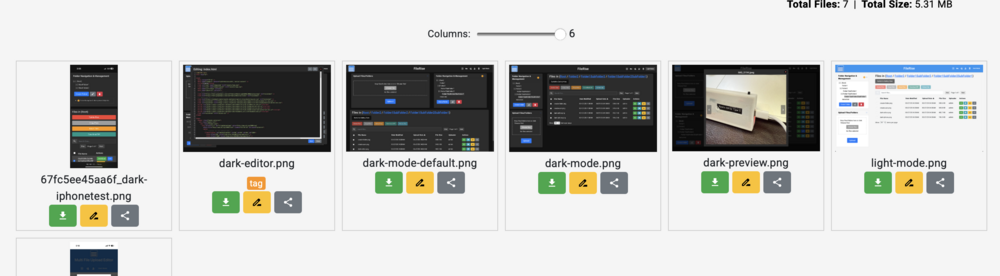
Slider looks like this: 1 - 6 columns depending on screen size. Gallery view should be faster performance since now images are in cache. Can you tell me what browser you are using? You have to hit check for updates in unraid to get the new update. Gallery view cache and column changes were done after gallery view was added to share folder. So you may need to update again. Let me know how your performance is after updating.
-
I added gallery view toggle to share folder. Updated gallery view for both shared folder and main site to cache images for better performance Main site also added slider to adjust how many image columns are displayed and scale the images dynamically. https://github.com/error311/FileRise/commit/a897d1734fb255bb51f176da2096b0704675bb63
-
Yeah I moved gallery view button and reduced header height to clear up some white empty space. I'll look into extending gallery view into share folder or have that as optional. Thank you for your suggestions.
-
Fuse.js Integration for Indexed Real-Time Searching was added https://github.com/error311/FileRise/commit/d9f69d7917642382c7f366799affcf2c8dc850bd Here is the release notes: https://github.com/error311/FileRise/releases/tag/v1.1.2 and advanced search within file contents was added: https://github.com/error311/FileRise/blob/master/CHANGELOG.md
-
It is realtime at the moment but do plan to add index searching.
-
Odd a reboot fixed it. You can change it in unraid WebUI: http://[IP]:[PORT:80]/ Just put the URL or IP & PORT you are using may fix it.
-
@Sergii Are you using Nginx, caddy or ha proxy? Your screenshots show the ports are correct except https (I will look into this). Apache is running, all ur permissions and directories are good. I recently added a Wiki page to GitHub for Nginx setup https://github.com/error311/FileRise/wiki/Nginx-Setup this may help resolve your issues. This guide isn't 100% tested yet though. My https://demo.filerise.net uses apache reverse proxy.
-
Can you try the above post? Try this please in bridge mode Edit FileRise container in unraid click: Add another Path, Port, Variable, Label or Device Config Type: Port Name: containerport Container Port: Whichever port you set HTTP_PORT to Host Port: Whichever port you set HTTP_PORT to Add Save Let me know if this works for you please. I need to still add this to unraid community template so you have to manually do this for Network Type Bridge.
-
Thanks for confirming @Eichhorn and Im glad its working now for you. I will add this into my unraid community template so others won't have to manually create this. I also fixed the shared button in gallery view you mentioned. Thanks again and hope you enjoy FileRise.
-
@Eichhorn Try this please in bridge mode Edit FileRise container in unraid click: Add another Path, Port, Variable, Label or Device Config Type: Port Name: containerport Container Port: Whichever port you set HTTP_PORT to Host Port: Whichever port you set HTTP_PORT to Add Save Let me know if this works for you please.
-
Thanks @Eichhorn I think registration would be a cool idea with approval system. I will see about implementing that. Share button issue - I will look into this. I want to enhance gallery rendering a bit more. It is lacking certain features that are available in file view. User Permissions - The “Folder Only” feature assigns each user a dedicated folder within the root directory, named after their username. This setup ensures that users can access only their respective folders and the subdirectories within, effectively restricting them from viewing or modifying other directories.
-
User permissions were just added. Currently just 3 basic options such as User Only Folder, Read Only and Disable upload. Will extend this to individual file and folder permissions using context menu/right click. Edit: I enabled MKV playback but depends on codecs of video file. I also included version number in the admin panel.
-
Yes it is at the moment that is how it functions. I will be adding options in the admin panel soon that will allow you to adjust file and folder permissions of users. Also allow users to have their own Root folder structure.
-
I been unable to replicate the resumable_ folder after uploading large files. I did decrease the chunk size from 3mb to 1.5mb and removed my custom recursive deletion function with one that uses PHP’s RecursiveDirectoryIterator. Please test again if you can and let me know your results.
-
Thanks for bringing this to my attention. The resumable_ temp folder is where the chunked uploads go during upload. I believe the issue is when using resumable uploads in sub folders it isn't removing the temp folder once upload is complete. I will look into that and try to get a fix today for that. Currently for video playing FileRise only supports mp4|webm|mov. Browsers usually don't natively support mkv video so that is why it doesn't detect that as a playback option. I will look into this more. Maybe we can transcode video to a mp4 container to add more video playback compatibility.
-
custom br0 if network adapter has bridging turned on will allow you to use a static ip to connect to your network as if it has it own NIC. If your local ip is 192.168.1.1 you create a new ip such as 192.168.1.45 that isn't taken already. It will have its own IP and can use whichever port you decide. If that isn't something you want to try you could try different ports not 8080 there could be conflict which is why you can't access FileRise now in bridge mode. edit: Yeah your pic looks good no more Action '-D FOREGROUND' failed So you might already have something using port 8080 already. Try a different port or custom br0 network.
-
What your logs say now? I added more info to logs. Action '-D FOREGROUND' failed this was due to start.sh not writing the listen port correctly and should be fixed. Also can you try to run it in custom br0 network to see if you still have same issue?
-
I think it deals with apache listen port. Not using port 80 or 443 is causing issues. I will work on a fix and push out an update. Thanks for mentioning this. Edit: should be fixed now. Please update and let me know. I anchored the listen search pattern seems to resolved the issue.
-
Can you try Host or custom br0? Don't forget to use the ip:8080 since you are changing it.
-
Sorry you are having issues. Are you using Host, Custom Br0 or Bridge? Are you changing network type to Br0 and creating an IP? Apache is packaged with FileRise nothing else is necessary to run FileRise. Can you send me what the logs show when trying to start the unraid container?
-
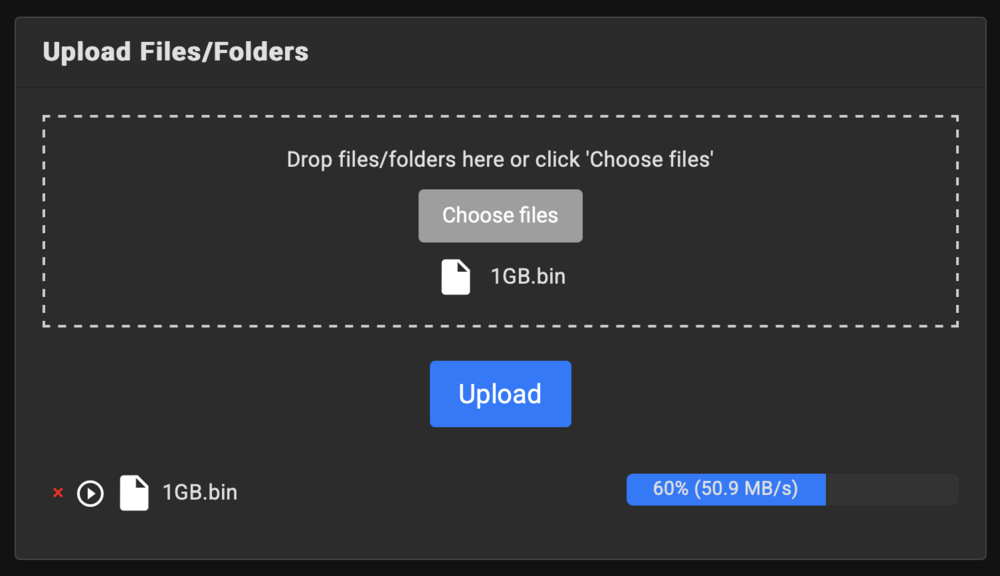
Pause, Resume & Retry chunked uploads was integrated using Resumable.js.
-
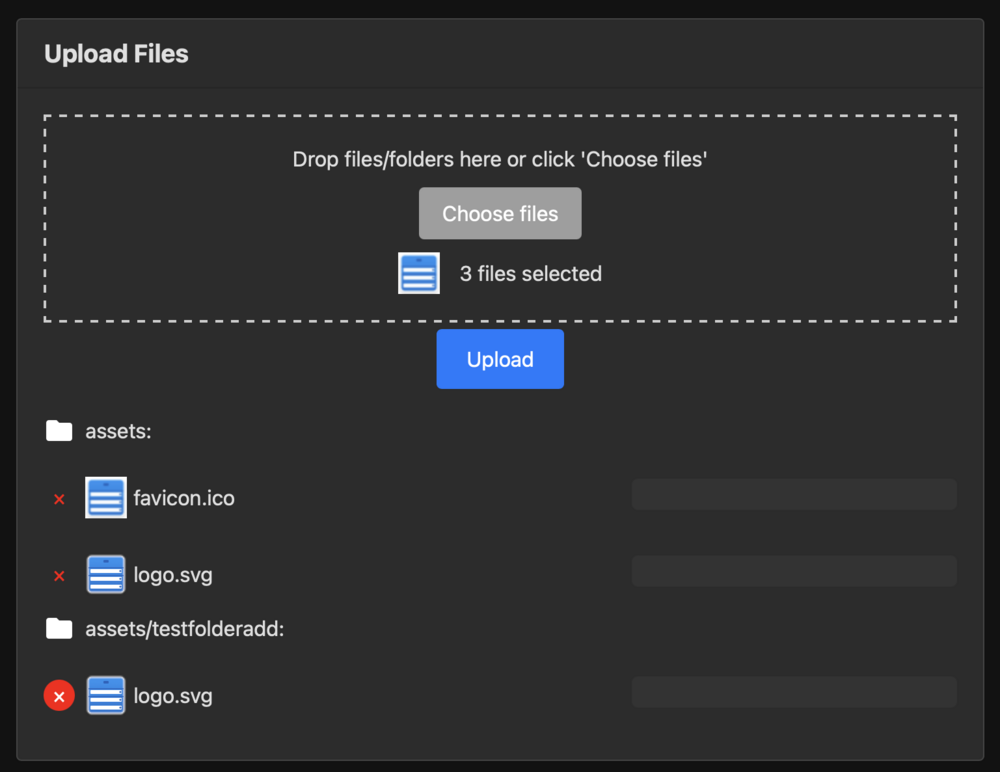
Thank you for kind words. Does it support resumable file transfers? - This currently isn't implemented. I did attempt this but at the moment it will fail and you will have to re-upload. Does it support uploading entire folders (and subfolders+files) at once? - I am actually working on this now but it is not currently implemented. Folder upload was implemented and updates the folder tree: I appreciate the feedback. Will look into adding these in the next few days.
-
Yes sorry it is a TPS63070. I will update that, thank you.
-
IMG_0192.mp4 https://github.com/error311/Unraid-ePaper-Server-Monitor/ Just wanted to share my project with you all. I built a custom esp32 dev board and got a ePaper display.. Wanted to do something with the ePaper display so here is the outcome of that lol. I've named it "Unraid ePaper Server Monitor" because it requires unraid of course and bash script that runs every 20 minutes. I am not affiliated with UNRAID and this is an unofficial project. This project is a custom Unraid monitoring solution that uses an ESP32 paired with a 2.9″ ePaper display to present real‑time server metrics. It leverages a bash script (run as a Unraid User Script) to gather system information and Docker/VM stats, formats the data into a JSON file, and then the ESP32 fetches and displays the data. Battery life I have not got a full discharge yet but based on my amp reading without using the button (monitor only) should last 6-10 weeks on single charge. Here was my original project that just used ping library to show status: https://github.com/error311/esp32-epaper-server-monitor Plans for future updates Start & Stop docker containers HTTP endpoint in apache-php Mount the Docker Socket or SSH to the Host Key Features Unraid System Metrics CPU Load: Extracted from uptime CPU Model: Retrieved from /proc/cpuinfo Memory Usage: Total, used, and free (in MB) Disk Free Space: Obtained from df -h Docker Container Stats Monitors the following containers: Jellyfin Jellyseerr GluetunVPN immich For each container, the script displays: Online status (using docker ps) CPU usage, memory usage/limit, and IP address (via docker stats and docker inspect) Disk information: total disk size, used space, and free space (using df -h) Virtual Machine Stats Uses virsh to gather details for VMs including: Name, state, CPU cores, and maximum memory (in MB) Autostart settings IP address (using the guest agent) JSON Output All collected metrics are aggregated into a JSON file (saved to /mnt/user/appdata/Apache-PHP/www/firmware/status.json), which the ESP32 uses for display updates. Hardware & Power Management ESP32 & ePaper Display Driven by the Waveshare ePaper libraries (DEV_Config.h, EPD.h, GUI_Paint.h) Uses partial refreshes for efficient display updates Power Supply Powered by a TPS63070 buck‑boost regulator that converts battery voltage to a clean 3.3V Uses a 4.2V, 1100mAh battery charged via a TP5100 module A push button connected to GPIO39 (with a 10kΩ resistor to ground) wakes the ESP32 from deep sleep Battery Monitoring Voltage 27kΩ resistor from battery voltage & 100kΩ resistor from ground. These are connected to GIO33. OTA Updates The ESP32 checks for firmware updates via HTTP and uses the Update library for over‑the‑air (OTA) updates Software Libraries & Tools ESP32 Libraries WiFi & HTTPClient: For network connectivity ArduinoJson: For parsing the JSON status file Update: For OTA firmware updates Bash Script Tools Standard Linux utilities: uptime, free, df, grep, awk, etc. Docker commands: docker stats and docker inspect for container monitoring virsh for Virtual Machine statistics How It Works Data Collection: A bash script (run as a Unraid User Script) collects Unraid system metrics, Docker container stats (including disk size, used, and free space), and VM information, then formats all of the data into a JSON file. Display Update: The ESP32 downloads and parses the JSON file using ArduinoJson, and updates the ePaper display with formatted text and graphical progress bars. Low-Power Operation: The ESP32 is designed for low-power consumption. It uses deep sleep and can be awakened via a push button (GPIO39), ensuring efficient operation. Repository Structure ESP32 Firmware: Contains the code for the ESP32, which handles fetching, parsing, and displaying the JSON data. Bash Script (json_script.sh): Collects and formats system, Docker, and VM metrics into a JSON file. Branching Strategy Due to significant differences between the original ping-based monitor and this new JSON-based Unraid monitoring version (which removes some libraries and functionality), this version is maintained in a separate repository. This clear separation ensures that users can easily choose the version that best fits their needs. License This project is licensed under the MIT License.





