SaberTreasures
Members
-
Joined
-
Last visited
-
I keep getting "Failed to get runtime from the file, make sure ffprobe is available", what am I doing wrong or how can I fix? Thanks so much for all of your time!
-
Hey There @binhex , I appreciate all of your time and help! I have tried this and it did not help. I then tried what @SliMat did and that also did not help (I updated .crt / .pem / .ovpn files). I then tried changing them to a different strong connection from pia (instead of ca.rsa.2048.crt did the ca.rsa.4096.crt with associated pem and ovpn), but that did not help. One thing that comes up alot in the log is bad compression header byte 42, idk if that is anything really or not. Let me know what I can provide outside of the above and I certainly will. Would it help if I switched VPN's at all? I've had PIA for a long while (years) but my membership is about to renew so would be a good time to switch if that is the culprit lol! Thanks again for all of the help.
-
Never had an issue with deluge until today - wondering if someone could help - restarted server and cannot get the UI to come back up. Using PIA, checking the logs shows this ? Any thoughts on what the culprit might be? I haven't done any changes to the setup, username and PW for pia still works fine etc as well. I appreciate all of the help! 2025-06-03 23:52:21,007 DEBG 'start-script' stdout output: [info] Failed on last attempt, attempting to get external IP using 'http://whatismyip.akamai.com'... 2025-06-03 23:52:21,016 DEBG 'start-script' stdout output: [info] Failed on last attempt, attempting to get external IP using 'https://ifconfig.co/ip'... 2025-06-03 23:52:21,026 DEBG 'start-script' stdout output: [info] Failed on last attempt, attempting to get external IP using 'https://showextip.azurewebsites.net'... 2025-06-03 23:52:21,035 DEBG 'start-script' stdout output: [warn] Cannot determine external IP address, performing tests before setting to '127.0.0.1'... [info] Show name servers defined for container 2025-06-03 23:52:21,036 DEBG 'start-script' stdout output: nameserver 84.200.69.80 nameserver 37.235.1.174 nameserver 1.1.1.1 nameserver 37.235.1.177 nameserver 84.200.70.40 nameserver 1.0.0.1 2025-06-03 23:52:21,036 DEBG 'start-script' stdout output: [info] Show contents of hosts file 2025-06-03 23:52:21,037 DEBG 'start-script' stdout output: 127.0.0.1 localhost ::1 localhost ip6-localhost ip6-loopback fe00::0 ip6-localnet ff00::0 ip6-mcastprefix ff02::1 ip6-allnodes ff02::2 ip6-allrouters 172.17.0.2 300eae012846 piavpn information next [warn] Unable to successfully download PIA json to generate token from URL 'https://www.privateinternetaccess.com/gtoken/generateToken' [info] 12 retries left 2025-06-03 23:56:32,490 DEBG 'start-script' stdout output: 2025-06-03 23:56:32 Bad compression stub decompression header byte: 42 2025-06-03 23:56:21 DEPRECATED OPTION: --cipher set to 'aes-128-cbc' but missing in --data-ciphers (some id starting with AES). OpenVPN ignores --cipher for cipher negotiations.
-
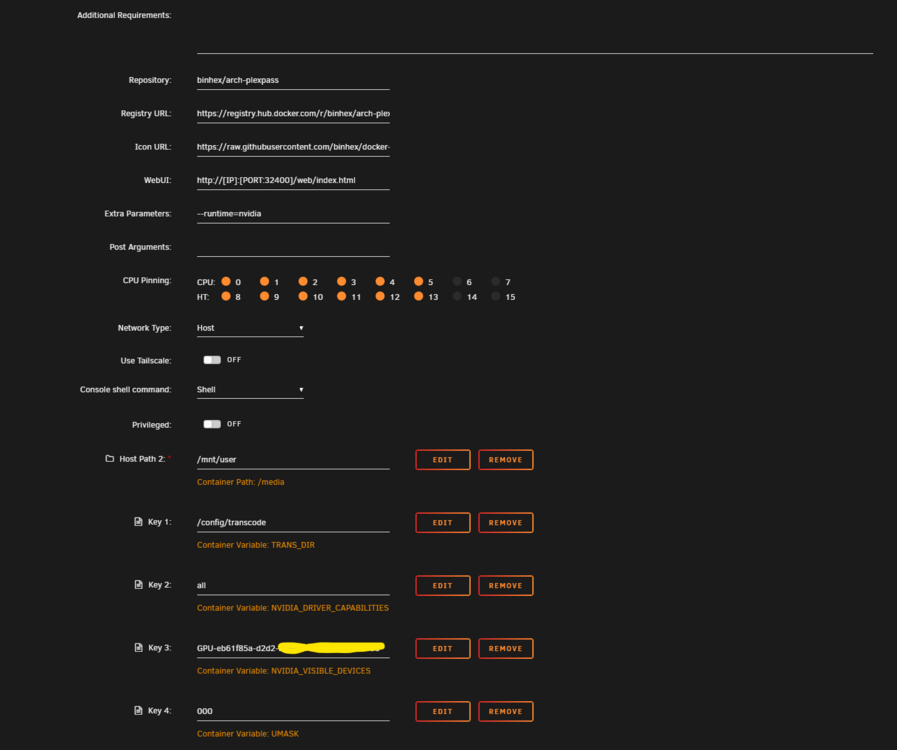
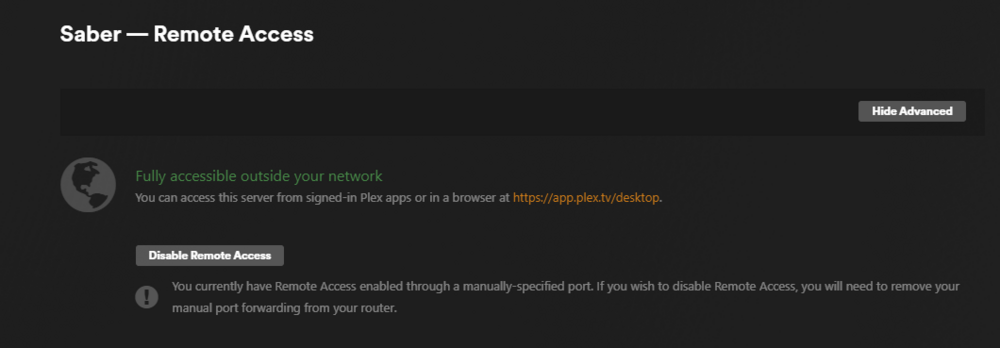
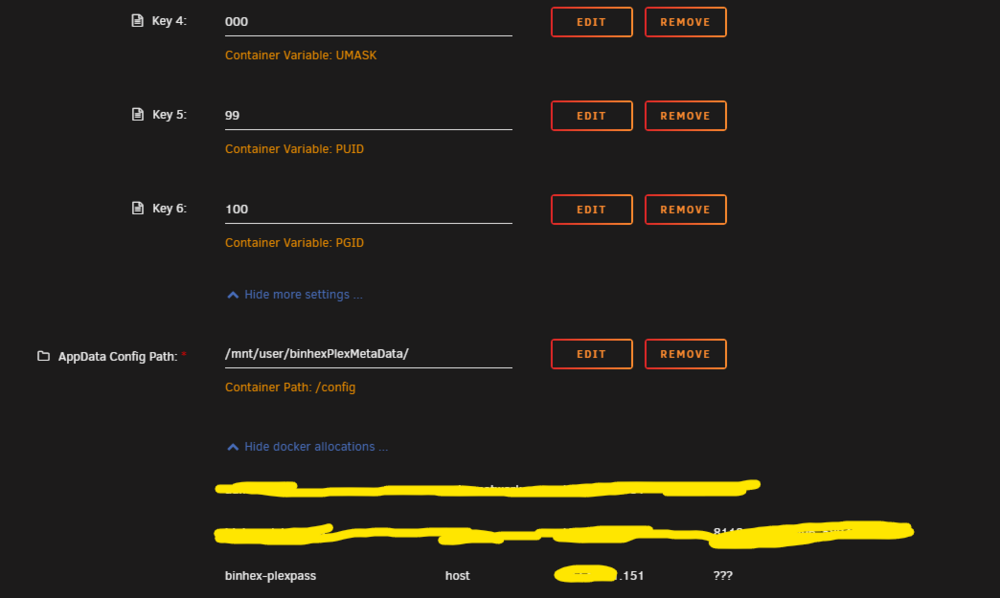
SOLVED - deleted items in codecs folder and let it refresh Need any guidance if possible - I don't know what I've done as I haven't done much to the plex server recently except add a tv tuner. A ton of the media on the plex server now never loads on any device I try to play it on (a tv, a iphone, computer, on or off the local network). These are the things I have checked so far or other comments. I've had the server up and running for over a year at least working fine. Some media plays fine but alot of the media does not and just continues to try to buffer the entire time now even though the media can be played directly from the source file. Any help would be greatly appreciated it! I do have this error in the logs as well when trying to open something - 1. I updated the docker 2. restarted the server 3. Played the media straight from the servers files outside of plex and it worked fine on my PC. 4. I do hardware transcoding. 5. Tried enabling DLNA 6. Removed the live tv tuner just to try it 7. restarted the docker 8. all plugins are up to date I've attached pictures and logs below -


-
i get several dockers that say does not have any volume to back up, skipping, even though some of them i'd like to back up (such as binhex plex pass docker. I'm guessing i'm doing something wrong with these? lol I dont know if this debug sending it shows that particular issue above as well (since it did have an error with tdarr too but i don't care as much about that issue but here it is. debug code - d5f24c46-33fa-4e5f-8ea8-ab179d284ece
-
Same thing is happening to me, after upgrade to newest filebot, it says username and password for opensubtitles is incorrect and then it stopped the filebot docker. Additionally i went to open subtitles website myself and tried the username and password and it worked fine and this all worked fine prior to the newest version.
-
So I have just started using Photoprism. I uploaded about 9,000 photos and it's very strange. Sometimes the thumbnail is something totally different than the video is shows when you click it. For example. I clicked on a supposed video of a vacation based on the thumbnail it showed but it showed a video that i had taken of fireworks instead for that thumbnail (and i don't even think the vacation picture was a video). Whats going on here you think? lol Thanks so much for your time!
-
The first time i put it in it didn't work but eh, did it a second time and restarted the docker and it worked, thanks so much for your help. I'll change the password right now as well ☺️
-
I had set it to a different password long ago, but it's not working for some reason. Is there a way to reset it potentially somehow ? Even reverting to an older version is not going to help me since I changed it from the default password long ago.
-
I've had this docker container for a long while now. Recently (today) when I try to open binhex-qbittorrentvpn it won't open the GUI anymore. It says Unauthorized now and doesn't open the UI at all. When I try to use like in command window curl ifconfig.io to see if it is grabbing an ip fron PIA vpn it shows that it is grabbing an ip etc just won't open the UI anymore. Any help would be much appreciated, thank you so much! Well editing a bit, I finally got the UI to show the username and password area but now my password i had set a long while back is not working, and no idea how to reset it. Maybe delete and start container completely over?
-
I have this error message from fix common problems after adding a second cache pool and moving appdata share to use the new cache. Consequently too delugevpn thinks there is no openvpn files in the directory now even though it appears there is and the docker will not start. Wondering if that also has something to do with this. Attached is diagnostics as well as a picture of fix common problems. Thanks for any and all help, i probably messed something up....course if theres anything else you see glaring in the logs let me know that as well if possible. saber-diagnostics-20240421-1910.zip

-
So I ran into an issue where sonarr will say downloaded waiting for import and then it has downloaded something into a folder it created named "unzipped". Typically whatever sonarr grabs it puts straight into a media folder, except when it sometimes puts them into the unzipped folder. I read some about this and downloaded unpackerr but obviously if that is what I need I don't have it setup right because they still stay in the unzipped folder until i manually move them myself. What am I doing wrong here or can someone help me out a bit? Thanks for all of your time and help, i really appreciate it!
-
@Squid - Thanks for the fast response! What about the "Macvlan and bridging has been found. This might cause issues with stability on your server." should I ignore this one or start digging into a bit more?
-
Common Problems App says "Your server has detected hardware errors. The output of mcelog has been loggeg. Post your diagnostics and ask for assistance on the Unraid forums" and so I see sometimes it could be harmless on the forms (referring to link below). But I'm not sure if mine is harmless or an actual problem. I have uploaded my syslog as well. Is there anything I need to do? Additionally fix common problems app says "Macvlan and bridging has been found. This might cause issues with stability on your server." Should i be worried about this is pretty much everything is working alright? Or what should i do? Thanks so much for all of your time! syslog[1].txt
-
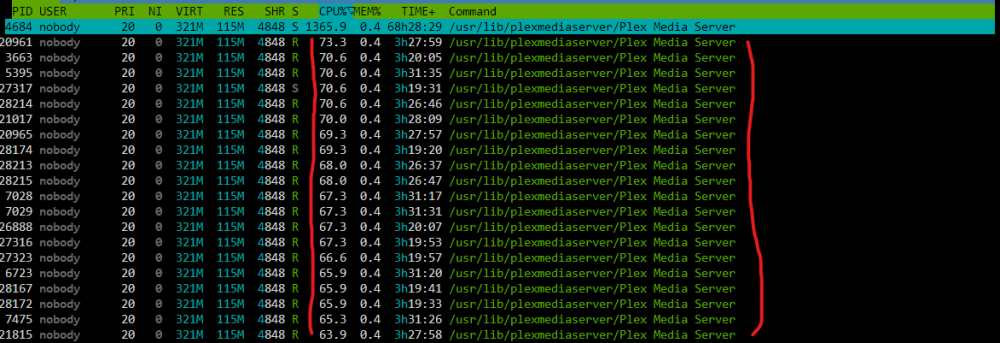
Plex is pegging my CPU to almost 100% now for about a full day. Usually if it's searching for intros or something it might spike for a bit but not like this. Additionally, it does not say it is looking for intros or skipping credits or anything like it usually would. I'm not sure what to really check to figure out what might be making plex kill the CPU like this. Any thoughts would be appreciated. Thanks for all of your time and help! Now if I restart plex it'll be fine for a while on the CPU usage but then at some point it will shoot back up to 100% CPU plus make it where you can't even visit my server on plex. If I put this in the wrong thread let me know and I'll move it somewhere else. Utilizing htop in terminal its all plex media server at the top (see below)