mrnoodle
Members
-
Joined
-
Last visited
-
I solved this issue, I had to delete "drivers" in appdata/plexmediaserver/library/application support/plex media server/drivers. This took care of this error. Next for my initial issue ill report back on the memtest
-
Another clue, plex is failing to transcode from IGPU throwing error: [Req#c7f/Transcode] [FFMPEG] - Failed to initialise VAAPI connection: -1 (unknown libva error). I tried restarting the container but still not working. something is happening at a system level causing it to fail. Plex Version 4.147.0
-
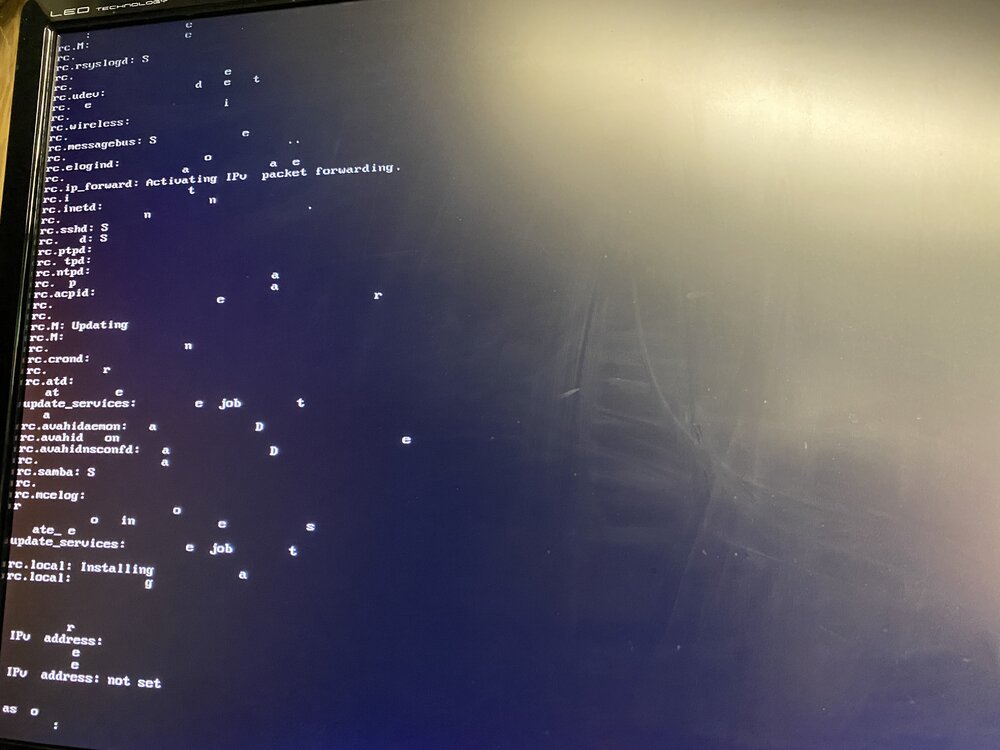
Hi guys, Over the past few weeks I've been experiencing increasingly frequent crashes and instability. Here's what I've seen Corrupt Display: local Unraid CLI over monitor shows garbled text, missing characters, and screen corruption. Display itself is not the issue, tested with multiple monitors. Nginx Errors, WebGUI becomes unstable or restarts. CLI has no response when trying to input root password to send shutdown command forcing me to hard reset Plex transcoder outputting in syslog divide by zero trap Plex seems to leave stray transcodes that died off in ram Another notable issue plex is throwing an IGPU error: [Req#8fc/Transcode] [FFMPEG] - Failed to initialise VAAPI connection: -1 (unknown libva error). not sure how long ago plex fell beck to cpu transcoding or if this is a coincidence with a bad plex update but the CLI and the transcodes do share the same IGPU Is this a typical ram issue or is this some other hardware failure? System specs: Unraid 7.1.2 Cpu: 13th Gen Intel® Core™ i7-13700K @ 3400 MHz Ram: Crucial Pro 64GB DDR5 CP2K32G56C46U5 Motherboard: Gigabyte Technology Co., Ltd. Z790 AORUS ELITE AX Diagnostics: nas-diagnostics-20250526-0109 Anonymize.zip