





aexyunn
Members
-
Joined
-
Last visited
-
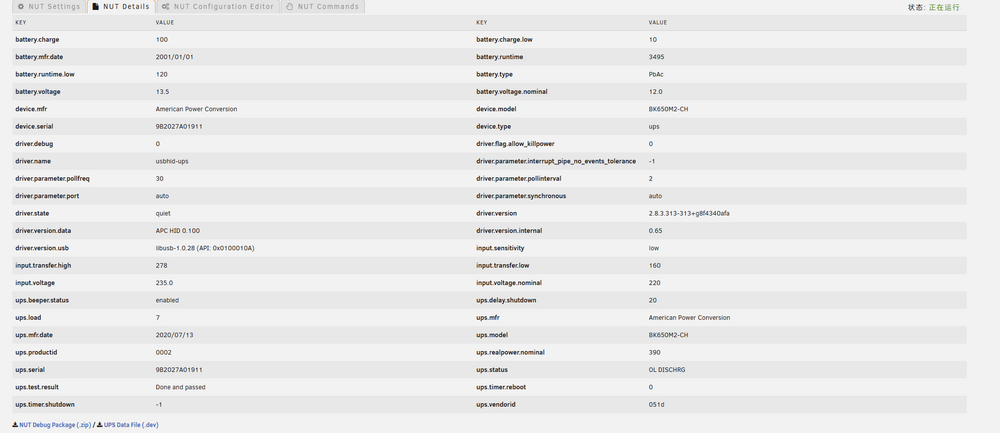
My APC UPS is connected to the device via a USB cable and managed using Network UPS Tools, but it frequently experiences random disconnections. However, re-plugging the USB cable restores the connection, or alternatively, passing the USB through to a virtual machine using USB Manager Hotplug and then canceling the operation also resolves the issue. Could this be caused by a hardware problem or a system-level bug? How can I fix this? This issue leaves my system unprotected by the UPS. Failed to download the NUT Debug Package (.zip). Prompt shows: ERROR: The NUT Debug Package Generation Script has failed - no response from the bash backend. nut-ups.dev
-
I am experiencing an issue with downloading the Simplified Chinese language pack from the app store. The download status has been stuck on 'Pending' for an extended period. I have attempted to resolve this by restarting my device, but the status remains unchanged even after the reboot. I am certain that my internet connection is functioning properly, as I am able to download and update other components without any issues. Despite these efforts, the language pack download remains pending, and I am unable to access the Simplified Chinese language features within the app. CA-Logging-20241101-1251.zip

