GrabGames
Members
-
Joined
-
Last visited
-
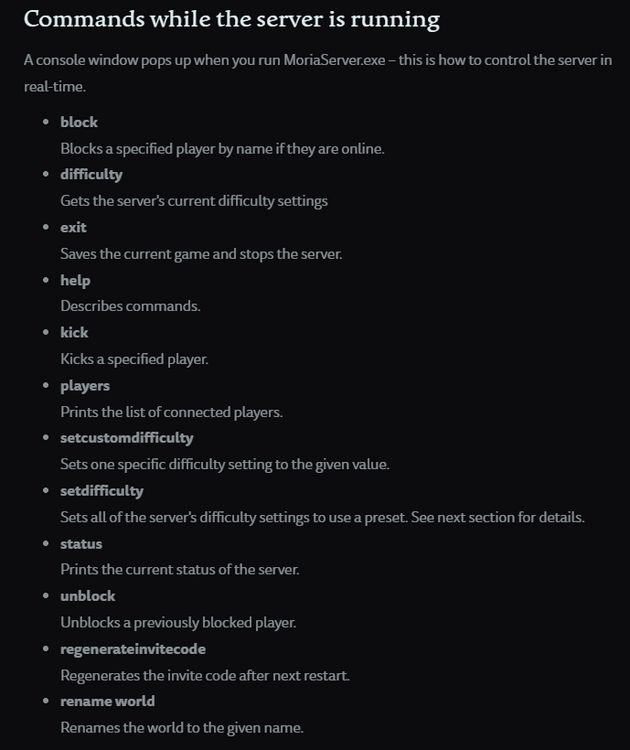
I appreciate the response. Yes, I do stop the container prior to making the changes. I do see in the logs when it starts up that it recognizes the config file. This would leave me to believe that perhaps it is a capitalization error also. I will continue to try combinations that work until it either breaks me or works haha. According to the return to moria server guide page this should be something that is doable while the server is running also. While the environment in which the server is running is of course not windows it would leave me to hope that the difficulty is editable in an existing world. But who knows at the end of the day. I have been able to use this terminal by running the exe file on my windows machine while accessing it through the SMB share for the appdata folder and it does seem to manipulate it enough to shut it down, list the connected players, and get the current difficulty settings. However, when it is closed it seems that the server recognizes this console app as the new host and will remove everyone from the server when closed.
-
Mine has not changed either. The server has been running quite smoothly without it populating also, so I think your issue lies elsewhere, unfortunately. If you are trying to access the server outside of the local network I would assume you forwarded the port that the server is advertising on 7777 by default.
-
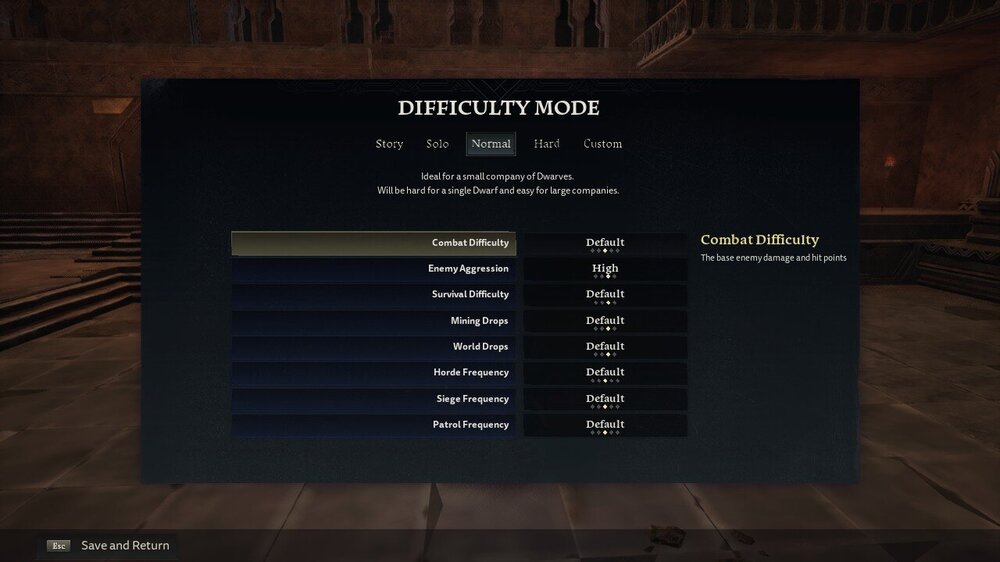
Hey everyone, I am hoping someone can point me in the right direction. On the LOTR: Return To Moria server, when changing the MoriaServerConfig.ini file the game does not seem to take the changes. At least it is not reflected in the in-game menu. Also, does anyone know of any console commands to change the server settings in real time? I have noticed the MoriaServer.exe file and have been able to run it on my local windows machine but I do not believe it to be manipulating the server properly. It simply gives a host has left server message in the hosted server while not making any changes to the server itself. If yall have any insight it would be greatly appreciated. ; Specify world difficulty: ; * story: Ideal for players who want to experience the story without much danger. ; * solo: Ideal for a single dwarf. ; * normal: Ideal for a small company of dwarves. ; * hard: Ideal for a large company of dwarves. ; * custom: Use customizations for each category of difficulty. Difficulty.Preset=custom ; Custom difficulty properties, used only if the "Difficulty.Preset" property is set to custom. ; Acceptable values are verylow, low, default, high and veryhigh. ; The base enemy damage and hit points. Difficulty.Custom.CombatDifficulty=default ; How often enemies attack and how many will attack at once. Difficulty.Custom.EnemyAggression=high ; The strength of various buffs, speed a dwarf succumbs to despair and ; the decay rates of stamina, energy and hunger. Difficulty.Custom.SurvivalDifficulty=default ; Volume of ore that drops from each vein. Difficulty.Custom.MiningDrops=high ; The drop rates of rewards for defeating orcs and enemies. Difficulty.Custom.WorldDrops=high ; How often noisy actions will trigger a horde of orcs. Difficulty.Custom.HordeFrequency=high ; How often orcs will target and attack a dwarf base. Difficulty.Custom.SiegeFrequency=high ; How often orc and enemy groups spawn. Difficulty.Custom.PatrolFrequency=high