





paveldbest
Members
-
Joined
-
Last visited
-
thanks I've mannully set up the time and then restart ntpd service and it worked
-
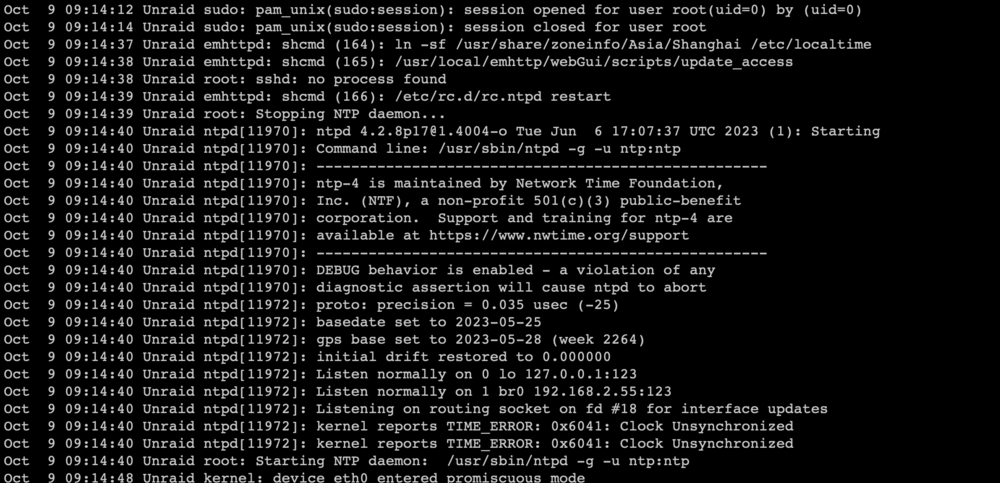
The console give me errors like: kernel reports TIME_ERROR: 0x2041: Clock Unsynchronized
-
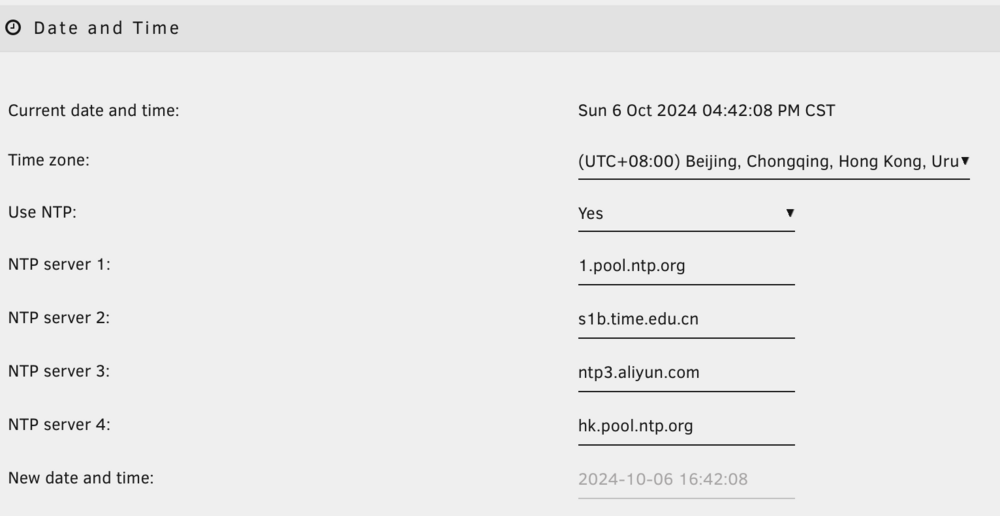
Hi all, I've noticed my uptime is off, as everytime I reboot, my uptime is already 2/3 days?? Then I try to correct it in Date and Time settings using NTP. But it can't sync as NTP server sets the time with a wrong time zone and date.(Below screen shot should be 2024-10-08 16:42:08). unraid-diagnostics-20241008-1640.zip
-
if that's the case, would you suggest reset the SSD?
-
Here is the diagnostics after the reboot if it helps unraid-diagnostics-20221215-2011.zip
-
Hi Jorge, attached is the diagnostics with all plugins and cache trying to mount. Again stuck at starting service and reboot itself after about 5 mins. unraid-diagnostics-20221215-2002.zip
-
Hi everyone, I am experiencing array starting failure and hoping for some help to identify the problem. So I just can't start my array with my cache drive(ssd) enable as pool device. After I disable ssd, and only start my array with 2 HDDs everything works fine. Tried to identify the problem, but not sure how. I tried connect the SSD to another linux PC. It is mounted but I don't know how to check further. It would be very appreciated if someone could check my diagnostics to see if my ssd is corrupted. Or direct me what to do next. unraid-diagnostics-20221215-1819.zip


