





Astatine
Members
-
Joined
-
Last visited
Everything posted by Astatine
-
@JorgeB Here you go. astatine-diagnostics-20230313-1304.zip
-
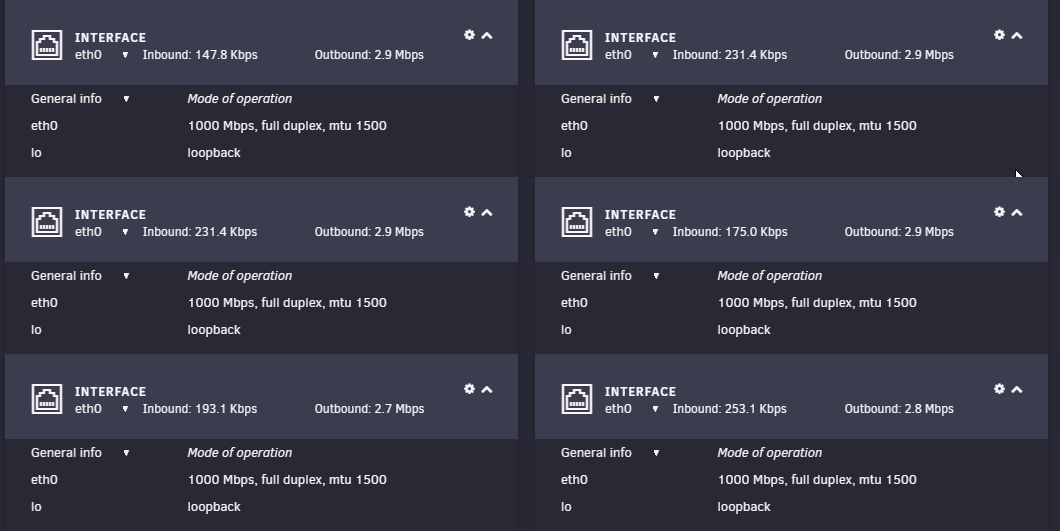
I perform this in the evening. However, I just now noticed a strange thing. So, as of now I am unable to see CA tab, no docker container is able to connect to the internet, pings are failing. However, the network panel on the dashboard is show significant network activity. I saw the outbound traffic going upward to about 10Mbps as well. What can explain this?
-
@trurl @JorgeB guys, a little help here! Please
-
@MAM59 Okay, I got rid of bonding stuff. But the issue didn't go away. After changing network settings, everything works fine for about 10-15 minutes and then it's back to square one. When I ping anything, I get 'Destination Host Unreachable'. I've attached the new diagnostics to this post as bonding settings were changed. astatine-diagnostics-20230313-1204.zip
-
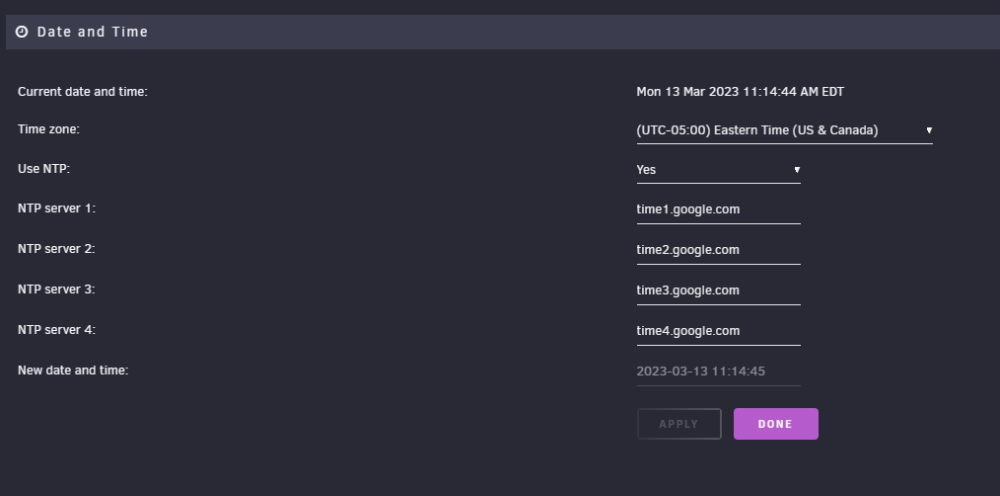
So, I deleted the network.cfg and rebooted, setup the network. Everything was working just fine for about 10 minutes and then unRAID server again lost connect to the internet. However, this time a new error message came in the logs Mar 13 10:47:56 astatine ntpd[1172]: kernel reports TIME_ERROR: 0x41: Clock Unsynchronized I then checked the time in Settings > Date and Time and the time looks okay to me. It's the correct timezone and datetime. Is there a way to reset this?
-
I haven't touched the network setting. They are as is as they came with the install. I only changed the DNS trying to fix my issue. Bonding is enabled out of the box with 'active-backup' as default bonding mode. Anyways, if I deleted network.cfg, do I have to reboot the server to get an empty/default network.cfg.? And will removing network.cfg mess up with container networks?
-
I went through the logs and I don't know why but the following logs seem out of place to me. Maybe it's just that I don't understand what they are for. Mar 12 18:22:08 astatine avahi-daemon[3663]: Joining mDNS multicast group on interface veth44611d6.IPv6 with address fe80::c026:5fff:feaf:d7c6. Mar 12 18:22:08 astatine avahi-daemon[3663]: New relevant interface veth44611d6.IPv6 for mDNS. Mar 12 18:22:08 astatine avahi-daemon[3663]: Registering new address record for fe80::c026:5fff:feaf:d7c6 on veth44611d6.*. Mar 12 18:22:08 astatine kernel: docker0: port 7(vethb2fb7ee) entered blocking state Mar 12 18:22:08 astatine kernel: docker0: port 7(vethb2fb7ee) entered disabled state Mar 12 18:22:08 astatine kernel: device vethb2fb7ee entered promiscuous mode Mar 12 18:22:08 astatine kernel: docker0: port 7(vethb2fb7ee) entered blocking state Mar 12 18:22:08 astatine kernel: docker0: port 7(vethb2fb7ee) entered forwarding state Mar 12 18:22:08 astatine kernel: eth0: renamed from veth19a3a37 Mar 12 18:22:08 astatine kernel: IPv6: ADDRCONF(NETDEV_CHANGE): vethb2fb7ee: link becomes ready Mar 12 18:22:08 astatine rc.docker: linkding: started succesfully! Mar 12 18:22:09 astatine avahi-daemon[3663]: Joining mDNS multicast group on interface vethbadb898.IPv6 with address fe80::4cd6:26ff:fe36:9eeb. Mar 12 18:22:09 astatine avahi-daemon[3663]: New relevant interface vethbadb898.IPv6 for mDNS. Mar 12 18:22:09 astatine avahi-daemon[3663]: Registering new address record for fe80::4cd6:26ff:fe36:9eeb on vethbadb898.*. Mar 12 18:22:09 astatine avahi-daemon[3663]: Joining mDNS multicast group on interface vethb2fb7ee.IPv6 with address fe80::8835:e6ff:fe26:d1ac. Mar 12 18:22:09 astatine avahi-daemon[3663]: New relevant interface vethb2fb7ee.IPv6 for mDNS. Mar 12 18:22:09 astatine avahi-daemon[3663]: Registering new address record for fe80::8835:e6ff:fe26:d1ac on vethb2fb7ee.*. Mar 12 18:22:10 astatine avahi-daemon[3663]: Joining mDNS multicast group on interface veth02790f8.IPv6 with address fe80::28b2:6ff:fe74:20c5. Mar 12 18:22:10 astatine avahi-daemon[3663]: New relevant interface veth02790f8.IPv6 for mDNS. Mar 12 18:22:10 astatine avahi-daemon[3663]: Registering new address record for fe80::28b2:6ff:fe74:20c5 on veth02790f8.*.
-
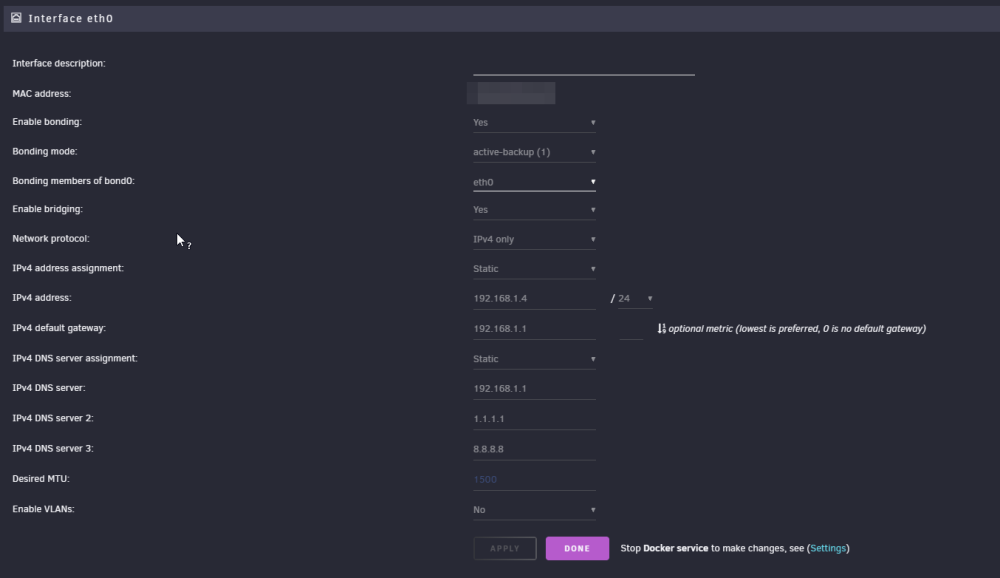
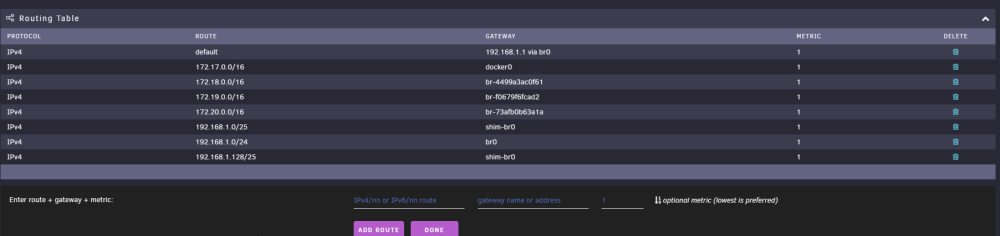
I don't think it is a routing issue because rest of the devices in my home are working just fine. I made no changes to the router/modem. I have a separate machine running Home Assistant and it works great. I am able to control it remotely as expected. It's only this unRAID machine that has been facing connection issues. Besides, can you mention what specific setting in the router you want me check just so I can make sure it indeed is not a routing issue? Also, here are the network settings from my unraid instance
-
**DIAGNOSTICS REPORT ATTACHED** For the past few days, my unRAID server has started having severe network connection issues. I hadn't made any changes to the network settings. I went through multiple articles online about DNS issues with unRAID. I've tried use all of the following DNS addresses: 1.1.1.1 8.8.8.8 8.8.4.4 <my gateway/router ip> 208.67.222.222 & 208.67.220.220 But every time I am done changing the DNS, the server works fine for a few minutes, i.e., is able to connect to the internet. However, after a few minutes, I looses connection. I am unable to load the CA tab, I tried pinging both unraid.net & google.com and they were unreachable This has gotten very frustrating. The following part can be completely unrelated to the above but I'll still leave it here in case. In the days prior to having the DNS issue with unRAID server itself, I had DNS issues with the OpenVPN containers that I have running on Docker. I would have to restart the server to get access to the outside world and after running for a few minutes the containers would loose access to the internet. I am not expert whatsoever but I speculate that somehow, maybe due to a corrupt file or something, that DNS issue from the OpenVPN container has traveled to the unRAID server itself (I know it sounds absurd) Please help me out here. I was finally really happy with my homeserver setup and want to go back to that phase. astatine-diagnostics-20230312-2035.zip
.png.9802a55ce02900d6ddf74a66d2880c63.png)
.thumb.png.460d849179fa75f8ea127d6da3fea4b9.png)
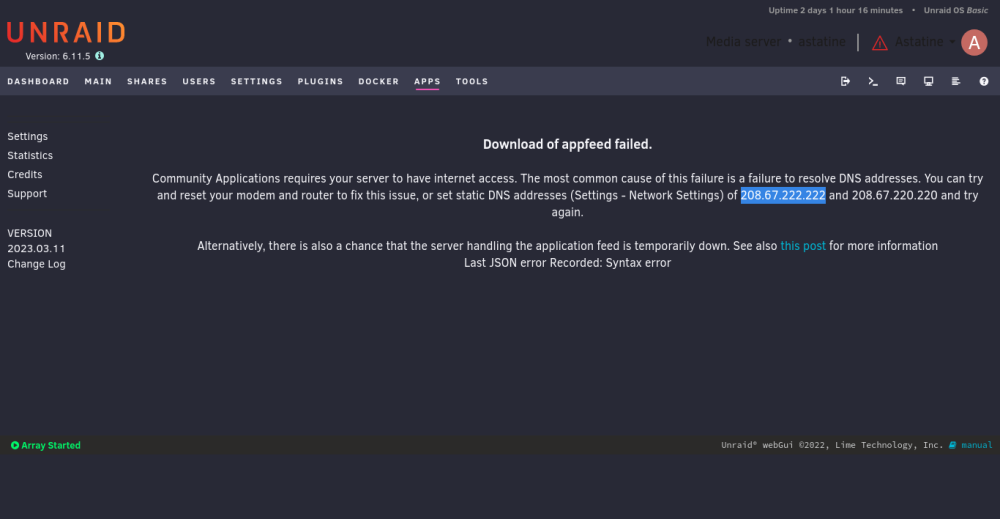
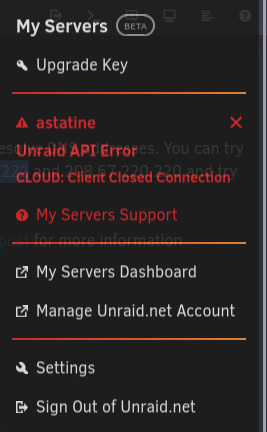
-
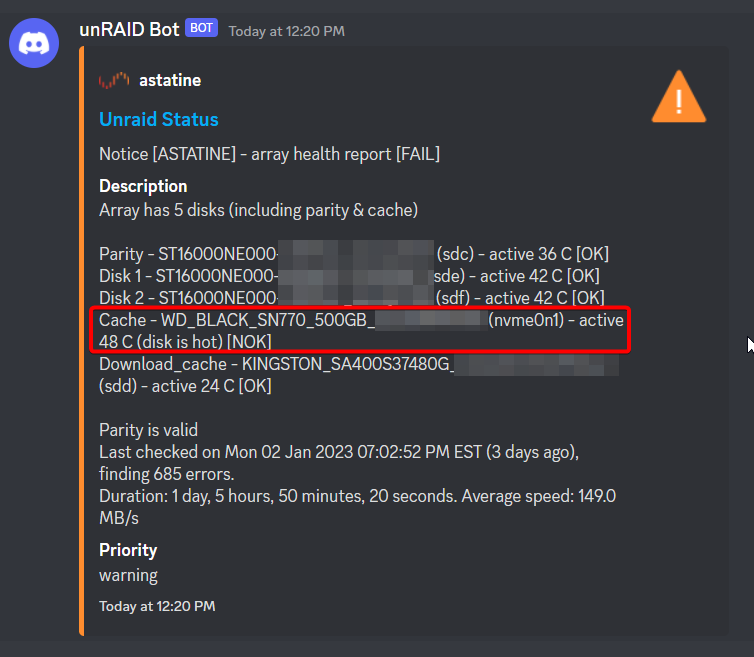
That's all? Warning temp or Critical Temp? I also have one SATA SSD as download cache. Should I put that above 45C too?
-
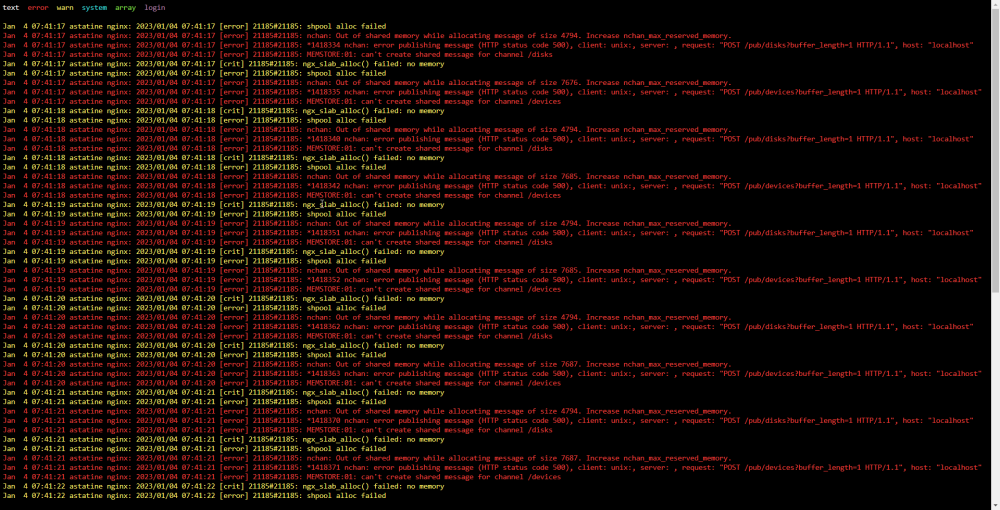
I have unRAID setup to send notifications to my discord channel. For the past 3 days, I am getting this error at 12:20PM. I don't see anything in the WebUI that indicated 'Not OK' of the Cache drive. When I try to download the Diagnostics from the WebUI, it freezes and timeouts. I do, however, see a new zip being created in /boot/logs Here is the diagnostics zip: astatine-diagnostics-20230106-0128.zip Along with this error, I've seen another error in the WebUI log panel a couple of times. Here's a screenshot of that. I am new to unRAID and don't understand what's going on. Everything seems to work just fine but I am getting these errors. Please help
-
Hey trurl, I attached the diagnostics in my prev. post
-
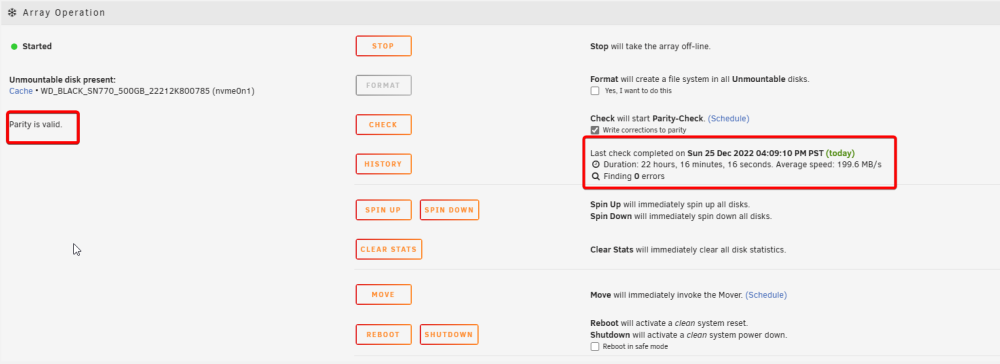
@trurl Here are the Diagnostics. I started 'Parity-Check' just to be safe and its notification also came as 'warning'. You can see in the screenshot above too. The notification from when 'Parity-Sync' started, its description is also 'Warning'. Maybe notifications about any action related to parity come up as warnings, what do you think? astatine-diagnostics-20221225-2252.zip
-
After a fresh install, parity-sync started yesterday. It took around 17 hours for it complete. I left it go on overnight. When I came to check today. I had this notification waiting for me saying 'Parity-Sync finished' however, it was colored yellow which is for warnings. On further checking in archived notification is find that the description of said notification is 'Canceled'. I don't understand why it is this way. I never canceled the sync. Additionally, the device status says operation normal under 'Array Devices' section and 'Array is valid' under the 'Array Operations' section. Does the 'canceled' description mean I have sync again? Archived Notifications: Array Devices section: Array Operations section:




.png.9802a55ce02900d6ddf74a66d2880c63.png)
.png.5b190f1263a1f759c4bac270b8261668.png)


