Talisman2208
Members
-
Joined
-
Last visited
-
The problem is - I'm not crashing, I can't even boot. There's nothing to type in the console because I can't even boot it. It hangs up on this part.
-
I'm running an intel 12th gen 12900K As far as OS it was Stable Unraid 6.12.0. It's a GPU issue? I'm confused at what this is.
-
Can't seem to get past this part in the boot process it just hangs here. I tried disabling and enabling the IGPU but that had no effect on it. Don't see any posts about this code, does anyone have any suggestions? Obviously I have no logs because I've never booted to this disk. I used the official disk creation tool to make this with the latest stable drivers. Any help would be appreciated. Thanks!
-
I'm an idiot, that's 2.5gb bandwidth. Close the thread I'm drunk
-
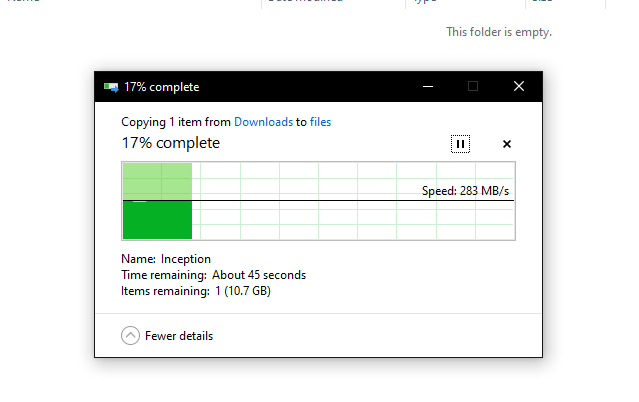
Update.. . I realized I was running 100Mbps with a bad cable. So now I should be good but I'm still only getting ~300 MBps, am I being throttled by the user share instead of direct drive share?
-
Hey all, I'm struggling to understand why I am suffering from slow download speeds on my unraid server. I have a file on an NVME drive on my unraid server, and when I try to download it to another computer on the network it's like 10MB/s This is all despite the unraid server being on a 10gb nic, into a 10gb switch, which is connected to the pc i'm downloading it to through a 10gb nic, all using CAT 7. Where do I start to troubleshoot this?
-
Not sure what I did but I fixed it
-
Just replaced my cache drives with 2x NVME 970 Evo 2TB, and ONE of the drives is kicking back this error, does anone know how I can fix it? I googled it but none of the solutions have worked thus far. https://imgur.com/a/nDTkjWD
-
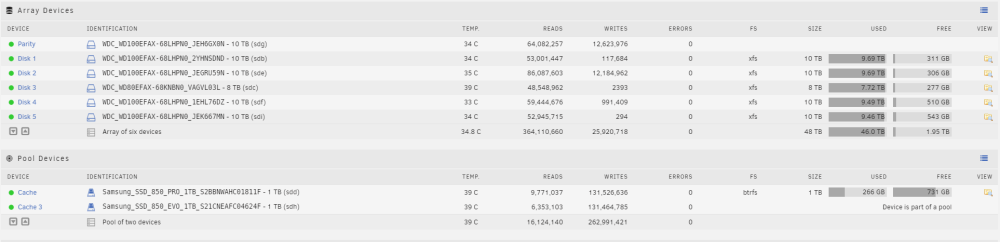
Hello! I have an old motherboard I'm swapping out and it has a Pool of 2 1TB Ssd's on Sata. The motherboard also has 1 M.2 port. My plan is to basically swap those 2 Sata Cache drives with 2 M.2 Cache drives on the new motherboard. Since I can't put Both Nvme drives in at the same time, how do I prepare my Cache so it can essentially run on 1 NVME drive until I get my other Motherboard in there and install the second one into the pool? Thanks! P.S. I can't do it after I install the new mobo because my old mobo has 10x Sata ports and my new mobo has 6x sata ports.
-
When you say "Unassign" does that mean unmount them (software wise)? Also - How do I see when the mover is finished?
-
I want to get rid of my two cache drives which are Sata SSD's, and replace them with a 2TB NVME drive, how do I do this? Sorry if this is a dumb question!