Matrix-B
Members
-
Joined
-
Last visited
-
also. just check my log, and can see this message ive not seen before. do you know what this means? i did a Smart can on my NVME cache drives and it came back good with no errors. i also thought i had 2x500gb nvme's but looks like 1? has one failed?


-
awesome cheers mate. ive just carried out the format. at least now i have space lol, i think ill just get a sata PCI expansion tomorrow, and then plug in the 4TB and try and move the data from the drive to the 16TB. what would be the best way of doing this? could i literally plug the 4TB in, and mount is like a USB drive to pull data from it through Krusader? likely also to but a UPS tomorrow as this is a headache, and wont to minimise this happening again. lol
-
i think the only backup i have is the parity. i do have the 4TB HDD i removed and replaced with the 16TB that is literally full, the new parity rebuilt that 4tb onto the 16TB, so im guessing the 4TB HDD has all the original files lost on the 16TB other than anything added in the past 2 weeks, which is manageable rather than losing z whole 16TB. whats the best way of putting the 4TB back in and creating a new parity, and then putting out the 4TB and replacing with the 16? i dont want to put in the 4TB and then lose that data if possible appreciate the help as always. p.s i dont have enough cabling free to slot in the 4TB along side the 16TB at once.
-
matrix-diagnostics-20241216-1757.zipi found this report, not sure if this says anything different? it was a few hours i think before the first report.
-
the rebuild from parity said it completed with no error, but the disk wont mount. whats the options? format and just lose the 4gb of data and just deal with it? if i biuy a new HDD will it rebuild the parity onto that or is this a parity issue? as im foine with buying a new HDD and putting that in and then wiping this one and using this in another slot.
-
i did, but i just get an endless supply of dots that never finishes... is this normal?

-
Hi itimpi. ive looked for the above, and read the link, but i dont have the option to do this via GUI. please see attatched screenshot

-
Hi JorgeB. sorry i started a rebuild again before i seen this reply. takes over 2 days to rebuild lol so i was waiting. i restarted the server just now, and still wont mount. please see attatched logs Regards matrix-diagnostics-20241218-1806.zip
-
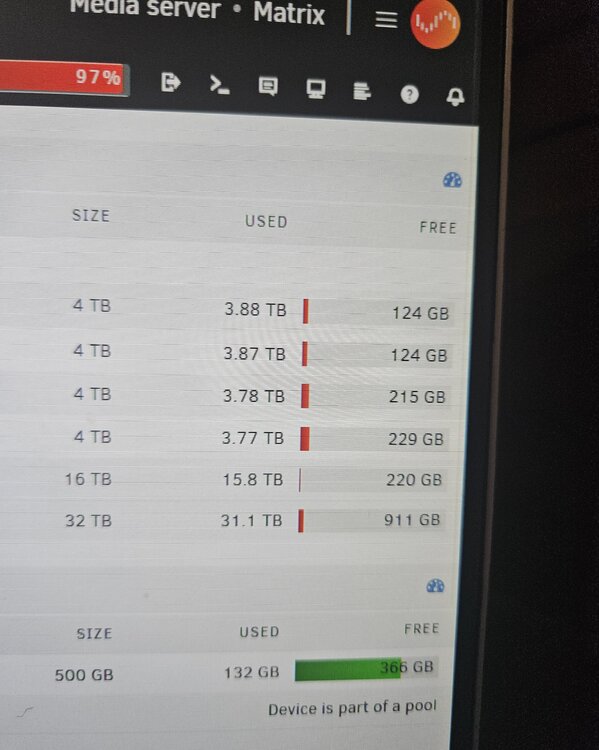
Hi Guys, so ive had nothing but dramas with my server since i upgraded over the past few weeks, most likely user error by not understanding certain unraid requirements, i had files moving all over the show, i think the issue stemmed from most my drives being close to full. I purchased a new 16TB drive to replace an 4TB. i rebuild the drive from parity, and all seemed good. I then seemed to have had a power cut a week later. which i think may be the culprit of my server having issues, when i got home and booted it back up, its stated the new drive was unmounted. So i stopped the server, re-mounted and started the rebuild. this took almost 2 days, the rebuild is done, but the drive still says its not mounted, ive stopped the array, if i put it into maintenance mode, it mounts with no errors, but when i start the server up as normal, i get the unmounted error. if i go into maintenance mode and click "Mount" on the unmounted device, i get this error : Failed: Device "/dev/sdd" Failed to mount. Check the syslog for details. Ive attached the log, as im struggling to navigate where the issue is. If i click on the "remove" partition option on the unasigned disk, and then re-asign, will this wipe the disk and then rebuild again, and hopefully work? Im hoping my parity is fine, as i think it would be, the SMART report also attached i cant see any issues with the disk. help appreciated. matrix-diagnostics-20241216-1824.zip matrix-smart-20241216-1741.zip
-
i thought i would close this one out before starting a new one, the issue seemed to have rectified when i added a new drive, i think the disk space being so low might have been the culprit, as well as a few weird changes to docker locations.
-
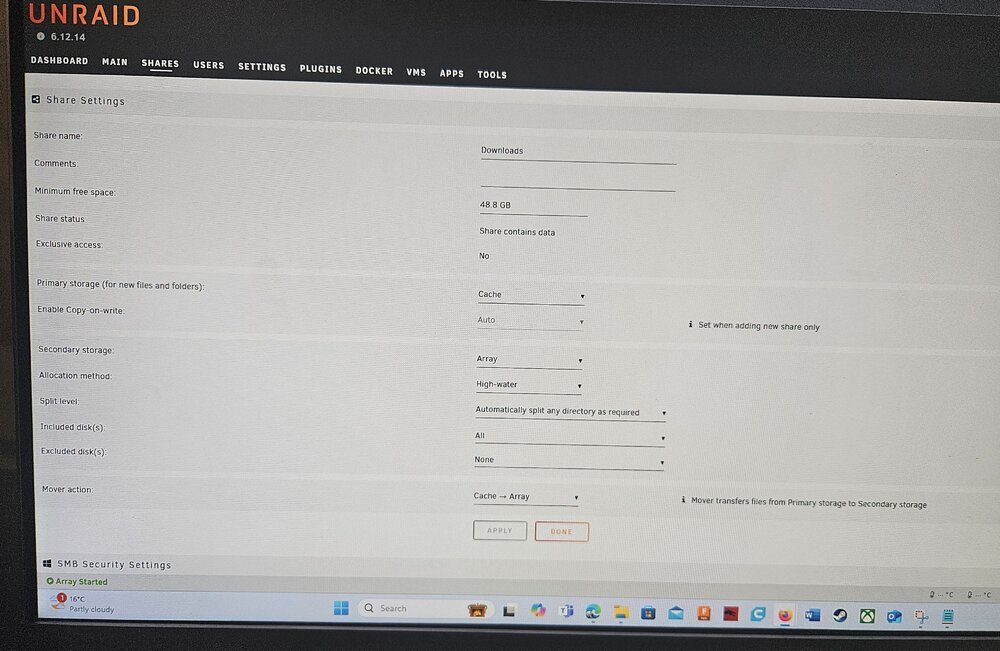
Cheers. It's never moved the folders like this before. It's always moved just the files as instructed. Plus there's settings changed, and when I try and manually move, it says there's no room on my array. The HDD highwater setting has always been like this and never had this issue. If I wanted to revert setting back to an earlier save, whats the best way? As it looks like there's a few random things going on i don't understand
-
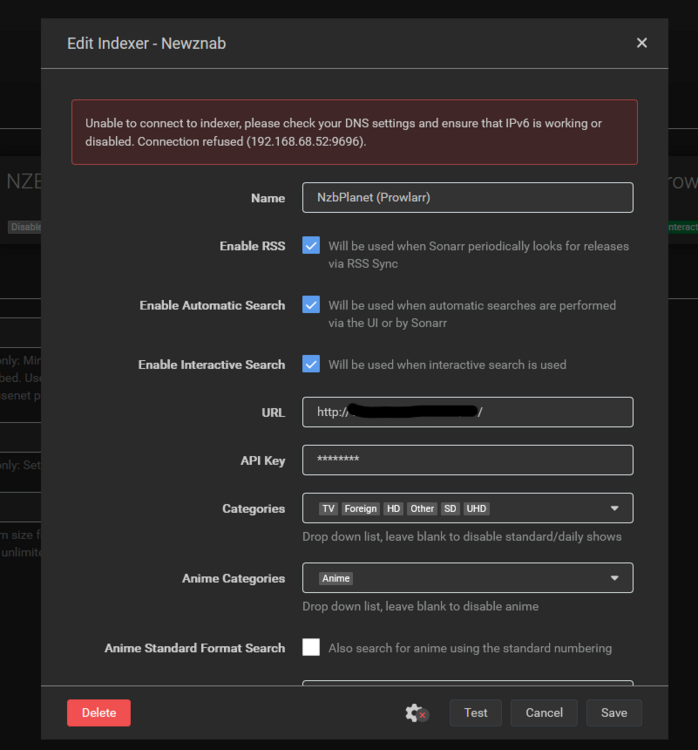
i also just noticed this on all my indexers on radarr and sonarr: Unable to connect to indexer, please check your DNS settings and ensure that IPv6 is working or disabled. Connection refused. again i havnt change any settings other than a unraid update. has the update changed a lot of settings for some reason, causing all these issues, as i find it weird that heaps of settings have changed for no reason? Regards
-
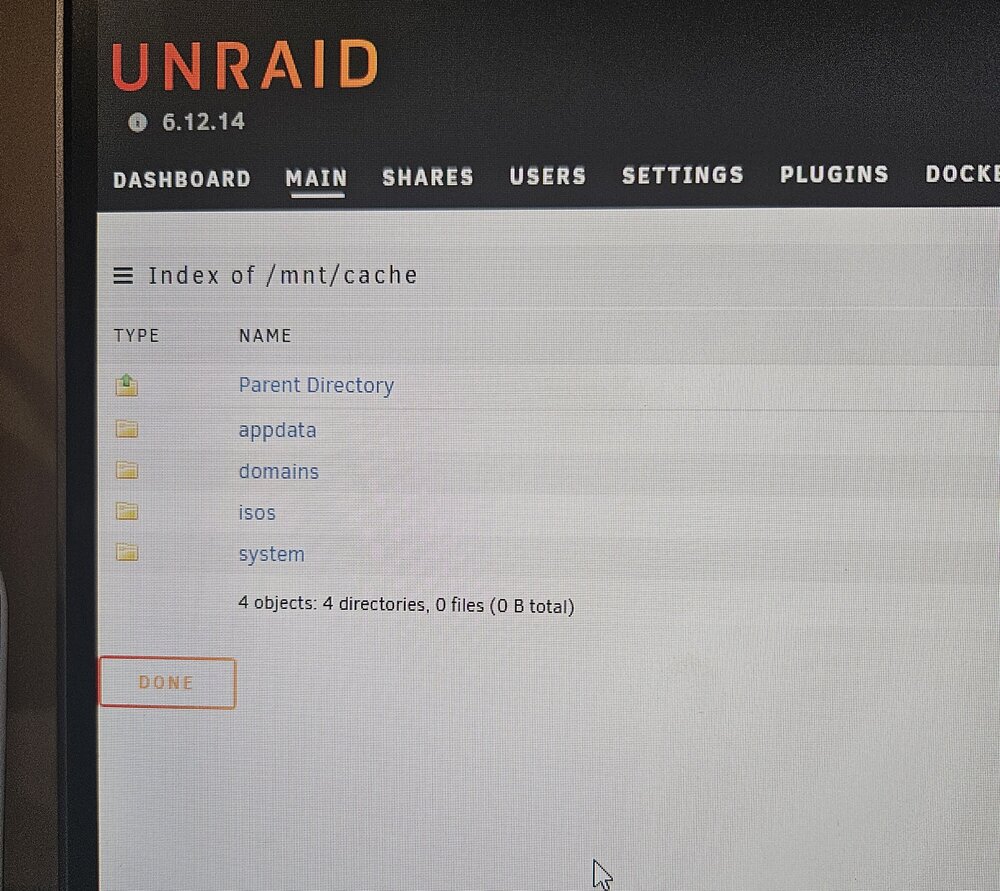
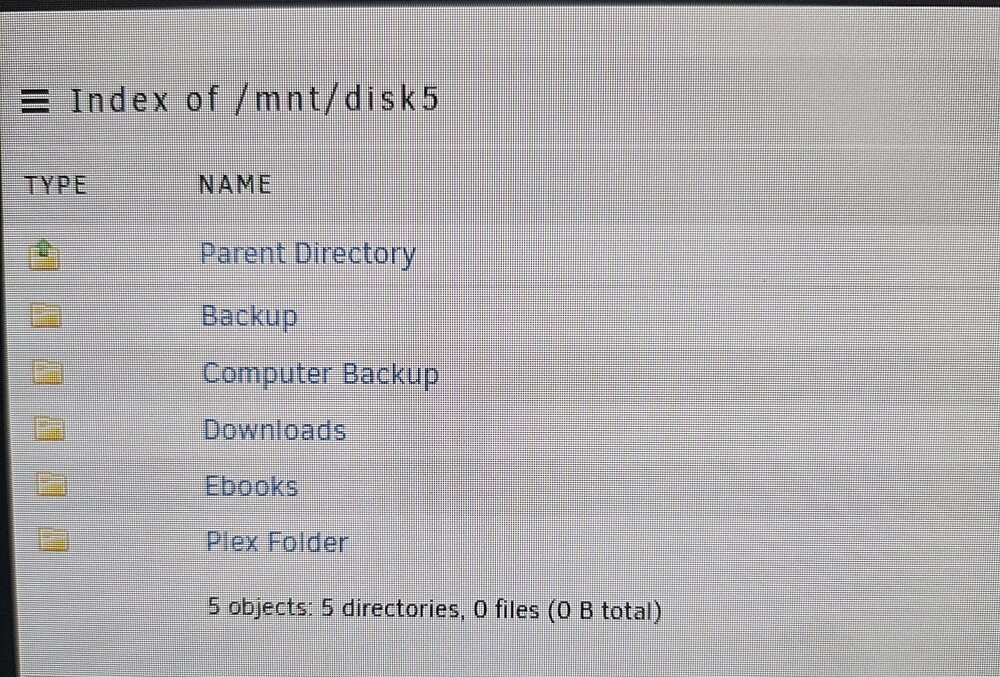
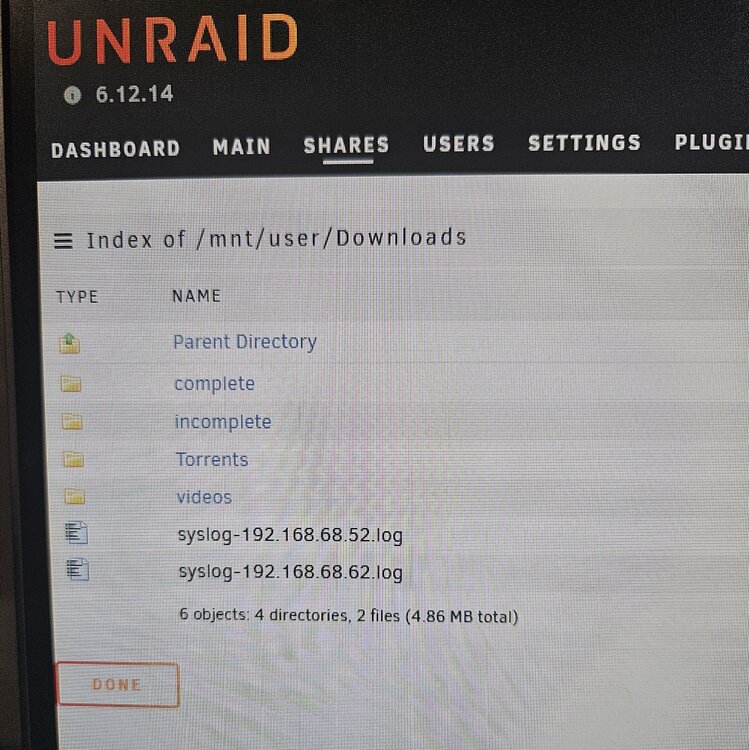
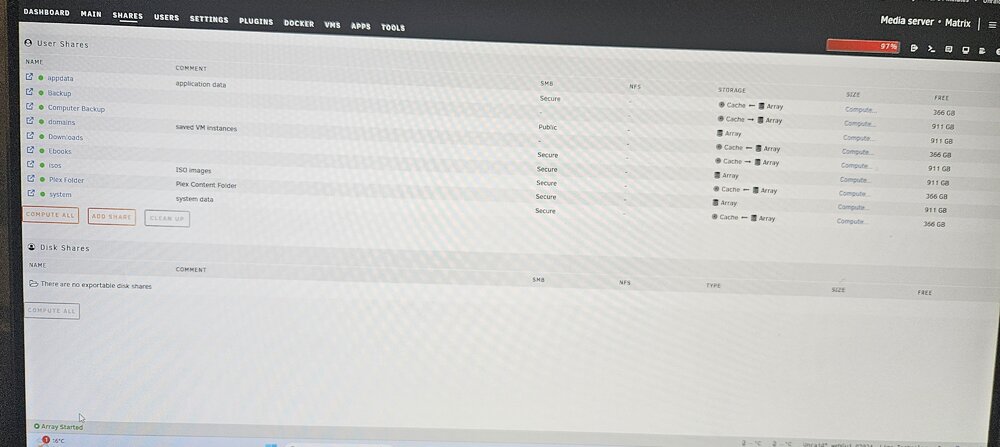
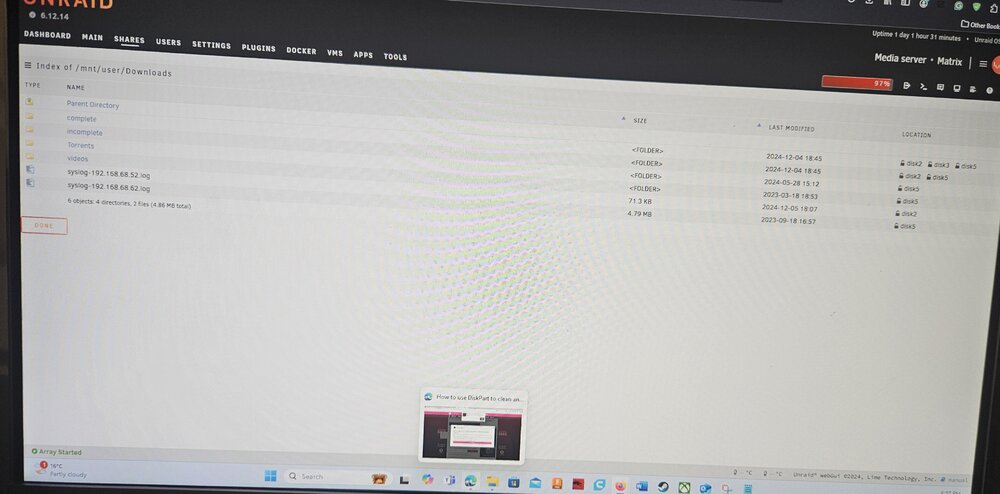
matrix-diagnostics-20241205-2019.zip sure thing. please see attached. the share folder name is "Downloads" from this directory "/mnt/user/Downloads" its now spread across multiple drives, but the bulk of the data is on drive 5. unraid wont let me manually move through krusader the files from drive 5, it says theres not enough room on my drive to move the files to the correct folder, even though i have 900GB spread between all drives. is this because drive 5 is now full? it needs room? originally before this issue, drive 5 had the most room left out of all the drives, as it was the newest. what i also dont understand, is the download folder which is set to receive all files from downloads in the cash no longer exisits. i do have a backup flash drive from 4 days ago, im hoping the issue didnt start then. as this is when i installed a new plex docker and removed the old, as i had issues with plex, everything seemed to work for over 24 hours with no dramas. so i updated unraid, and then a few hours later, the cache filled and everthting started erroring. im not sure if that info helps at all? cheers for the help so far. i have tomorrow off work, so i will have the time to try and rebuild the flash settings from backup if need be, im just not great at this level, so wanting to avoid this if possible. Regards
-
Just out of curiosity, check your cache folder. May be unrelated, but since I upgraded, mover is moving files completely incorrectly and in the opposite direction. Be curious to see if it is in cache
-
Tried this morning. Kinda worked but didn't... it moved the whole download folder to disk 5 and completely filled it. All the settings state that folder is to be in cache and contents get moved over all array, where now it only moves anything to disk 5. Now that's full, nothing will move anywhere else. Please see attached as this is completely wild...