Garf
Members
-
Joined
-
Last visited
-
Thanks!
-
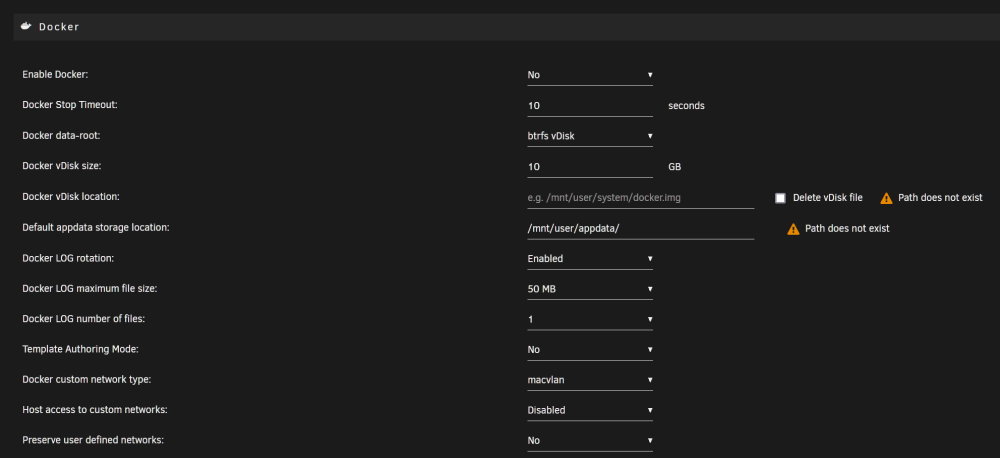
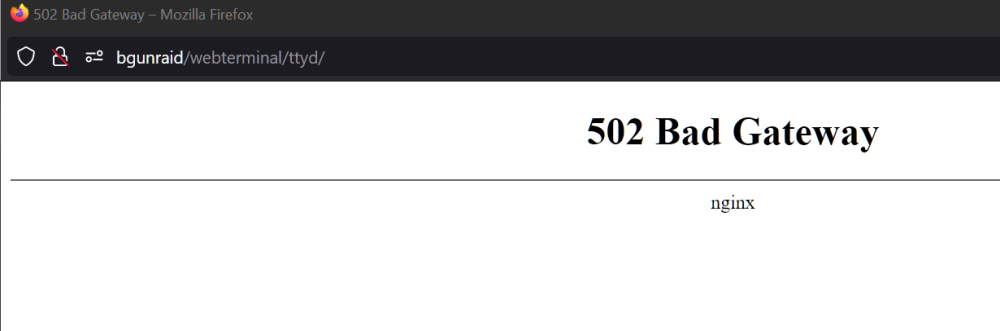
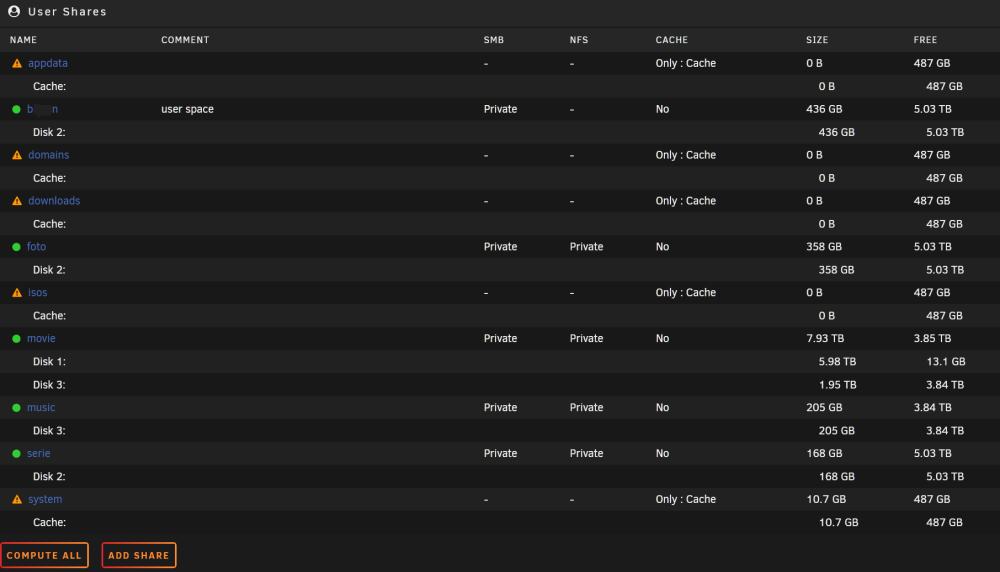
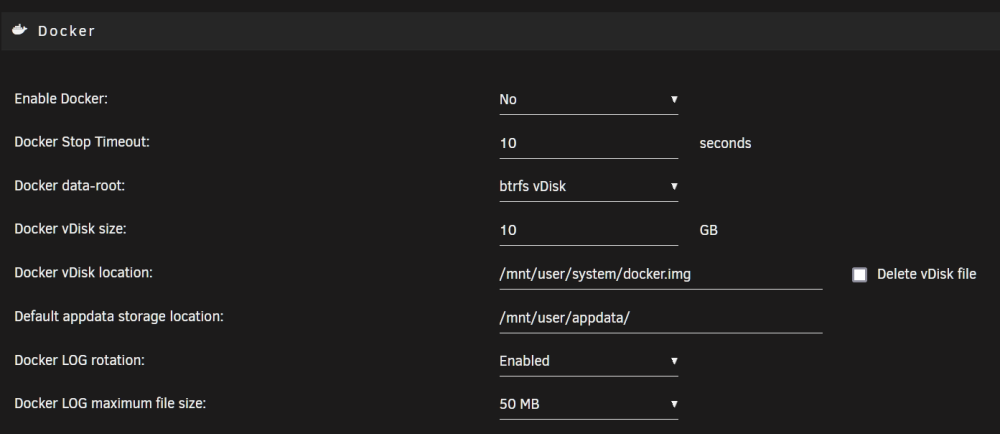
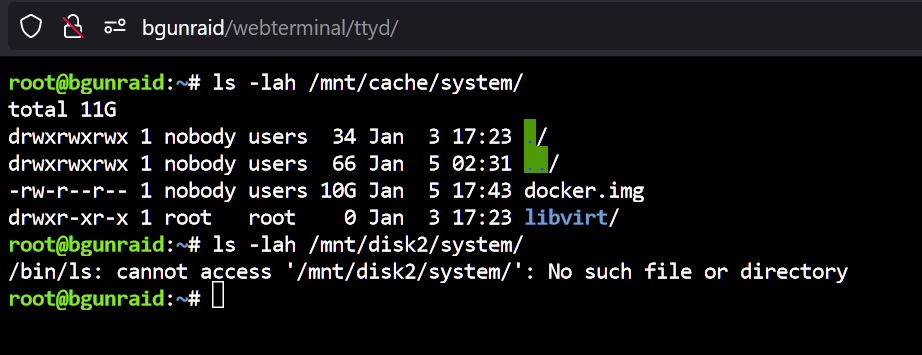
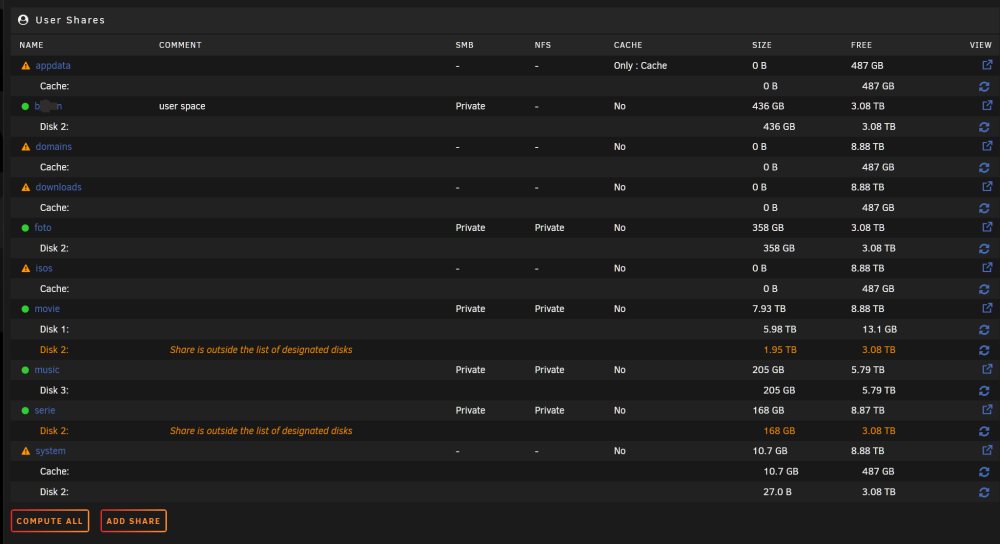
... realised the same thing at the time of posting the screenshot. But than I already started the move of movie-sahre to disk3. I corrected all the shares for the docker/vm directories to cache only. Now it looks like this: the docker activation dialog looks like this: Is that the way to go? Setting the usr/appdata user/system etc. to cache only and here in the docker-dialog using the virtual paths /mnt/usr/appdata etc. ? The requested directory listings you can see here. So after the my fixes - it should look like this!? The weired behavior with the integrated unraid-GUI-terminal ist still there. Most of the time I got the above mentioned error massage 'Bad Gateway nginx'. But some times (approx every fifth or sixth try) I got a working terminal - see the above picture. Why doas it some times work and the other times not? Garf
-
... here it is - shares with compute all: What are you looking for?
-
Hi trurl, sorry - typical read and forget error from my side (because it worked anyway). Here is the diagnostics after manual creation of the folder, reboot and activating the docker. Garf bgunraid-diagnostics-20230103-1724.zip
-
Thanks for the quick reply. So I have done it manually, as MAM59 mentioned: created over the console in /mnt/cache/ the directories for appdata, system, domains, isos (for playing around with VMs) & downloads. They appear under user shares and now I can apply the activation of docker 🙂 Still the problem exists with the original GUI-integrated terminal (see the error message in the last pic in my original post). Looks there are additional paths not correctly set. Any Ideas? NAS working for years - so I should have messed up something in the initial setup of the unraid server years ago. Thanks for your help - now I will play around with some docker apps 🙂 Garf
-
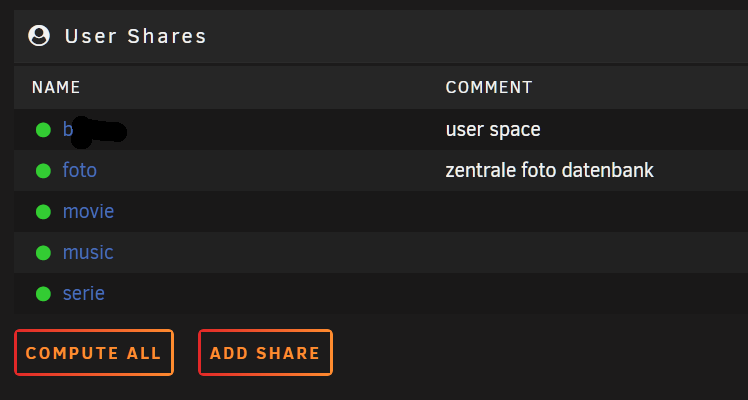
Hello! I have trouble with my unraid-Server. The activation of the Docker or VMs does not work. Worked flawless for years as NAS only (4 HDDs incl. parity, generated user shares for me and for media/photo/music etc). Straight & simple, no VMs or docker apps. Works! In the end of 2022 I decided to extend the functionality of the server by using Docker apps (Nextcloud, plex). I read the recommendations/tutorials and therefore bought a SSD for the apps. Assigned that SSD as standard cache pool. Everthing works nice until I wanted to activate the Docker. I can not 'Apply' that activation of Docker, because the paths are not set or available 'path does not exist': Same is true for the VM activation. I thought (from some tutorials here) these paths should exist on the the HDD-Share and I have to move it to the cache pool. But they don't exist there. Another point: In most tutorials/FAQ exits in the 'Share list' the system folders (system, appdata, domains etc.) - so you can move it to the cache pool by 'mover' and then select the corresponding directories for the docker activation. These Shares does not exist in my Share Tab: Thats all what I have. So I can not move axisting appdata share to the cache pool. On the GUI I can not create /user/sytem or /user/appdata on the cache drive. Additionally the terminal has a problem too. If I try to open the terminal from the GUI top-bar I got a error Massage that nginx cann not be found. So an additional path is not correctly set: So I running in circles: I can not create the path/shares for appdata in the GUI, so I can not choose a useful path in the Docker activation Dialog, and therefore I can not activate Docker. A lot of Sytem Paths seems to be not set in my unraid server. I don't know why they are missing. I wanted to avoid to manually fix it on the console, because I have only a basic knowledge in Linux and don't want to mess up my running NAS. Attached is the diagnostic file from my unraid server. May be some of the more-experienced-than-me unraid users can point me to the right direction or has an Idea what is wrong with my setup. Best Regards, Garf bgunraid-diagnostics-20230103-0128.zip