





Hellomynameisleo
Members
-
Joined
-
Last visited
Everything posted by Hellomynameisleo
-
I've fully passthrough a 14TB HDD to an ubuntu VM, I log in ubuntu and see in disks the 14TB hdd fine, but when I do any operations like creating a partition then formatting the drive parition in the VM I get errors and unable to continue with this drive. I look at unraid logs of this specific unassigned disk and it shows the below: so I've taken the disk out of the VM and ran a badblocks command on it "badblocks -wsv -b 4096 -p 1 /dev/sdh" and there's no errors. I even format and mount the drive in unassigned and can writing to the disk fine. I've also successfully passthrough 11 other HDDs of varying sizes, same brand "Seagate" to my ubuntu VM without issues. Any ideas what why this particular disk errors when passed through to a VM?
-
yeah I'll give this a try, though I'm running my HDDs from a netapp disk shelf connected to a HBA in the NAS. I booted up a unraid ubuntu VM with mdadm raid5 with some of my disks and it ran 180MB+ on all the disk in the raid array fine. Maybe its because I used btrfs on my unraid array disks with compression enabled could be the reason
-
running iperf I get over 3+ gigs a second, but yeah could be the controller though I'm running on modern motherboard and from a NetApp 24 bay
-
my unraid and both computers are on a intel X510 10G NICs though
-
I'm currently trying to move data off unraid array as fast as I can, so I've removed the parity disk which I thought was the bottleneck in the read speeds. in the array on disk1 I copy contents from it to computer 1 at 70MB/s, then on disk2 I copy contents at the same time to computer 2 then the now have both 35MB/s. I bypass fuse and access the disk directly when doing these transfers. Why did disk1 and disk2 transfer speed half in this case? Is there something hidden underneath in the unraid array where it doesn't like or work well with multiple disks being worked on at the same time?
-
sorry to reply so late, I finally tried this and had no luck, I was still getting the permission access denied issue randomly on a new VM with windows installed 🥲. I'm considering seriously moving over to something else, backing up files is taking forever as it reguarlly get error'd access denied then needing to try a couple of times. There must be some logs in unraid somewhere that tells you the reason why it denies access?
-
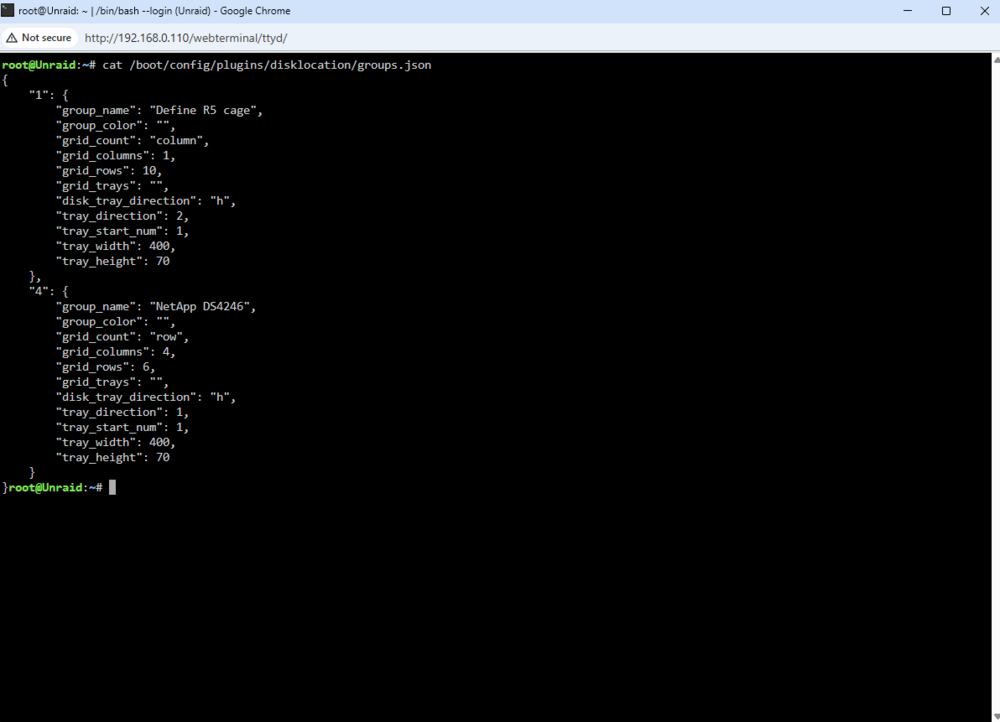
thanks heres the config:
-
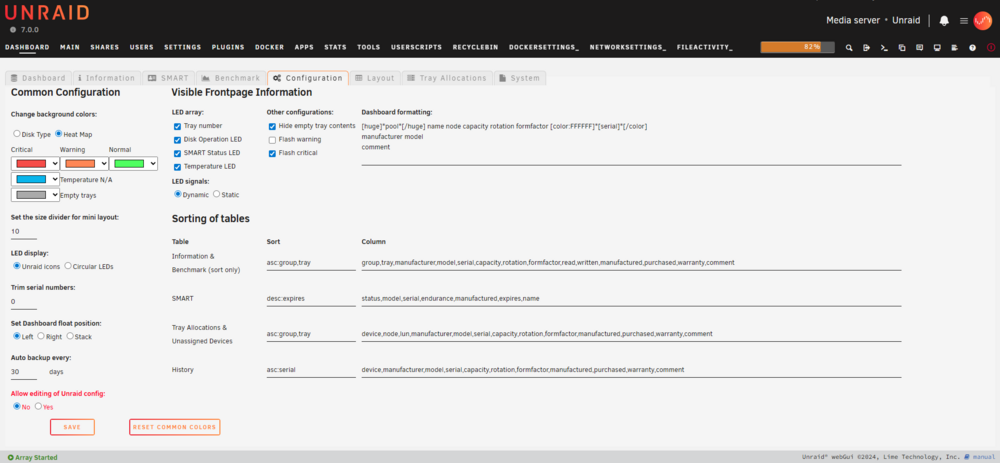
I'm on UNRAID 7.0.0 and latest version 2025.03.18 disk location. this is the config settings, and its also deleted all the Purchased and Warranty info on all the disks
-
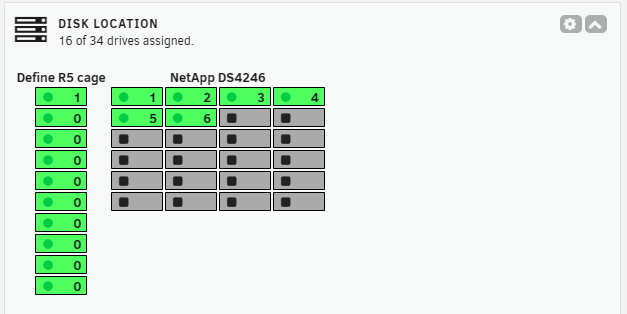
I havent looked at my unraid for almost a month but noticed Disk locator now looks like this after doing the force update, did the latest update break it? The numbering is on 0 for some reason
-
I will give this a shot. But it would be ideal to use a whole another computer to isolate any old lingering settings on the host machine that will transfer over to the VM will have to passthrough.
-
starting to think maybe its my windows computer. But I don't have any other computer on hand to test the connection with unfortunately
-
I've also given this a try, took a while since it takes a while to start my array. No luck either on this side after putting this in my SMB extra configs then starting the array and giving it a test.
-
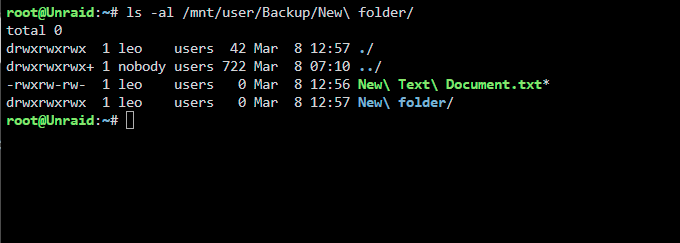
I'm not quite sure where the extra "+" permission came from, I've not modified the permission through the command line, just used it as any normal user would. I've given the new network path a try but no luck there either, I'm still getting permission errors even without going through the mapped path.
-
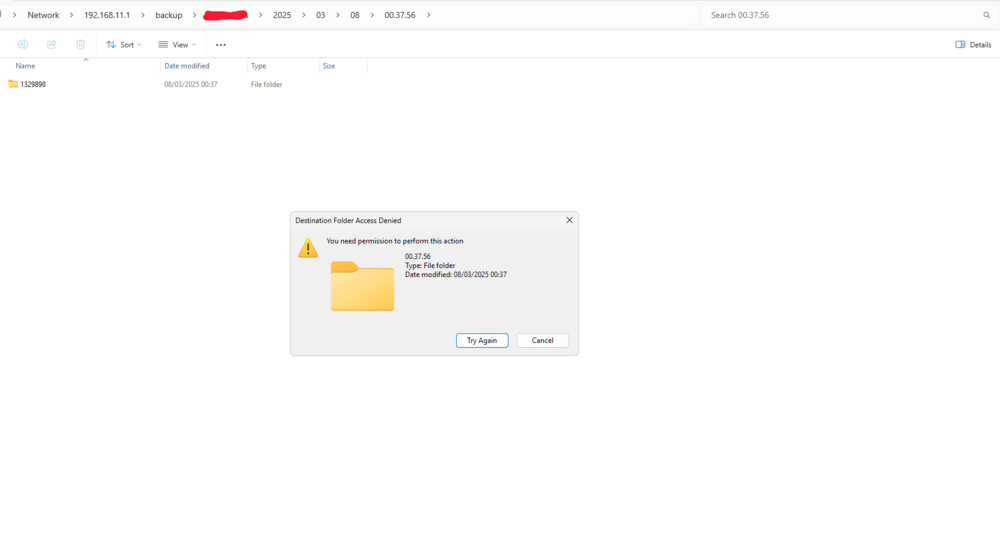
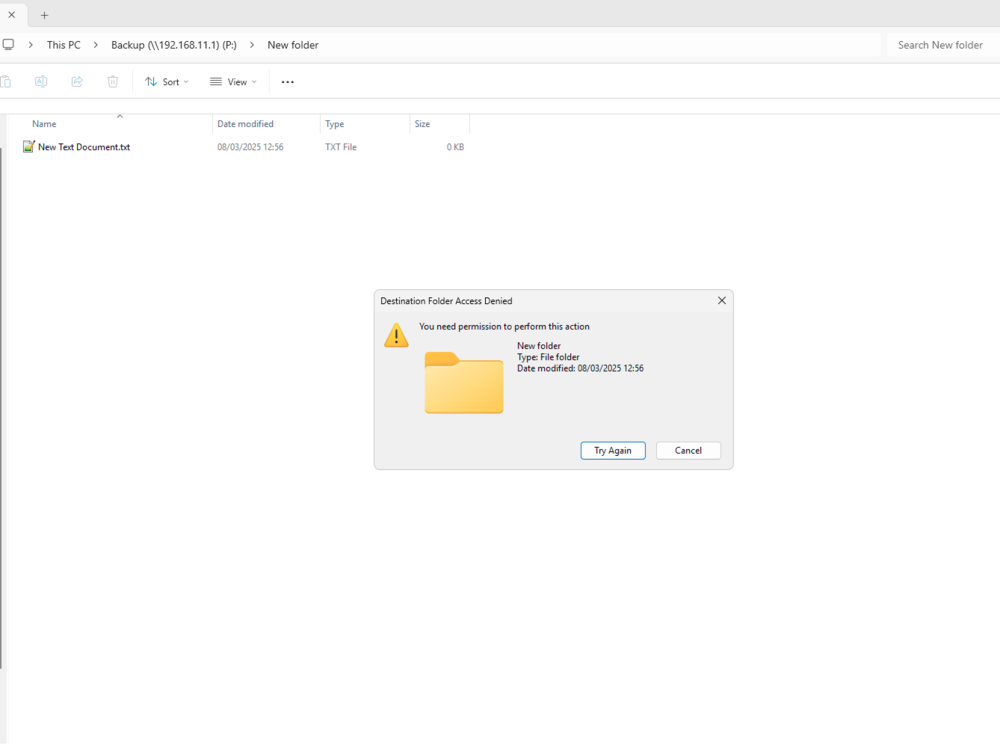
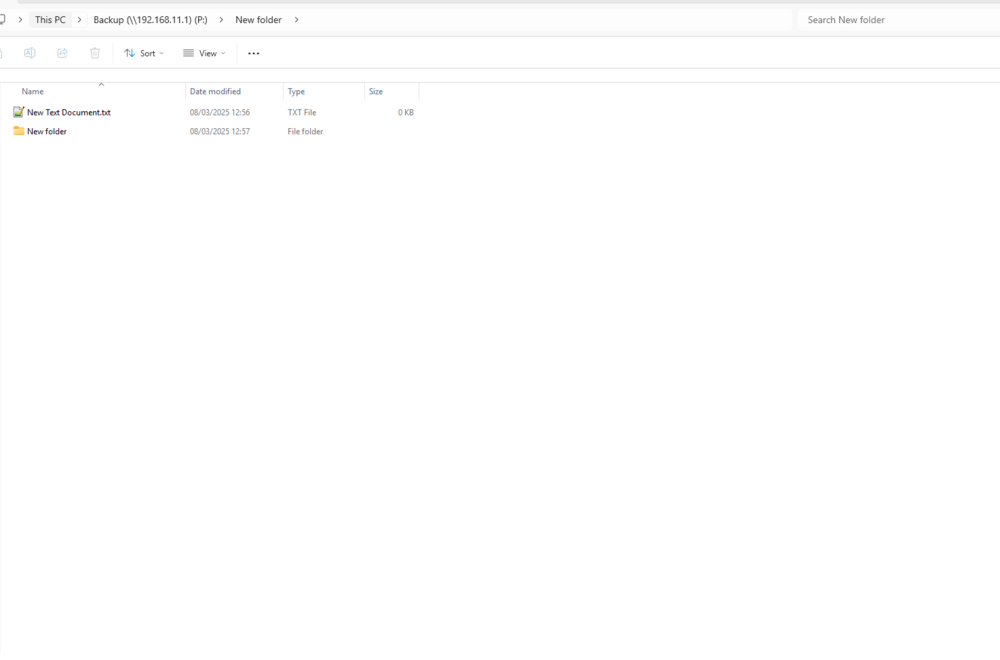
I tried creating a new folder and it errors as shown. But if I click try again it successfully creates the folder, this is random, you can see the new text document I created had no issues. but the folder did in this case. and here it is in the terminal: it happens with all files and all folders there is no pattern I see with their names copy/move/delete etc, it happens on random chance
-
Did a bit more testing and found it occurs even if I create a new user share and use that the error will occur randomly still on there.
-
yes the creds match on what I'm using on the shares and windows account. I've did a disconnect, cleared the credentials in my windows manager and connected again, though still no luck on the pemission issue.
-
I gave this a try and no luck on it fixing sadly
-
I create them like a normal user would over the network, right click create folder -> create file etc. in file explorer. or use a python/powershell script to copy things over
-
Sorry if I didn't make it clear, yes its with the B---p share thats having the issue, possibly appdata and other shares that unraid makes by default but I don't use them myself to store stuff so I haven't tested. I don't use the appdata really other than unraid's docker containers puts stuff in there, the files spread out on 13 array disks because of the allocation.
-
Just for some feedback after changing the shares to export not hidden, I still get the random permission denied errors.
-
I don't have a share called M--a though the diagnositcs file does have this at the top "# Share does not exist" so it might be a ghost share. I only have the B----p user share. This is the one that is export (hidden), I can try unhiding it but will that make a difference considering the disk shares and the same export (hidden)? I'm not doing anything with my appdata just I've forgotten to hide that share,
-
The disk shares SMB Security Settings are all "Private" same with my user share. yes, Window credentials is setup and it was setup automatically when I first connected to the server over SMB from my windows computer unraid-diagnostics-20250307-2204.zip
-
I'm on UNRAID version 7.0. I've had this permission issue on the share where it would tell me "you need permission to perform this action" seemly randomly when I try create a folder/file, copy over something. But this only happens randomly sometimes, and when it does I'll just try copy/move/whatever again and it'll go through fine with no error. I also have python scripts that copy/move and create folders and files to the share and it prints out "PermissionError Permission Denied" for some files so I have to put retries. Though if I do any actions directly to the disk shares there's no permission issues of any kind. Any ideas what could be causing this strange permission issue to flare up?
-
Yep got it working again. I've restarted the array like you said and it came online fine. Then deleted a bunch of stuff to free space up. Thanks, had a panic attack.
-
My disk 5 which runs BTRFS on my array has gone into read only and comes up with the errors BTRFS error (device md5p1: state EA): parent transid verify failed on logical. I didn't notice until later how low the space was getting on my array and disk 5 only has 5GB of space left so I'm not too sure if this is what has caused it. I also noticed a lot of my files on it is missing when I look at the disk5 share. This has also caused some folder on my unraid FUSE share to just have all the files missing and not show up because of this. I did have a recent power outage so it may have contributed to this as well but I regret so much going BTRFS. I've attached the diagnostic logs What could I do to fix this? unraid-diagnostics-20241002-2117.zip


