blackbox_haver
Members
-
Joined
-
Last visited
-
I apparently did because everything is working as intended (even though when I reinstalled the container it was the same settings I had before so ultimately that was the least of my worries)
-
For anyone in the future that runs into this error message with binhex-qbittorrent: Bad command line: You cannot use -d (or --daemon): qBittorrent is already running for this user. Run application with -h option to read about command line parameters. All you should have to do is reboot your server. That ended up solving the problem for me!
-
I haven't rebooted the server, that'll probably be my next step as I've tried deleting the container and reinstalling it thinking that might've helped but no dice on that. Hopefully a reboot solves it, because I haven't found anyone else with this error.
-
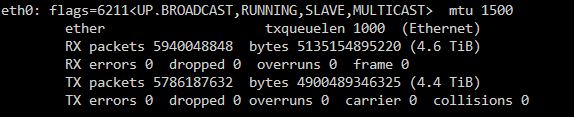
Hmmmmm trying to find the eth0 network address using the terminal doesn't return a network address per the FAQ you linked, I've attached the results. I can go into the Unraid network settings and see it however. I tried a couple different CIDR configs in the LAN network line however it's still returning that same Bad Command Line error I mentioned earlier. A weird thing is one of the private tracker i use shows I'm still seeding even though the container is throwing errors
-
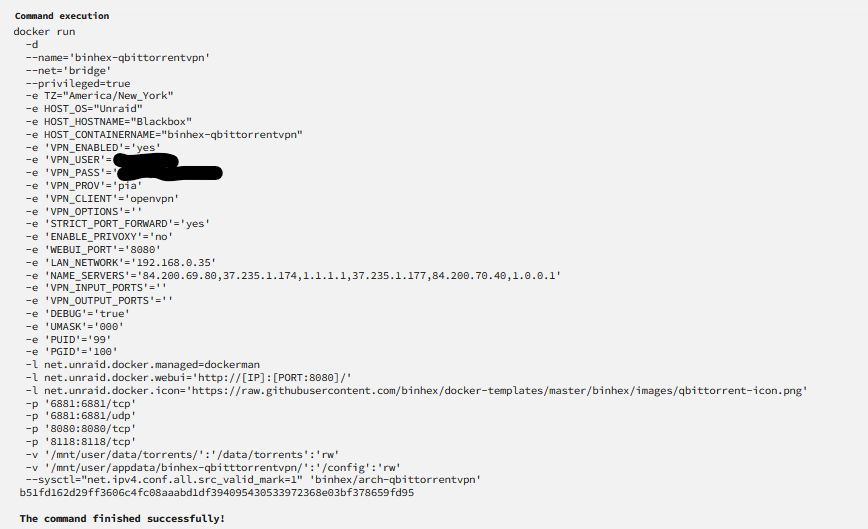
I recently had to rebuild my docker image because it became corrupted and after reinstalling all the containers using the "Previously Installed" templates for my containers, I'm now running into an error with this container where docker says it's running but going into the log it runs into this error: Bad command line: You cannot use -d (or --daemon): qBittorrent is already running for this user. Run application with -h option to read about command line parameters. I went into bash and confirmed that there weren't any hidden containers running, and I wasn't having any issues until I had to rebuild my container list. supervisord.txt