alex01763
Members
-
Joined
-
I'm currently running 6.12.15 because as the saying goes, 'if it ain't broken, don't fix it'. But it has already been over an year and the update button in the webgui keeps bothering me, so I'm considering updating to the latest release. I checked the changelogs and it might be better for security too. The thing is, my hardware is an old desktop that I was going to throw away, so I'm worried that it might not be able to handle it if there were significant amount of additions to the base os. It already struggles with the few containers I'm running. But I'm seeing that the Dynamix File Manager, GUI Search, and Unlimited Width Plugin plugins are now built in since 7.0, so it might put a strain on it. Has the hardware requirements been raised since the 7.x update? If so, how much? hardware is: cpu: i5-8400(only 4 cores allocated because I'm running unraid in a proxmox vm) 8gb ram
-
Ok, then as long as I don't move the drives around, there shouldn't be any problems, right? as long as they stay in the ports they were installed the first time? Would docker containers have any problem reading them? It's still building parity so I haven't had time to try it out myself yet.
-
I see... Do you think esata would help? I don't have any other options as of now.
-
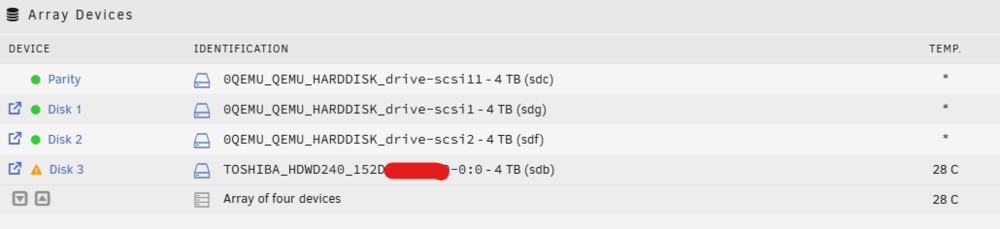
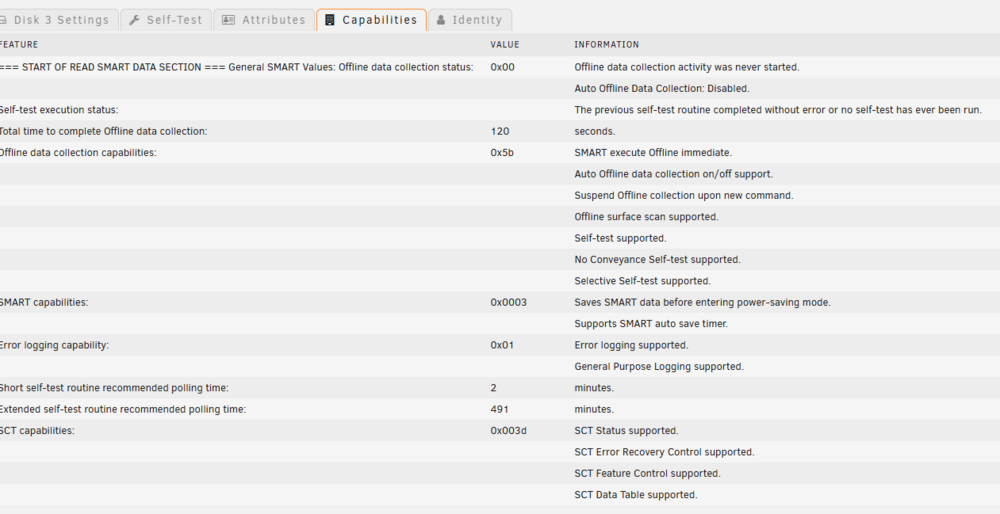
Hello everyone! I'm trying to use a Mediasonic Probox with Unraid but I'm having trouble getting the serial number of the disk to get assigned to the array instead of the usb port. I don't think it is the problem with the controller (jmicron but I'm not sure which model) because when I used it with proxmox, it showed the drives' serials just fine. is there a way to make unraid recognize the serials and assign them instead of the usb ports? diagnostics included the disks showing up as qemu scsis are because unraid is running as vm, and I'm passing one of my 2 proboxes through in to the vm in usb mode. I do have another one running in sata with a pcie to esata controller, but I didn't use that because I thought that would require passing through 2 controllers and maybe that would complicate things. smart data seems to be getting through, so everything seems to work fine in terms of functionality. I just want to know if there is a way to change this usb ids into serial numbers. unraid-001-diagnostics-20260411-0557.zip
-
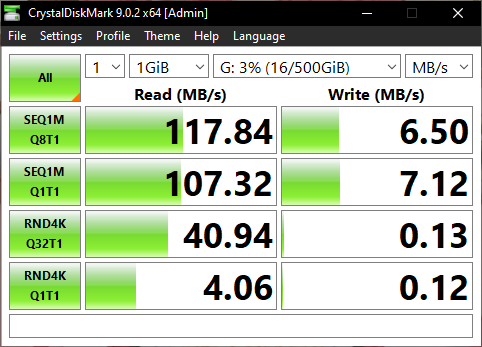
Hello! I'm getting unusable write speeds with the iscsi device. the read speeds are about the same as my normal smb speeds, but the write speeds are abnormally terrible. I've turned write back mode to off, but that doesn't seem to work. What should I do?
-
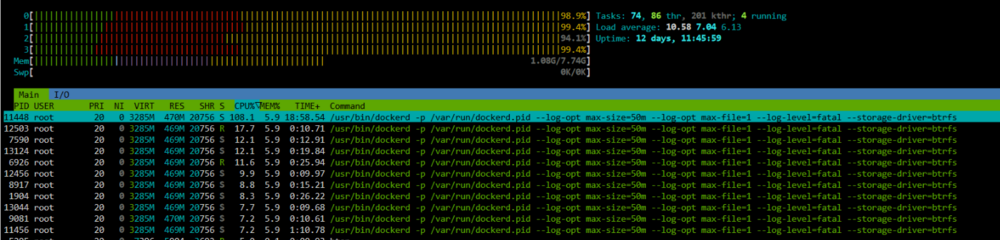
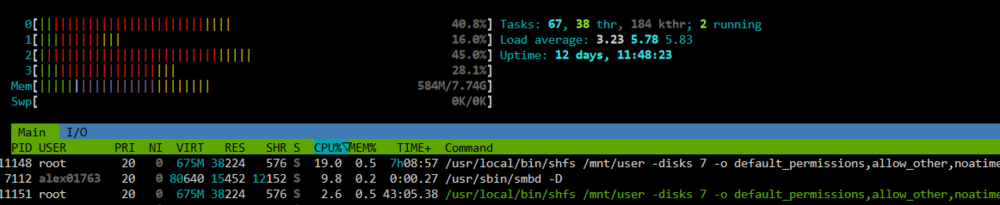
I noticed a sudden performance drop when loading/searching files when I was accessing my server from a windows machine, so I took a look at what's going on in the server. I found out that suddenly the docker service was taking up more than 100% cpu when I ran htop in the console. I stopped all docker containers, but the cpu usage was not going down, so I tried disabling docker in the settings, which calmed everything a bit. Now I'm rebooting the server for good measure. I think this is a bug in Unraid's end, since I tried turning my containers one by one, and nothing happened, which probably means the container themselves are not the fault if I'm not wrong. Am I the only one experiencing this? What should I do? htop before: htop after: I should have downloaded my diagnostics before I rebooted, but I forgot. I did download one right after the reboot, so I will attach it if anyone needs it. Edit: Enabling docker after reboot is causing this issue again. Attaching diagnostics. unraid-001-diagnostics-20240815-0603.zip
-
Thanks, this worked!
-
Here are my diagnostics. also, I got this alert too: unraid-001-diagnostics-20230310-1927.zip

-
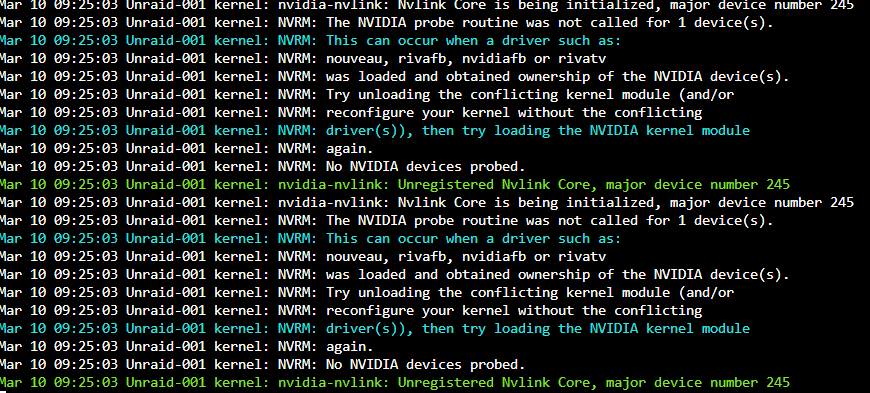
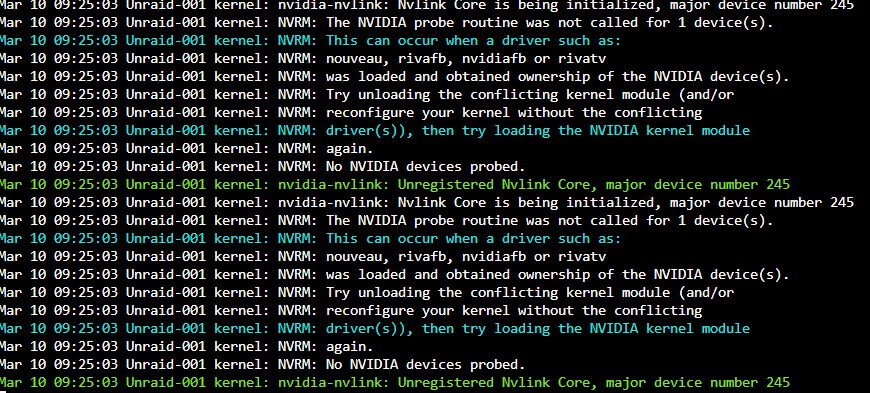
Hello, I'm having trouble having the plugin recognize my GTX960 . I think there might be a kernel conflict according to the logs, but I can't find out how to get rid of the conflicting kernel. What can I do? I think the existing kernel is vfio, since I'm vm-ing unraid from proxmox.
-
I originally had a problem with the Nvidia driver plugin, but didn't know the reason(posted on reddit, but nobody seems to know the answer), but this morning, I got a notification and now I narrowed it down to the gpu having existing kernel conflict with the nvidia driver. So how do I get rid of the existing kernel? Or if I'm wrong, what else should I do?