





dmk0
Members
-
Joined
-
Last visited
-
I've just tried it again. I am still getting a mismatch error Here an excerpt of my logs: ---Update Server--- ---Validating installation--- Redirecting stderr to '/serverdata/Steam/logs/stderr.txt' Logging directory: '/serverdata/Steam/logs' [ 0%] Checking for available updates... [----] Verifying installation... UpdateUI: skip show logo Steam Console Client (c) Valve Corporation - version 1773426366 -- type 'quit' to exit -- Loading Steam API...OK Connecting anonymously to Steam Public...OK Waiting for client config...OK Waiting for user info...OK Update state (0x61) downloading, progress: 35.40 (16777216 / 47394028) Update state (0x0) unknown, progress: 0.00 (0 / 0) Success! App '1963720' fully installed. Unloading Steam API...OK ---Prepare Server--- ---Checking for old display lock files--- ---Checking for old logfiles--- ---Server ready--- ---Starting Xvfb server--- ---Start Server--- I have changed the Validate Installation param to "true" which is why I at least get that "Update state" finally. But it never really fully updates. On every restart of the container, I get a progress and then everything following that. Not sure what is happening
-
Wouldn't that mean that my friends shouldn't be able to join the game?
-
Thanks! Will try it again. I've just updated everything and my 2 friends can join, but I am still getting a game version mismatch. They are also on 1.2.0.6 No idea what is going on. Already re-installed and forced updates.
-
Is there a way to force updates? I always have an issue with my corekeeper docker that it just doesn't update to newest version. There was an update yesterday, but I can't get it to update.
-
I've told them to try it again and they could join the server via IP address join - but they don't see the name of the server. Curious problem. Well, it worked and they can play, so that's that. Thanks for the help!
-
Not sure what exactly I am looking out for in the log file, but for me everything seems alright? I've removed my IP address, should be anonymous now, I hope :D enshrouded_server.log
-
Kinda stumbling around as I am preparing the server for friends (but I won't play myself - they will just be using my server which runs 24/7 either way). I've installed the proton CA template. I have forwarded the port 15637 (UDP) on my router. I've changed the server name and deleted essentially all user groups except admins (my friends will all be admins). I've given that server name to my friend and he can't seem to find the server. He also can't find it via the IP address + port. Any ideas?
-
An update to this: So, I've tried many things and in the end I've deleted corekeeper with rm -rf and also steamcmd - as this was an additional folder that has been installed. After deleting both, I've successfully reinstalled corekeeper docker. I suspect it was the steamcmd one that gave me the headache. Definitely save everything you need, as this complete deletion creates a new world (old one gets deleted) Thanks for the help @ich777
-
TBH I haven't really done anything specific with SSH or SMB. I've deleted the files via terminal and installing the container I just go to the CA and click on install.
-
Alrighty, something new. I've tried it - it just doesn't reload anything. I've deleted everything (backed it up) and reinstalled the container. now I have the following in the server log when it's trying to start: /opt/scripts/start-server.sh: line 12: /serverdata/steamcmd/steamcmd.sh: Permission denied /opt/scripts/start-server.sh: line 31: /serverdata/steamcmd/steamcmd.sh: Permission denied chmod: cannot access '/serverdata/serverfiles/CoreKeeperServer': No such file or directory /opt/scripts/start-server.sh: line 79: /serverdata/serverfiles/CoreKeeperServer: No such file or directory This seems like an unraid problem now?
-
I've deleted the "steamapps" folder and there were no changes to the log and now the steamapps folder is just not there. I have also played around with "Validate Installation" in the hope it would trigger some sort of change - nothing Should I copy the world and then completely remove/uninstall the docker and remove all files?
-
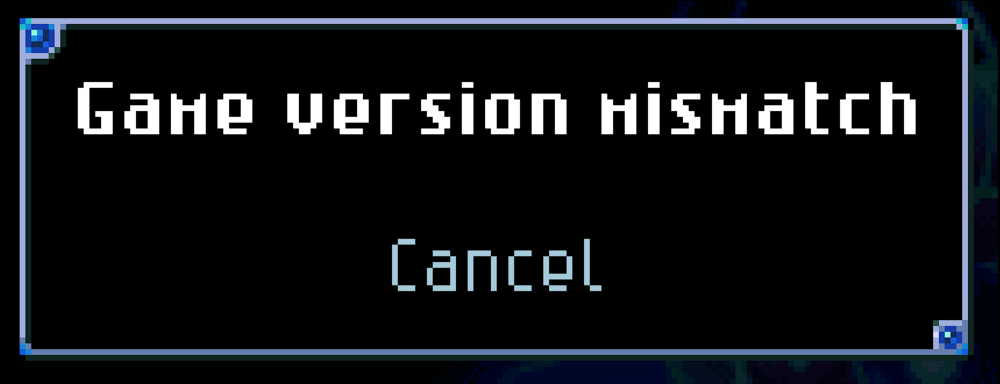
Thanks for getting back to me! I am following the instructions to restart the container when an update happened. But when me and my buddies try to join, we get the "Game version mismatch" message: I am kind of at my wits' end what is happening here as the log is looking alright (to me at least).
-
Hey there, been having problems with my CoreKeeper. There was an update to version 1.1.1.2 and since then the docker server has not been working. I've tried restarting the docker container multiple times - to no avail. I've also tried apt updating and apt upgrading the docker to see if it changes anything - sadly no. The logs have these lines a few times: ---Ensuring UID: 99 matches user--- usermod: no changes ---Ensuring GID: 100 matches user--- usermod: no changes ---Setting umask to 000--- ---Checking for optional scripts--- ---No optional script found, continuing--- ---Taking ownership of data...--- ---Starting...--- ---Update SteamCMD--- ---Update Server--- ---Prepare Server--- ---Checking for old display lock files--- ---Checking for old logfiles--- ---Server ready--- ---Starting Xvfb server--- ---Start Server--- Server Game ID: But that looks all fine to me, tbh. Any help appreciated
-
@Frank1940 As you've been with me through the whole journey: I have finally found the culprit and the solution. After doing a quick google search (again) I stumbled upon this post This caught my eye but led me in a strange direction. I am not great with managing zfs and I already stumbled because of step 1. Thus, I consulted the discord channel where I got into a dialogue with @jcofer555 (thanks again) reiterating my problem. And at some point mentioning that maybe it could be zfs. I also finally found out what the bash process is: it's the terminal! So, killing it, just closes the terminal Now, experimenting with zfs commands I did the following: root@Ymir:/mnt/user/data# zfs list -r NAME USED AVAIL REFER MOUNTPOINT disk1 9.07T 7.16T 112K /mnt/disk1 disk1/.Trash-99 96K 7.16T 96K /mnt/disk1/.Trash-99 disk1/data 9.07T 7.16T 9.07T /mnt/disk1/data disk1/data/Download 96K 7.16T 96K /mnt/disk1/data/Download disk1/isos 96K 7.16T 96K /mnt/disk1/isos disk1/other 2.18G 7.16T 2.18G /mnt/disk1/other disk2 9.06T 7.17T 96K /mnt/disk2 disk2/data 8.75T 7.17T 8.75T /mnt/disk2/data disk2/data/Download 120K 7.17T 120K /mnt/disk2/data/Download disk2/other 317G 7.17T 317G /mnt/disk2/other disk3 8.86T 7.37T 104K /mnt/disk3 disk3/data 8.67T 7.37T 8.67T /mnt/disk3/data disk3/other 196G 7.37T 196G /mnt/disk3/other disk4 1.75T 14.5T 112K /mnt/disk4 disk4/data 1.72T 14.5T 1.72T /mnt/disk4/data disk4/other 24.5G 14.5T 24.5G /mnt/disk4/other disk5 2.66M 5.33T 96K /mnt/disk5 Combining this with the above post, I just tried to do a zfs destroy -r disk1/data/Download Which removed it from the list once. I did it again for disk 2. Now the list was empty. I went into the share and the folder was finally GONE.
-
It is still May 8th. This is curious...


