





nadoteg
Members
-
Joined
-
Last visited
-
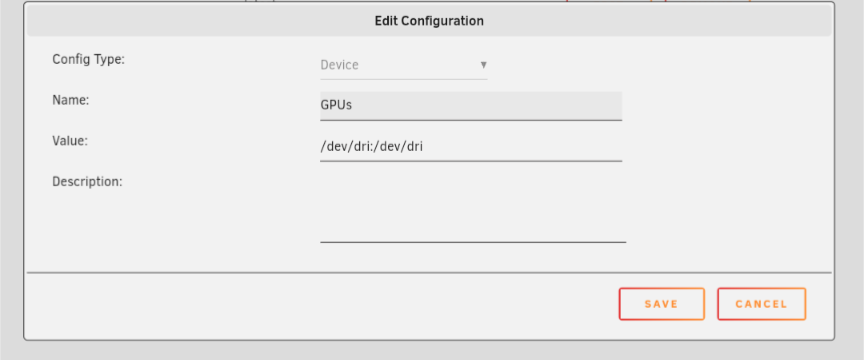
I'm having a similar issue, but I have a few things to add that might improve your situation. There is a separate docker image for plex pass: plexinc/pms-docker:plexpass Also I have added a device to the configuration, which allows me to pick my GPU: Again I'm having the same issue, except for me sometimes I'll open up a movie and it will work my CPU pretty hard without hw encoding, so I'll close it and open it again, and it will run just fine hw encoding (at least what I observe, it isn't hitting the CPU hard).
-
This fixed it for me. Had to look it up but chmod -R 777 /(path to data directory) let me run the docker Thanks @Vazelinko!
-
Kind of new to this, but I had the same problem, noticed there was no plik.db file in the data directory, so I created one and now I have a new error: unable to start Plik server : unable to initialize metadata backend : unable to set wal mode : attempt to write a readonly database
