Skip to content
View in the app

A better way to browse. Learn more.

Unraid

A full-screen app on your home screen with push notifications, badges and more.

To install this app on iOS and iPadOS
  1. Tap the Share icon in Safari
  2. Scroll the menu and tap Add to Home Screen.
  3. Tap Add in the top-right corner.
To install this app on Android
  1. Tap the 3-dot menu (⋮) in the top-right corner of the browser.
  2. Tap Add to Home screen or Install app.
  3. Confirm by tapping Install.

SiGz

Members
  • Joined

  • Last visited

  1. Thanks Jorge! I put everything on 100gb then 300gb on my data folder that seemed to fix the log error
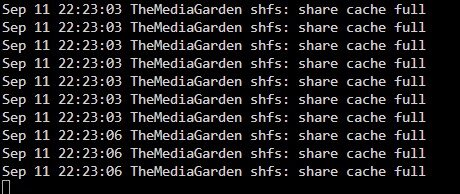
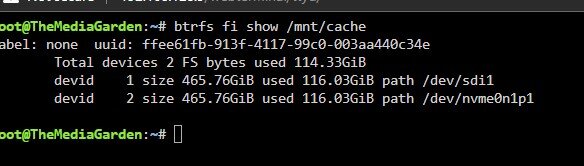
  2. Hey Guys, just recently got this error. I rebooted, ran btrfs fi show & btrfs balance start -dusage=75 /mnt/cache Attached my diags let me know if someone can help! Unraid shows only 123gb used of my 500gb but idk anymore... themediagarden-diagnostics-20240911-2220.zip
  3. you rock! worked after forced update!
  4. any idea when enshrouded dedicated servers will be up on CA? i think it releases today
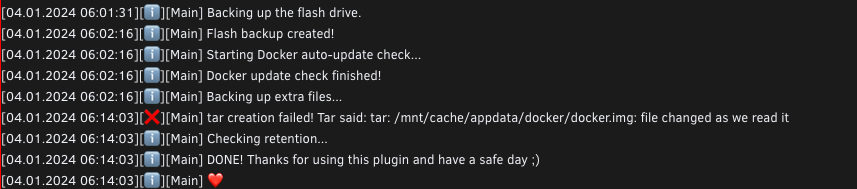
  5. Is there a way to backup the docker.img with the plugin? I put the path in the extra folders but looks like it starts the docker service prior

Account

Navigation

Search

Search

Configure browser push notifications

Chrome (Android)
  1. Tap the lock icon next to the address bar.
  2. Tap Permissions → Notifications.
  3. Adjust your preference.
Chrome (Desktop)
  1. Click the padlock icon in the address bar.
  2. Select Site settings.
  3. Find Notifications and adjust your preference.