





UWK
Members
-
Joined
-
Last visited
-
I’ve just upgraded to Unraid 7.2.2, and I can confirm that NVIDIA hardware decoding is working correctly in both Plex and Emby. However, I’ve noticed that the “Active App” field in the GPU Statistics on the Dashboard is always blank, regardless of which application is using the NVIDIA GPU. Previously, this field helped quickly identify which app was actively utilising the GPU, so it was quite useful at a glance. Could you please check if this is a known issue in 7.2.2 or if there’s a workaround? Is this a known issue?
-
Thank you! That matches up. Now I don't have to be needlessly worried! Quick question: Do you recommend the docker folder or the image approach? With the image I had to rebuild the image twice in a span of 4 months it just kept getting corrupted.
-
I dont believe that is the case (i can be wrong). The storage pool is 4TB. The "system" share is set to Array -> Cache with cache being 4TB out which 3.79TB is free. And the Array has 22TB free. Since posting this has now grown to 190GB on the main screen.
-
As the title says - weird issue. not sure if I am doing something wrong. The below shows output from the main page where it shows 188+GB. I checked the container size and it is 22.X GB. Docker is running directory mode and not as image - attached pictures for those as well. Attaching NCDU output as well. here is the cli docker output Can someone kindly help with what might the issue be? tower-diagnostics-20250311-1049.zip
.png.94823fc23c6bf8d256f1d8781332aa31.png)
.thumb.png.1215f197cdfce86258fea2c2dafca297.png)
.thumb.png.5081ecd087667cb6aca0f6102ab07234.png)
.thumb.png.ba09a8e6740c620bd69c43491a99d3cf.png)
.thumb.png.4f640240910f06e30f98ed3898aef056.png)
.thumb.png.21c43737c5147c062f0c87a382c162d1.png)
.thumb.png.12831fd25a662281b34488837c58d23a.png)
.png.ebdf835b1dfbe879ccf0b8bf91566988.png)
.png.0cf9afc57903b2a25029360f1770a63e.png)
-
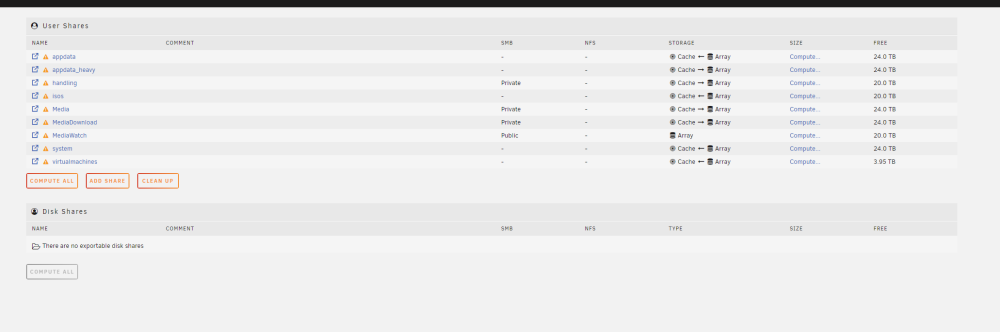
So once I changed all of the shared that should be on Cache and ran mover again. I let it ran for 1 day and nothing happened. The used disk drive size remained the same. I rebooted the system, shutdown the docker and ran it to no avail. Attaching diagnostics. If someone can please look and help me fix whatever I am doing wrong. tower-diagnostics-20231115-1514.zip
-
Ahh that makes sense! Thanks Kilrah. Let me move the necessary files to cache again and see if the reported and shown adds up :). Any guidance on the second issue why the docker after reboot messed up?
-
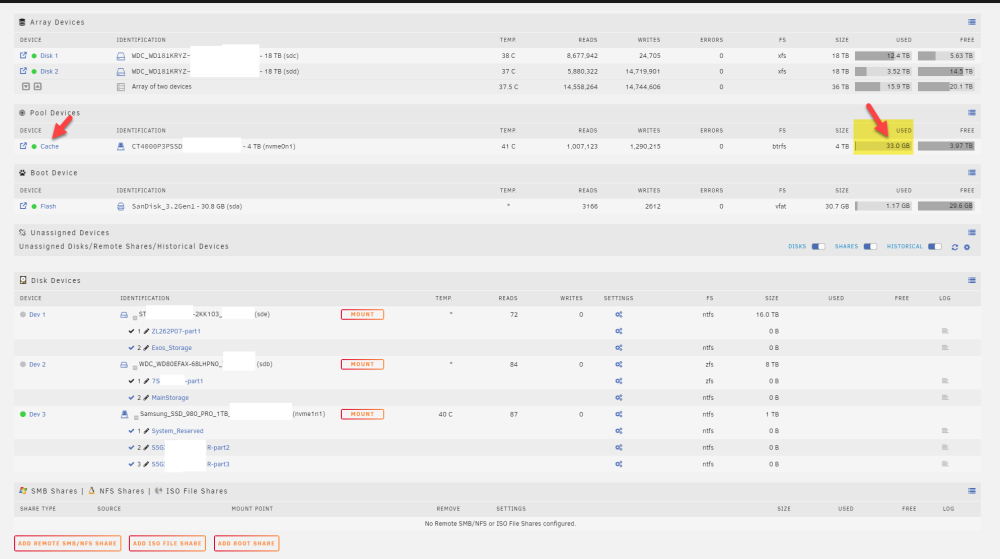
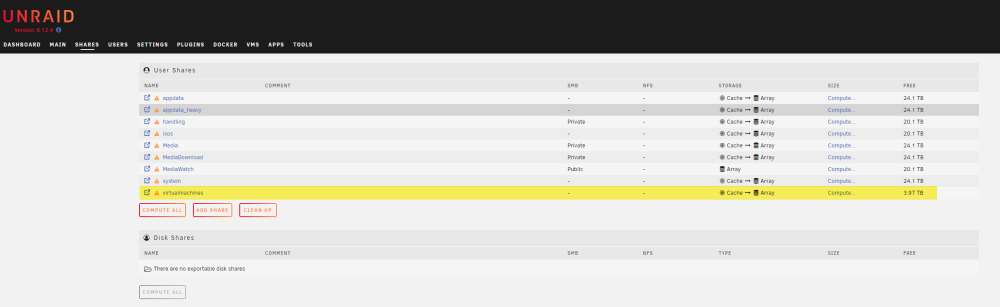
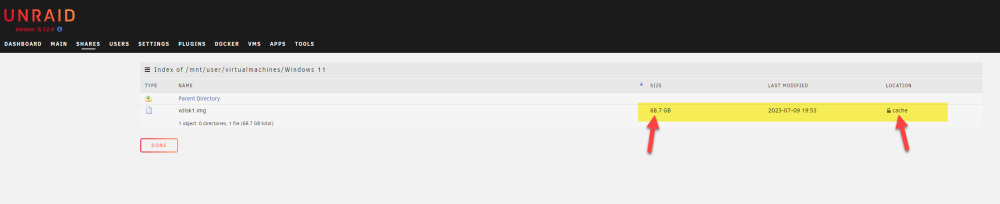
Hey Kilrah. Thanks for the prompt response. The reason I did the move was temporary to sort out why the usage is not being reported correctly. I am going to set the system to cache and move others back to cache. The issue however, is the virtual machine which is 68.7GB on cache but on the main page cache says on 30GB used. These aren't adding up. I know I was previously using 200+Gb on cache but it was reporting 70GB only.
-
Hi Everyone, I ran into two issues. Hoping you guys can help out. 1. Cache Size: Cache used and free are reported incorrectly (or I am not understanding something correctly). It says 33GB in use. I have moved all my shares settings to Cache -> Array and run the mover. I waited for several hours 10-12 hours for it to finish. So majority of the data should not be there. However, when I goto the share page it shows my virtual machine folders in cache. Here is the issue it says the .img single file in this folder is 68.7GB and it is on cache. So why is it showing 33GB on the main's page. Please look at the images attached to the post. 2. Docker: I moved from docker image to directory. Works perfectly for me. Did a clean reboot but when unraid came back online. Docker wasnt enabled and when I tried to enable it was set to docker image rather than the directory. Just wondering what could of have caused that to happen? Please find my diagnostic attached to the post.
-
Hi I am running version 6.12.2 and have been running into random high cpu usages over time. First it was unraid-api causing excessive usage so removed the unraid connect plugin which i believe stopped the issue. Now run into this issue where I saw LSOF utilising 25% of CPU for a very long time. I have shut down the docker, stopped array..... I can't see LSOF in htop anymore but there is still something causing high CPU. Reboot seems to fix this. Diagnostics before rebooting the system are attached. tower-diagnostics-20230708-2032.zip
-
Any insight to this problem will be highly appreciated.
-
New to unRAID, learning it and loving it! Here is my issue which only happens sometimes: I goto Apps and select a docker to download and the speed is extremely slow....like 30MB one takes 3-4 minutes to download and while it is downloading the complete UI becomes unresponsive. Is this expected? I have 1 Gig internet and I usually get 70-80MB (Megabytes not Megabits)/sec on the server. And if I download another docker after this slow download, it will download at full speed. For e.g. a 130MB docker will finish downloading in a few seconds. Some additional info: My appdata and system are configured with prefer: cache settings. I have checked that the docker.img and the appdata (except some icon file for one of the docker) exist on cache. Also stopped the docker service and run mover to ensure nothing was interrupted and everything that needs to exist on cache exists on cache. Attaching diagnostics if it can help diagnose the issue. tower-diagnostics-20230520-1544-anon.zip
-
haha THank you so much. Was wondering why there wasn't an enable disable option Thanks again.
-
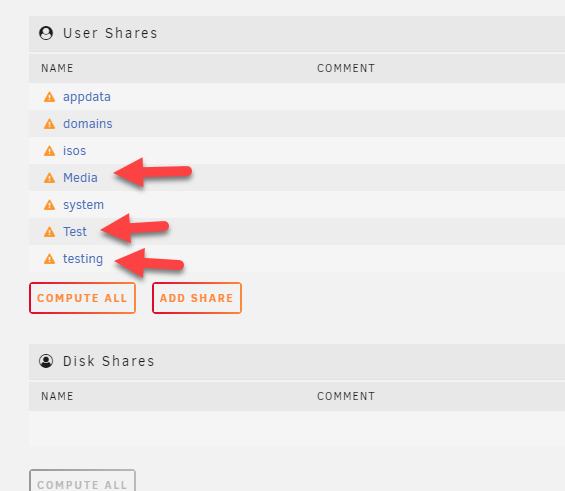
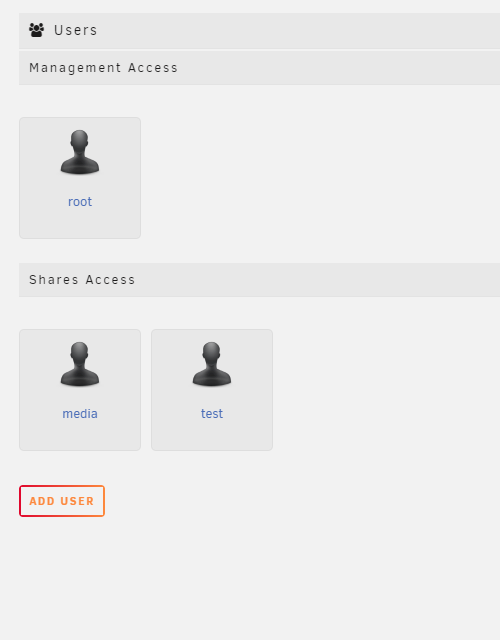
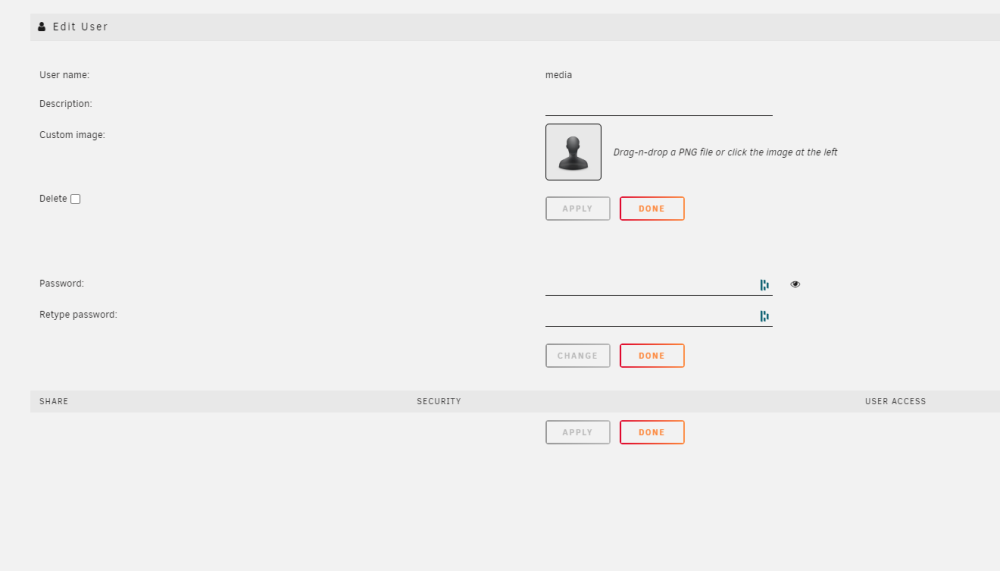
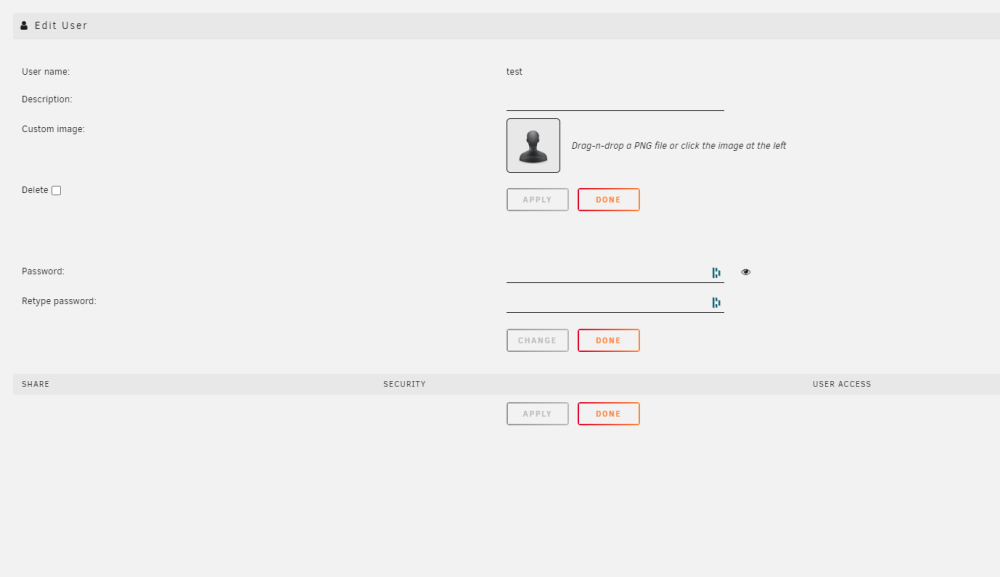
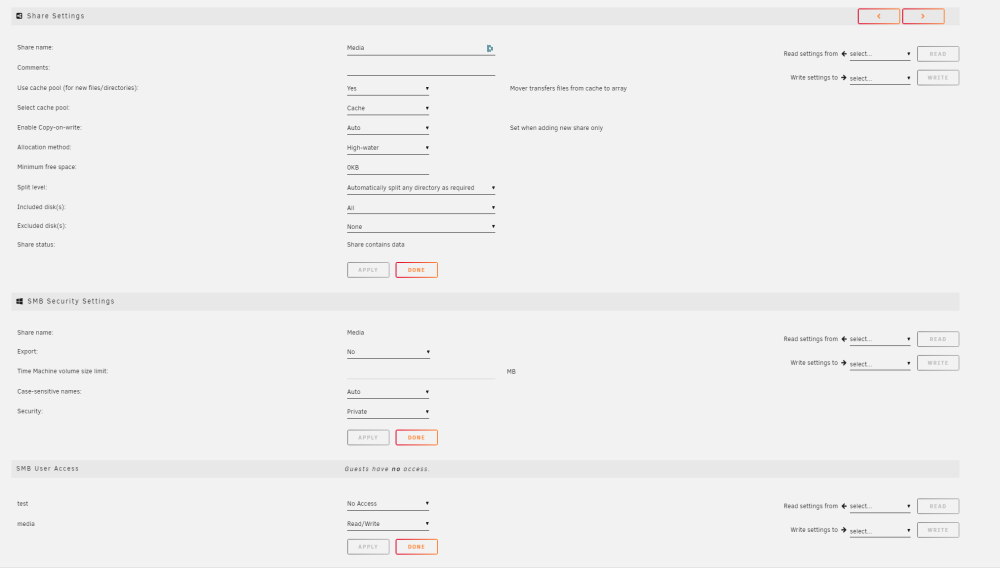
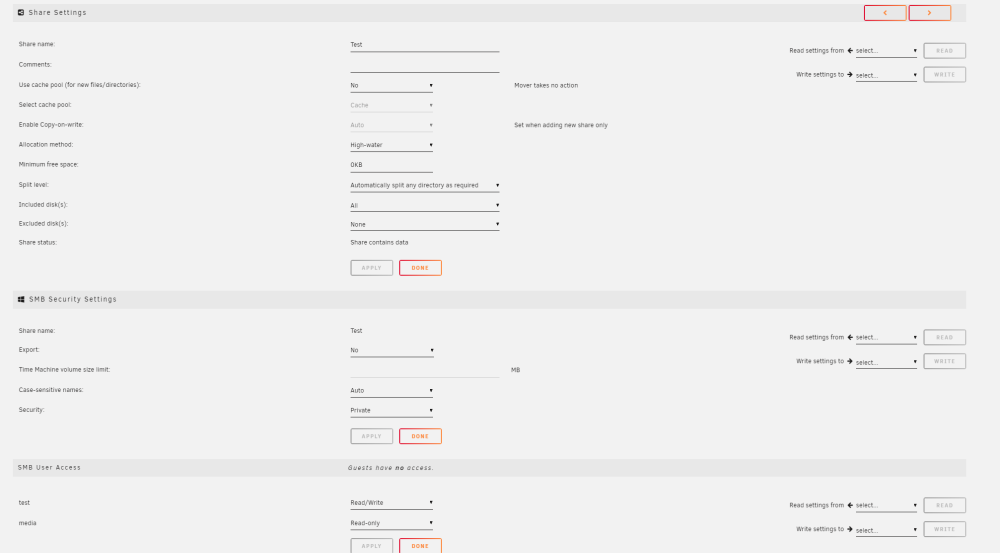
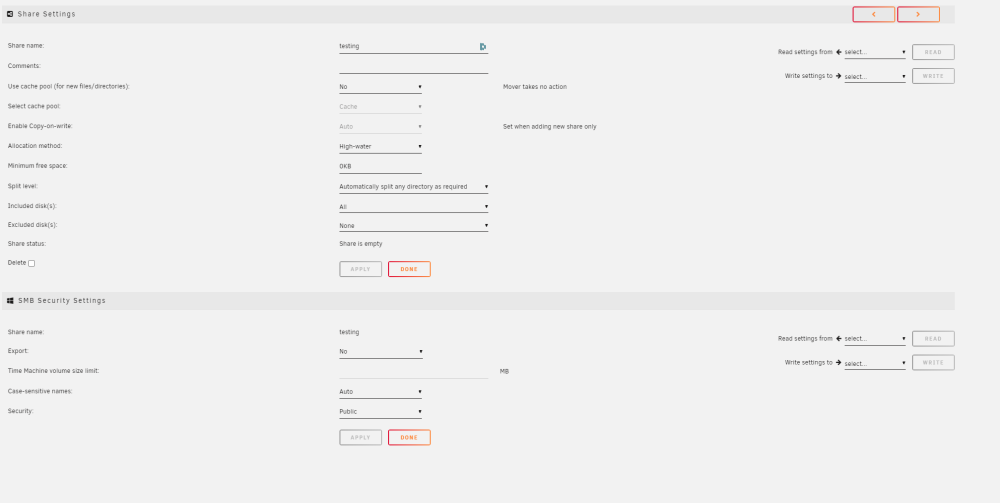
Hi, My first time trying unRAID OS, so trying to learn it and will transfer my home media to this server once I am confident with the system. The first issue that I am facing is: I have setup three shares called "Media", "Test" & "testing" I have created two users also called "media" & "test" ---please note that I have also tried with other usernames Now the media share is setup for private access with Read/Write to media user The test share is setup for private access with Read/Write to test user, read only to media user. the third share "testing" is set to public. I have attached the images of the shares, user etc. below. Let me know if anything else is requried. I can see all the shares under the ls /mnt/user/ directory. However, when I access the \\tower (or the IP address) and login with any user (media, test) on Windows I get a blank screen as if nothing is shared by the system. Not sure where I am going wrong. Any and all help will be appreciated. Also stopped and started the array for diagnostic purposes. Diagnostic file attached. tower-diagnostics-20230422-1322.zip


.png.94823fc23c6bf8d256f1d8781332aa31.png)
.png.d868bd7be20b11303337475f2ed7e069.png)
.png.8d681f3aac06ae29a5404a0c38a0229f.png)
.png.7e987c27dffcc7e8109176a36d22cdcf.png)
.png.39a0fdca61002490b9578f27beef007a.png)
.png.5ca29cf95b263f5205e329c1022fb13c.png)
.png.168d13114ee444781159a3ddaacf25db.png)
.png.ebdf835b1dfbe879ccf0b8bf91566988.png)
.png.0cf9afc57903b2a25029360f1770a63e.png)





