Kraudi
Members
-
Joined
-
Last visited
-
Thank you @ich777 Works perfectly fine now when using luckyBackup as root.
-
I think it was on reddit and because I'm relatively new to linux/unraid I was very careful not to open and security holes. Good to know it's still safe to do though. Right now I only connect to my home network via Wireguard VPN (router has built in function) and I'm only planning to open vaultwarden in the future but with nginx proxy manager that should be "safe" as well. I try running the docker as root later when I get back home. Thats for your input!
-
You mean the run as root setting in the docker settings? Then no as I read somewhere you shouldnt do that. But I can try it for sure. Are there any security concerns running docker as root? Last time I used luckyBackup I think I didnt used that settings as well.
-
Theres one thing left. I move my media files every night to an external usb drive on the server and for each file luckyBackup says something like this for every file and folder. rsync: [receiver] failed to set times on "/mnt/backup/notes/.obsidian/.core-plugins.json: Operation not permitted (1) It looks like it still syncs the folders/files to the backup drive but I'm not sure it may create some further problems down the strech. I know you can add -O to rsync then the errors for folders are gone but not for the files. I also enabled the checkmark "destination is fat/ntfs" because my external USB drive is NTFS formatted. I had this working fine when I last used luckyBackup so I'm not sure what the problem now is. Thanks for your help guys
-
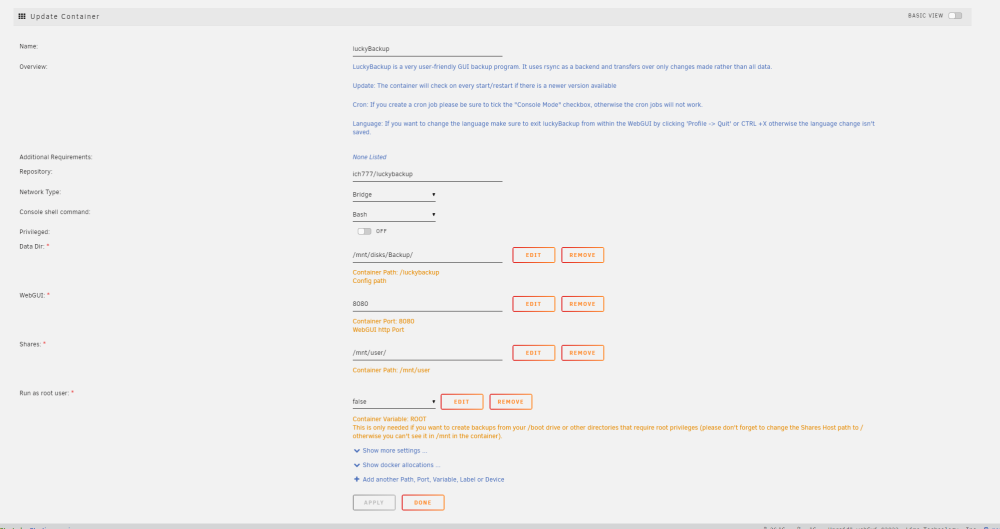
You are correct. The /mnt/disks/backup was an old wrong path I put in earlier and after uninstalling it somehow saved this path and it is now automatically in there on each new install. Changed it manually to the appdata cache folder and now it seems to work. My bad sorry for that. I was sure the path is automatically reset to the correct appdata folder when reinstalling so I didnt even noticed. Manchmal sieht man halt den Wald vor lauter Bäumen nicht Danke und Grüße aus dem Nachbarland!
-
Yep because I took a new usb stick and installed a fresh unraid trial. The odd thing is that luckyBackup doesnt create any files in the appdata directory like other apps. The appdata folder is completely empty. Every other app works fine and creates files there.
-
I didnt reset any permissions. I also did a complete "fresh" install of unraid and installed luckyBackup through the apps menu and it still doesnt work ...really strange. Every other "app" I installed works completely fine it's only luckyBackup which isn't working.
-
Here is the log. Thanks for looking into it chmod: changing permissions of '/luckybackup': Operation not permitted chmod: changing permissions of '/luckybackup/.ssh': Operation not permitted chmod: changing permissions of '/luckybackup/.ssh/ssh_host_ecdsa_key': Operation not permitted chmod: changing permissions of '/luckybackup/.ssh/ssh_host_ecdsa_key.pub': Operation not permitted chmod: changing permissions of '/luckybackup/.ssh/ssh_host_ed25519_key': Operation not permitted chmod: changing permissions of '/luckybackup/.ssh/ssh_host_ed25519_key.pub': Operation not permitted chmod: changing permissions of '/luckybackup/.ssh/ssh_host_rsa_key': Operation not permitted chmod: changing permissions of '/luckybackup/.ssh/ssh_host_rsa_key.pub': Operation not permitted chmod: changing permissions of '/luckybackup/.vnc': Operation not permitted chmod: changing permissions of '/luckybackup/daten': Operation not permitted chmod: changing permissions of '/luckybackup/unraidAppdata': Operation not permitted chmod: changing permissions of '/luckybackup/unraidSystem': Operation not permitted chmod: changing permissions of '/luckybackup/unraidSystem/unraid-flash-backup-20230504-0816.zip': Operation not permitted chmod: changing permissions of '/luckybackup/.ssh': Operation not permitted chmod: changing permissions of '/luckybackup/.ssh/ssh_host_ecdsa_key': Operation not permitted chmod: changing permissions of '/luckybackup/.ssh/ssh_host_ecdsa_key.pub': Operation not permitted chmod: changing permissions of '/luckybackup/.ssh/ssh_host_ed25519_key': Operation not permitted chmod: changing permissions of '/luckybackup/.ssh/ssh_host_ed25519_key.pub': Operation not permitted chmod: changing permissions of '/luckybackup/.ssh/ssh_host_rsa_key': Operation not permitted chmod: changing permissions of '/luckybackup/.ssh/ssh_host_rsa_key.pub': Operation not permitted WebSocket server settings: - Listen on :8080 - Web server. Web root: /usr/share/novnc - No SSL/TLS support (no cert file) - Backgrounding (daemon) qt.qpa.xcb: could not connect to display :0 qt.qpa.plugin: Could not load the Qt platform plugin "xcb" in "" even though it was found. This application failed to start because no Qt platform plugin could be initialized. Reinstalling the application may fix this problem. Available platform plugins are: eglfs, linuxfb, minimal, minimalegl, offscreen, vnc, xcb. /opt/scripts/start-server.sh: line 86: 61 Aborted /usr/bin/luckybackup chmod: changing permissions of '/luckybackup': Operation not permitted chmod: changing permissions of '/luckybackup/.ssh': Operation not permitted chmod: changing permissions of '/luckybackup/.ssh/ssh_host_ecdsa_key': Operation not permitted chmod: changing permissions of '/luckybackup/.ssh/ssh_host_ecdsa_key.pub': Operation not permitted chmod: changing permissions of '/luckybackup/.ssh/ssh_host_ed25519_key': Operation not permitted chmod: changing permissions of '/luckybackup/.ssh/ssh_host_ed25519_key.pub': Operation not permitted chmod: changing permissions of '/luckybackup/.ssh/ssh_host_rsa_key': Operation not permitted chmod: changing permissions of '/luckybackup/.ssh/ssh_host_rsa_key.pub': Operation not permitted chmod: changing permissions of '/luckybackup/.vnc': Operation not permitted chmod: changing permissions of '/luckybackup/daten': Operation not permitted chmod: changing permissions of '/luckybackup/unraidAppdata': Operation not permitted chmod: changing permissions of '/luckybackup/unraidSystem': Operation not permitted chmod: changing permissions of '/luckybackup/unraidSystem/unraid-flash-backup-20230504-0816.zip': Operation not permitted chmod: changing permissions of '/luckybackup/.ssh': Operation not permitted chmod: changing permissions of '/luckybackup/.ssh/ssh_host_ecdsa_key': Operation not permitted chmod: changing permissions of '/luckybackup/.ssh/ssh_host_ecdsa_key.pub': Operation not permitted chmod: changing permissions of '/luckybackup/.ssh/ssh_host_ed25519_key': Operation not permitted chmod: changing permissions of '/luckybackup/.ssh/ssh_host_ed25519_key.pub': Operation not permitted chmod: changing permissions of '/luckybackup/.ssh/ssh_host_rsa_key': Operation not permitted chmod: changing permissions of '/luckybackup/.ssh/ssh_host_rsa_key.pub': Operation not permitted WebSocket server settings: - Listen on :8080 - Web server. Web root: /usr/share/novnc - No SSL/TLS support (no cert file) - Backgrounding (daemon) Session terminated, killing shell... ...killed. ---Resolution check--- ---Checking for old logfiles--- ---Starting TurboVNC server--- ---Starting Fluxbox--- ---Starting noVNC server--- ---Starting ssh daemon--- ---Starting luckyBackup--- ---Ensuring UID: 99 matches user--- usermod: no changes ---Ensuring GID: 100 matches user--- usermod: no changes ---Setting umask to 0000--- ---Checking for optional scripts--- ---No optional script found, continuing--- ---Checking configuration for noVNC--- Nothing to do, noVNC resizing set to default Nothing to do, noVNC qaulity set to default Nothing to do, noVNC compression set to default ---Starting cron--- ---Taking ownership of data...--- ---Starting...--- ---Preparing Server--- ---ssh_host_rsa_key keys found!--- ---ssh_host_ecdsa_key found!--- ---ssh_host_ed25519_key found!--- ---Starting ssh daemon--- ---Resolution check--- ---Checking for old logfiles--- ---Starting TurboVNC server--- ---Starting Fluxbox--- ---Starting noVNC server--- ** Press ANY KEY to close this window **
-
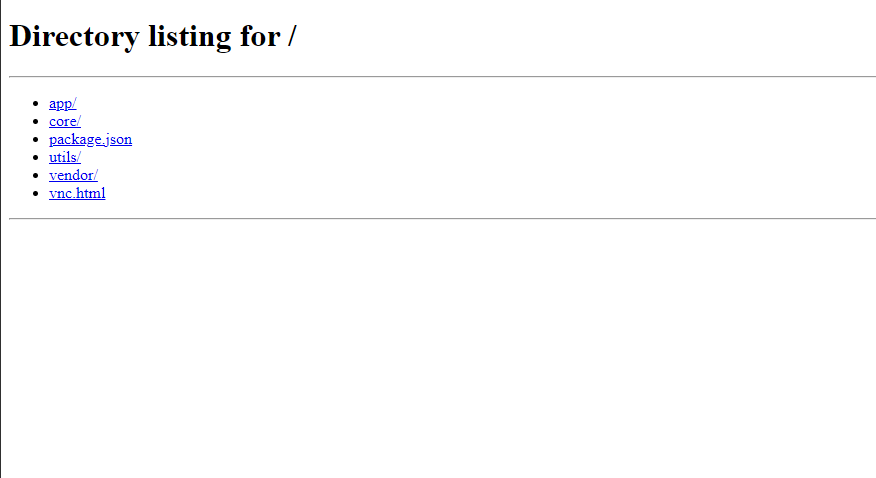
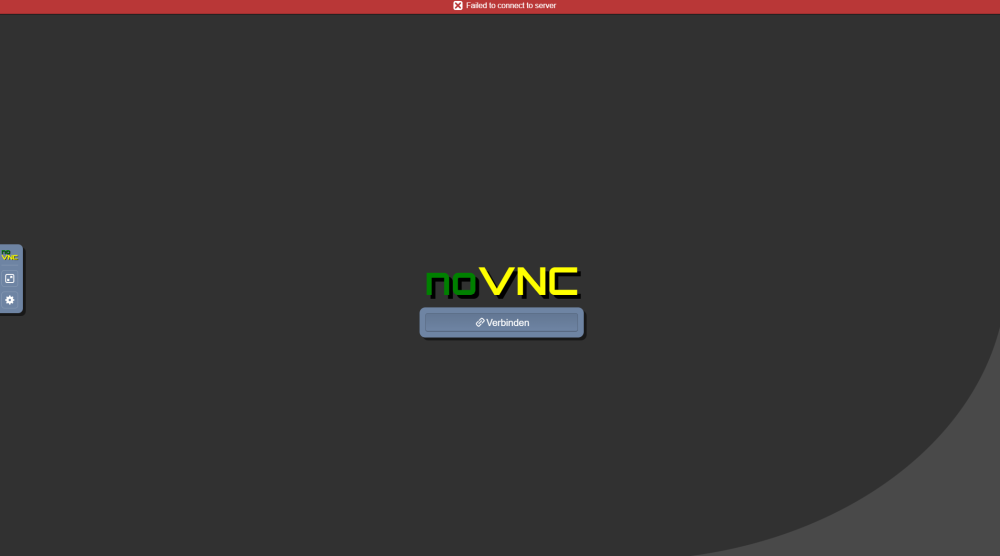
Hello I have some problems with luckyBackup docker. The last time I used it I had no problems getting it to start properly but this time it wont even start. I installed it with default port 8080 and when I open the WebUI I only see the noVNC page where it says: failed to connect to server. I also noticed that luckyBackup hasn't created any files or folders in the appdata folder like I didnt installed anything. I tried to reinstall several times but that didnt help. I also attached screenshots of how it looks right now including the docker template. Thank you and I appreciate any help to getting this to work Kraudi