





Sagemajin
Members
-
Joined
-
Last visited
-
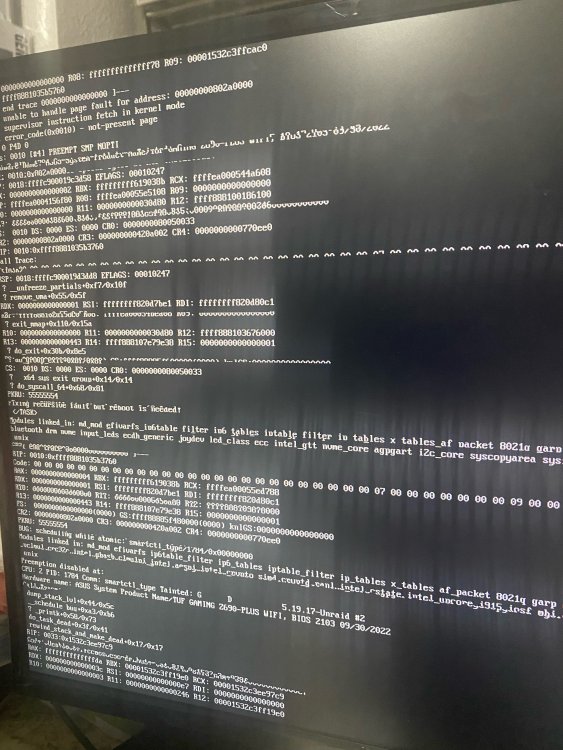
so i tried a different usb just in case and was able to get in and start the trial. After looking around to familiarize myself with unraid its having issue loading the page. If i scurb the usb will it remove the trial?
.thumb.jpeg.9ba65b40ca53fcf422baa5ffc386216e.jpeg)
-
I tried that and the screen goes black and doesnt show anything. I just updated the bios.
-
ok, so i tried using a sandisk glider and got it work for like 5 mins and was able to log in from another computer then i got a error message again. Can it be some thing else in the bios? so the way I did it was that i ran the usb creator in legacy mode then went into the folder and removed the - from EFI
-
I tried the RUFUS thing but was a bit tricky and suggestion on how to do it? and what USB stick would you recommend?
-
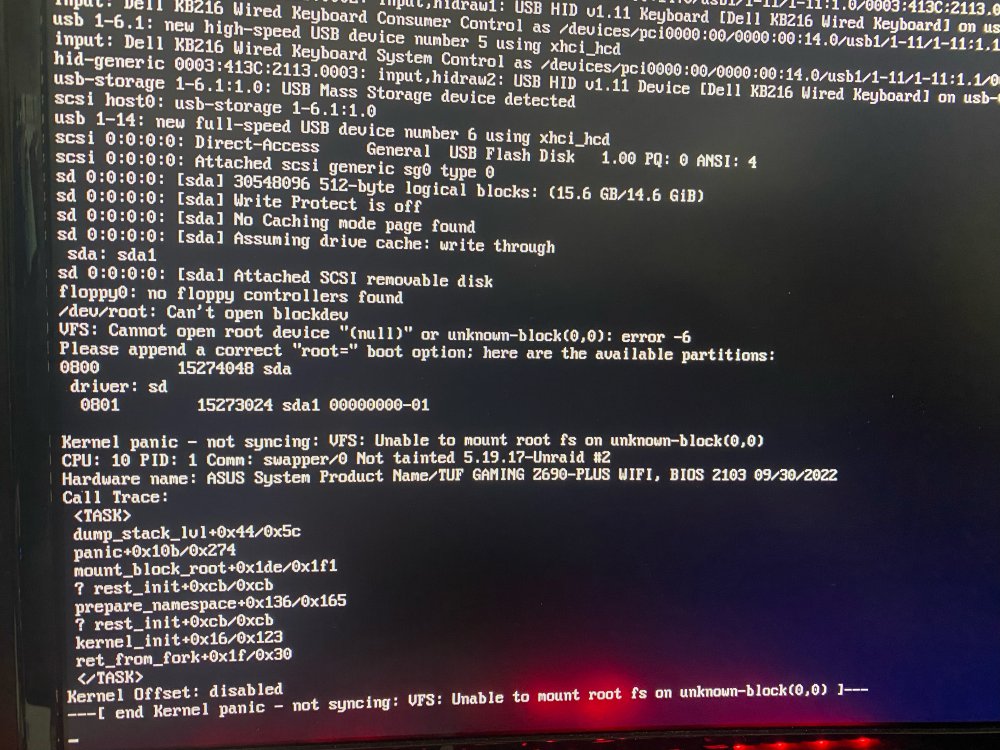
Hi, This is my first time using unraid with little to no knowledge about servers or other OS besides Windows and Mac. I was following instruction on how to but a system from a usb and having trouble. I am getting this error. I am using a onn 2.0 usb from Walmart brand new. My system is a i512600k with a asus tuf z690 running 32gb of DDR5, 2 4tb WD red HDD and 1TB m.2 nvme. Everything is brand new. I used the unraid usb creator with UEFI clicked on. In the bios I enabled VMX for vitulaiztion and made sure boot was from usb.obo
.jpeg.6ca379f5a311ae2adc83d7b80f258d4e.jpeg)

