Jaeger9671
Members
-
Joined
-
Last visited
-
I ended up getting this resolved via Discord. Basically the mover wasn't moving because my array was half full and my share was configured to high water. I was seeing the file duplicated on /mnt/cache and /mnt/user because /mnt/user is a FUSE and /mnt/user0 is the actual array drive.
-
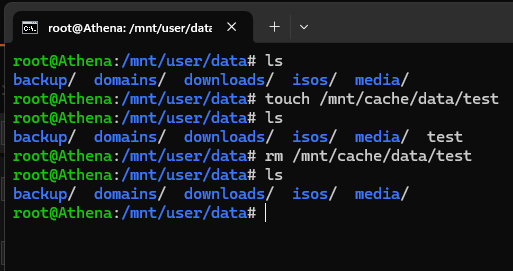
When I create files on the cache drive (/mnt/cache/), it seems to appear immediately on the array (/mnt/user/). I don't believe the mover is being invoked for this to happen. However, if I delete the cache version of the file, the array version is removed as well. I was under the impression files are created in cache, then show up on the array after the mover processes them and are removed from cache, however this doesn't seem to be the case here. The share of interest is set to cache (primary storage) --> array (secondary storage) with high water allocation method. Additionally, when I upgraded from Unraid version 6.2.10 to 7.0.0, files downloaded to cache weren't moving to array, invoking the mover did nothing. This problem resolved after downgrading back to 6.2.10, but the issue listed above is present. If someone could help me get the array data to remain when removed from cache, and potentially determine why the mover isn't working on version 7.0.0, I'd appreciate it.