mokopoko
Members
-
Joined
-
Last visited
-
Hey!, Anyone knows how to move/transfer the existing UNRAID 7.3.xx from an old NVME/SSD to a new one ? The Unraid Key is still on the USB. I don't transferred to the TPM (yet) Thx
-
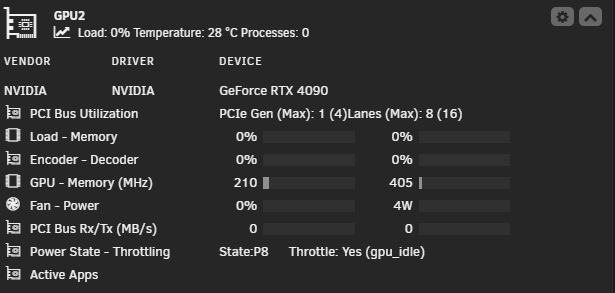
Interesting settings. I was just preparing to use you post but i get only 4W (declared) just by using @SpaceInvaderOne script on my 4090. Anyway i saved you post "just in case". You never know. Cheers&Thx! Using repeatedly Ollama and other GPU intensive apps seems he likes to park at 12W. It goes to 4W only after restart and no GPU use.
-
Yes I ordered directly from CWWK. I hope (not with great expectations because they are Chinese) to patch the bios and let us disable/enable LAN's and iGPU. For the rest I'm satisfied how the board works.
-
Never ZFS: 2 vdevs Z1
-
Somewhere 90-100W when idle 130-140 bursts on 2-3 transcoding's on the same time MB: the one in the upper post CPU: intel 13500 RAM: Corsair VENGEANCE DDR5 RAM 96GB (2x48GB) - at 4800MT/s (no XMP - no option anyway on BIOS) Network: Mellanox MNPA19 10GB/s HHD: 10x16 TB Seagate Exos enterprise (ZFS) - always on NVME: 2 x (4 and 2 TB) PSU: Corsair 750W Probably can be much (at least -15W IMHO) lower if MB supports ASPM on A380 - or if i give up HEVC transcoding, take the A380 out and stick with intel QSV Later edit: Just got curious and took off A380 - now idle power draw got to 70 -80W
-
I got this one few weeks ago. Works as intended with a few downsides: I cannot find in the the huge BIOS where to disable the LAN's (i use like you an 10 Gbe network cards and not the ones on the board) no option to disable the iGPU (on intel 13500) - i use an intel A380 for my plex no option for Resize-BAR (not sure if is on or off by default) Maybe there are the options in that huge BIOS and I'm blind :) Also not so negative but annoying - all the system fans are controlled together as one :/ by one option in the BIOS Otherwise the board works very well - 10xHDD and 2x SSD, 96 GB RAM , intel 13500, intel Arc A380, 10 GBe network card OF just checked: Resize-BAR seems to be on (by default) : Capabilities: [420 v1] Physical Resizable BAR BAR 2: current size: 8GB, supported: 256MB 512MB 1GB 2GB 4GB 8GB Capabilities: [400 v1] Latency Tolerance Reporting the ASPM seems to be off for the GPU: LnkCap: Port #0, Speed 2.5GT/s, Width x1, ASPM L0s L1, Exit Latency L0s <64ns, L1 <1us ClockPM- Surprise- LLActRep- BwNot- ASPMOptComp+ LnkCtl: ASPM Disabled; RCB 64 bytes, Disabled- CommClk-
-
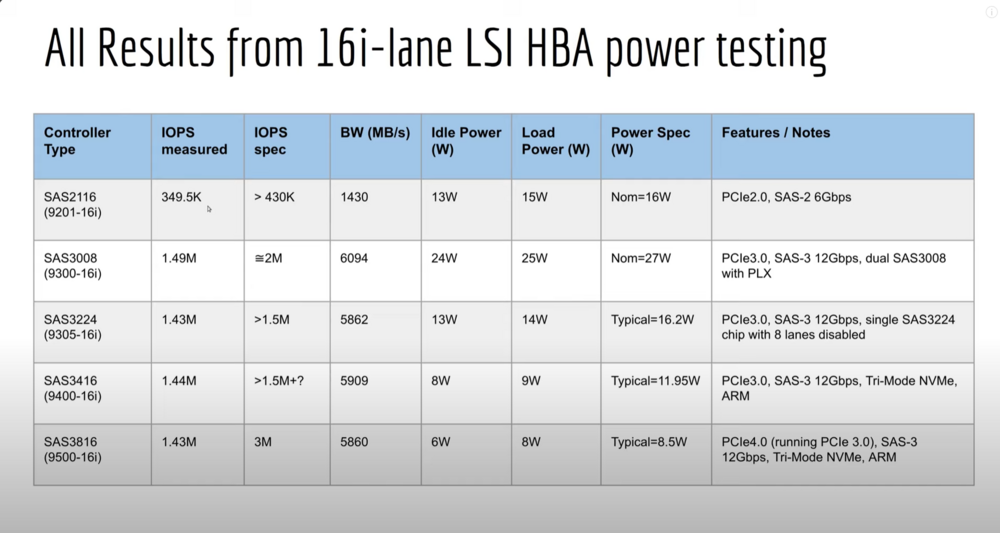
Seems to me based on this thread that 10 HDD (2xvdevs) will work faster and with less power consumption on 2 x Asmedia ASM1116 than my actual HBA LSI 9201-16i - (not taking in consideration the reliability of HBA cards )
-
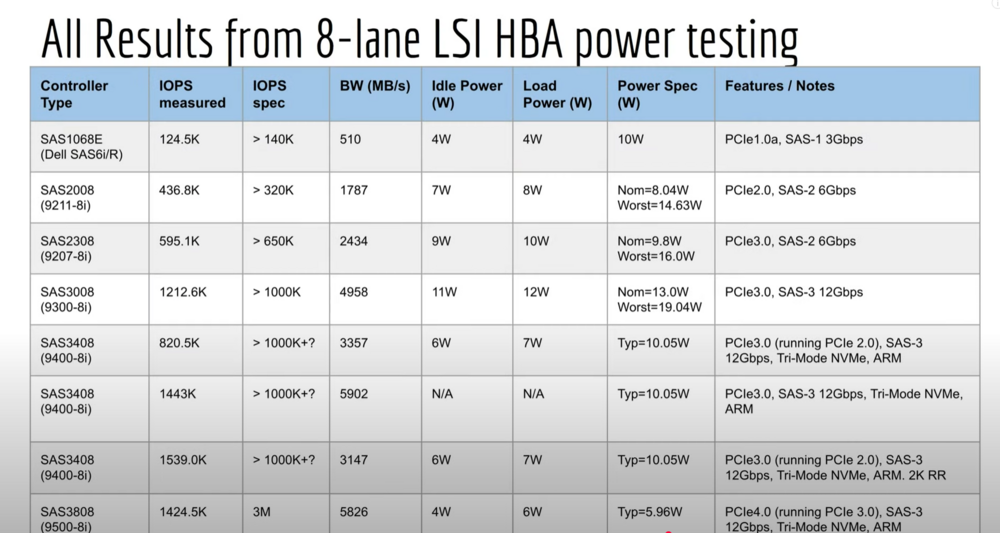
Some update on LSI HBA cards - power consumptions, IOPS, bandwidth etc - taken from Art of Server YT channel: For in depth details see the Art of Server YouTube channel.
-
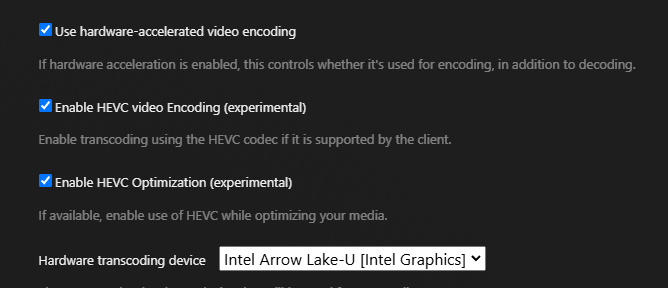
My build: - Gigabyte Z890 Aero G (the only one with 2x PCI slots capable of x8 near me) - Intel Core Ultra 245K - Memory 2x48GB Corsair - LSI 9201-16I SAS 2116 - Mellanox MT26448 10Gbs (DAC) - 9x Seagate Exos 16TB - 4x Samsung SSD 2TB - 2x Kingstone 480GB (mirror os) Just for testing only 2 apps - Plex and qBitTorrent power draw in idle from the wall (all system idle, hdds no spindown- zfs) -90-110W unfortunately i use TrueNas Fangtooth Nightly (developer build) because of 6.12.9 kernel - i don't have the b...s to compile the Unraid kernel I can confirm with the 6.12.9 kernel Plex works as intended with 245k - hw transcoding tested 9 4k HDR to 1080p with tone mapping - no sweat - (lazy to try more) very nice upgrade from my old 13500 (more for my self esteem than a real necessity ) I'll keep the rest of my stuff on Unraid 7 - plex content can be remade (i have a backup anyway) - the other stuff not entirely Lets hope that Unraid will upgrade soon to 6.12x (please guys )
-
Hey, User manual is here https://kdrive.infomaniak.com/app/share/1061285/985602a0-2c49-482a-a720-51da801f6c5d Got the link and other useful information from: To enable x8x8 for the PCI Slot you need a jumper (not supplied) here: https://imgur.com/NkBBnU8 For the graphic Card - depends what you need - for some non GPU related dockers and Plex the intel CPU will be enough (I use Intel 13500) with PL2 limited to 65W (the main destination for my build is Plex so i don't need extensive power) Like i said in my post the BIOS is huge - you need to spend some time for fine tunning (if you know what you doing ) Also check the bios for the latest. I hope this helps MP
-
Got CWWK Q670 and I'm using Unraid 7.0.0 beta2 with: intel i5-13500 (PL2 set to 65W - no need for more power) 96GB DDR5 Corsair (2x48) 2x M2 2TB (one cache and the other one buffer for qbittorent). M.2 to SATA 3.0 6 ports (ASM116) on the back/top M2 slot - works on any of 3 M.2 slots - tested by myself Mellanox MT26448 10Gig (DAC) - on pci slot 10x Seagate ST16000NM000J (16TB) in zfs Works perfect -> 0 issues Main job: Plex media server - and some other irrelevant docker containers and one vm - the system power consumption measured from the wall 75-90W (zfs disks = never spindown) spikes to 100-120W with 4-6 streams (some with transcoding) The motherboard also support PCI bifurcation (only 8x8) by a jumper so you can use 2x PCI (8x) cards (tested by myself with Mellanox card and SPARKLE ECO Arc A310 = the reason of 7.0.0 beta2) The board: https://cwwk.net/products/cwwk-q670-8-bay-nas-motherboard-is-suitable-for-intel-12-13-14-generation-cpu-3x-m-2-nvme-8x-sata3-0-2x-intel-2-5g-network-port-hdmi-dp-4k-60hz-vpro-enterprise-class-commercial-nas They also have a new one: https://cwwk.net/products/new-q670-4x-intel-2-5g-ethernet-port-8-bay-nas-motherboard-for-intel-12-13-14-generation-cpu-3x-m-2-nvme-8x-sata3-0-hdmi-dp-4k-60hz-vpro-enterprise-class-commercial-nas hope i give you some ideas Note: The BIOS is HUGE - you can fine tunning almost everything (assuming you know what you doing ) spent more than one hour there with settings
-
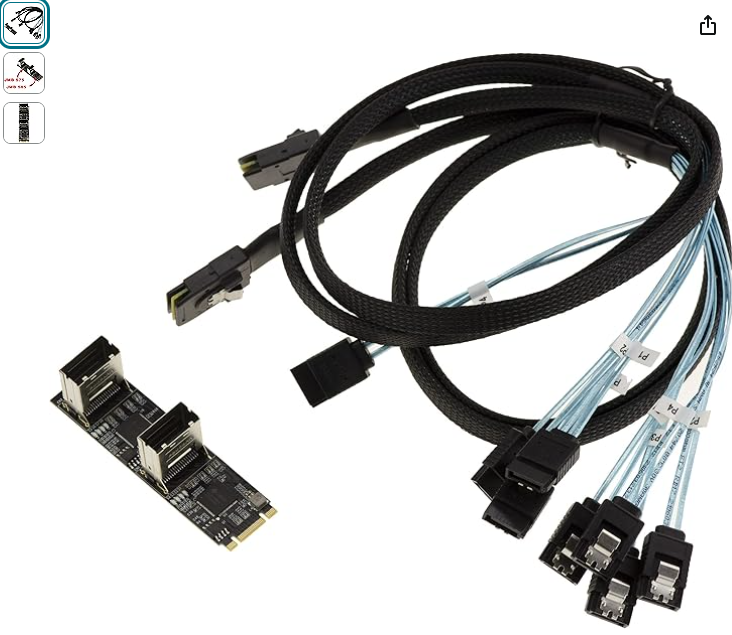
I just got this one for testing: https://www.amazon.de/-/en/dp/B0BDMSZR41?psc=1&smid=A3JWKAKR8XB7XF&ref_=chk_typ_imgToDp I already use an ASM1166 (6 ports) for more than two months with no issues I wonder if i can use both of them on a 2x or Quad PCI NVMe adapter with a motherboard/chipset who support bifurcation
-
Upgraded to 6.12.12 from 6.12.11 - my Win11 - VM start to have strange behavior: - the shares inside the VM pointing one to a synology and another to internal unraid share (NVME) stop responding after 10-20 Mbytes written on share - qbittorent who use one of the shares for temp downloading freeze (after 10-20Mbytes downloaded) Tried: - Upgraded virtio to last one 0.1.262-2 No changes Extra: after i stopped the VM manager in settings and tried to restart he refused with libvirt error ..somth like "no svm processor" i forgot to copy/paste the error. problem solved with VM start after unraid full reboot. Later edit : Same behavior with 6.12.13 - Stopped VM service in 6.12.13 and won't restart (this time with no errors in logs, only Libvirt Service failed to start in VM tab Reverted back to 6.12.11 --> all back to normal behavior Tried 7.0.0 beta 2 - all VM's working as intended - I'll stay on 7.0.0 nasu-diagnostics-20240823_1110.zip
-
Upgraded to 6.12.12 from 6.12.11 - my Win11 - VM start to have strange behavior: - the shares inside the VM pointing one to a synology and another to internal unraid share (NVME) stop responding after 10-20 Mbytes written on share - qbittorent who use one of the shares for temp downloading freeze (after 10-20Mbytes downloaded) Tried: - Upgraded virtio to last one 0.1.262-2 No changes Extra: after i stopped the VM manager in settings and tried to restart he refused with libvirt error ..somth like "no svm processor" i forgot to copy/paste the error. problem solved with VM start after unraid full reboot. Reverted back to 6.12.11 --> all back to normal behavior
-
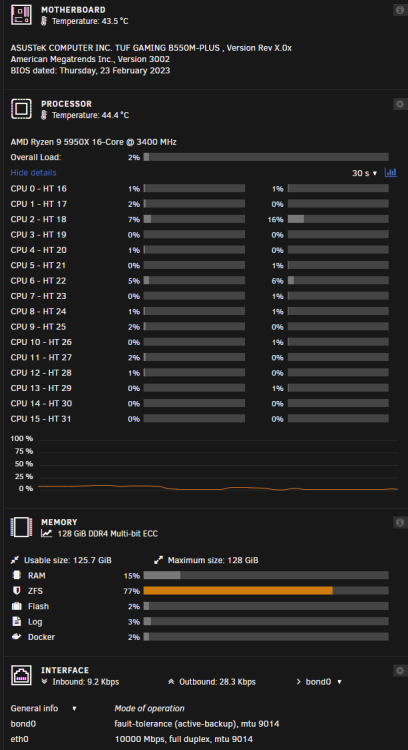
Just assembled a week ago - in process to be filled - all system idle at 65W - 180-190W on full throttle - 5950X limited to max 85W from bios