





Jeerapong
Members
-
Joined
-
Last visited
-
It work. I have downgraded to NC 18.0.3-ls70 the NextCloud back to normal status. The updater is working now, I can update the NextCloud to 18.0.14. Please suggest what is the suitable version I need to update to? Thank you for your kind support.
-
Can I install a fresh one and path to the old data location ? The data size is about 8TB and separate by many user.
-
Yes, I only use NextCloud for file storage. It is harder than I thought. "_"



-
Now, I have downgraded the NextCloud docker to 20.0.2, PHP version is 7.4.33 but the status web ui is "Update is process." when I ran "sudo -u abc php /config/www/nextcloud/updater/updater.phar" it show "Step 3 is currently in process. Please call this command later." and if I enter a maintenance:mode --off it show the error that it attached.


-
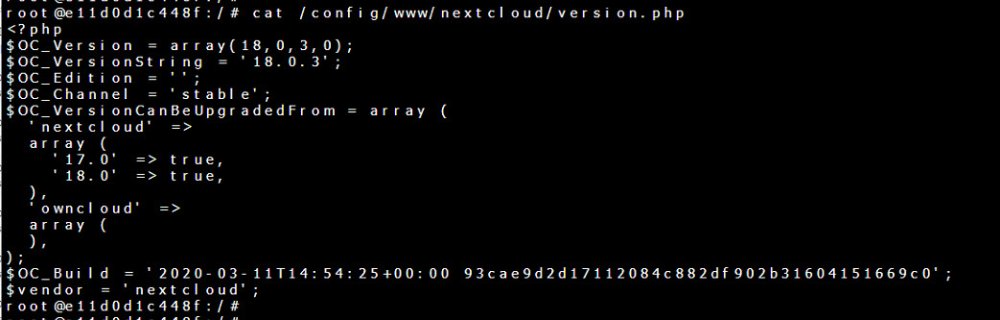
Could you please suggest how to downgrade the NextCloud docker on unraid? I would like to upgrade from 18.0.4 to 18.0.14 but I am facing PHP version miss match. PHP version is 8.1.19.
-
I got the message "This version of Nextcloud is not compatible with > PHP 7.4. You are currently running 8.1.19." on web ui. I try to manually update nextcloud to lastest version but got this message "“Updates between multiple major versions are unsupported” message is shown during an update. How to fix this problem. Please help. Unraid OS : 6.10.1 Nextcloud : 18.0.4 Repository : linuxserver/nextcloud Best Regards,


