



Skip to content
View in the app

A better way to browse. Learn more.

Unraid

A full-screen app on your home screen with push notifications, badges and more.

To install this app on iOS and iPadOS
  1. Tap the Share icon in Safari
  2. Scroll the menu and tap Add to Home Screen.
  3. Tap Add in the top-right corner.
To install this app on Android
  1. Tap the 3-dot menu (⋮) in the top-right corner of the browser.
  2. Tap Add to Home screen or Install app.
  3. Confirm by tapping Install.

xclimbing

Members
  • Joined

  • Last visited

  1. Thanks for reply. I'm trying to contact the friend.
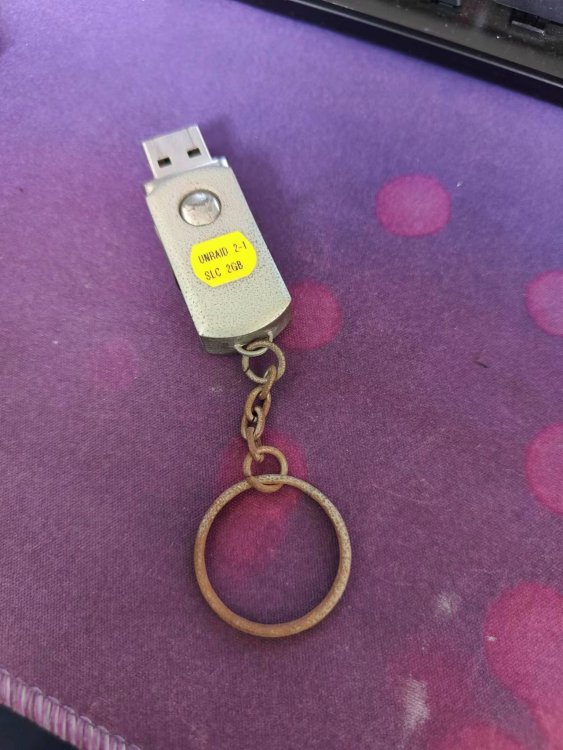
  2. A friend gave me an offical usb stick with unRAID Pro2.key (one of the two pairs key by $149) ten years ago. it was unRAID 5.0. For some reason I didn't use this usb flash for couple of years. I never transfer this key to other usb flash stick. Today when I updated my unRAID server from 5.0 to 6.11,unRAID 6.11 told me this: How can I get my Pro2.key back? thanks.
  3. xclimbing replied to skank's topic in Hardware
    This is my SanDisk flash disk. its instance id got by Hwinfo: DeviceInstanceId : USB\VID_0781&PID_5591\0501C4D9E6EF744F8116A7743D6BA89770C72E617ABBB393C2C2C15C33AA3F839E92000000000000000000002544E30B0016041091558107A62B38D4 And its GUID from unRAID is : 0781-5591-9155-8107A62B38D4 Got it?


Account

Navigation

Search

Search

Configure browser push notifications

Chrome (Android)
  1. Tap the lock icon next to the address bar.
  2. Tap Permissions → Notifications.
  3. Adjust your preference.
Chrome (Desktop)
  1. Click the padlock icon in the address bar.
  2. Select Site settings.
  3. Find Notifications and adjust your preference.