





pranasziaukas
Members
-
Joined
-
Last visited
-
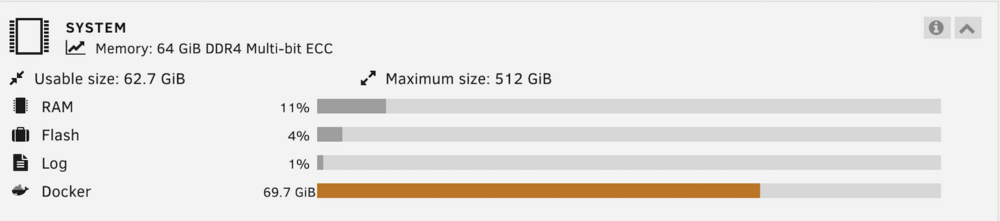
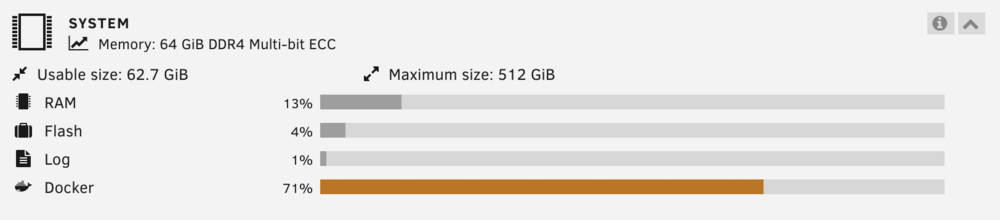
I initially increased it from 20G to 50G and have now expanded it further to 70G. The point is that nothing changes and the dashboard continues to show 71%. Additionally, when I hover over the 71% it shows "69.7 GiB", which is yet another number I don't understand the origin of. That said, I am not suggesting that the Docker utilization percentage in the dashboard is incorrect. When I update Docker containers the utilization temporarily increases to 72%-73% as images are downloaded and then drops back down after orphaned images are cleaned up. It's just I don't seem to understand how this thing works.
-
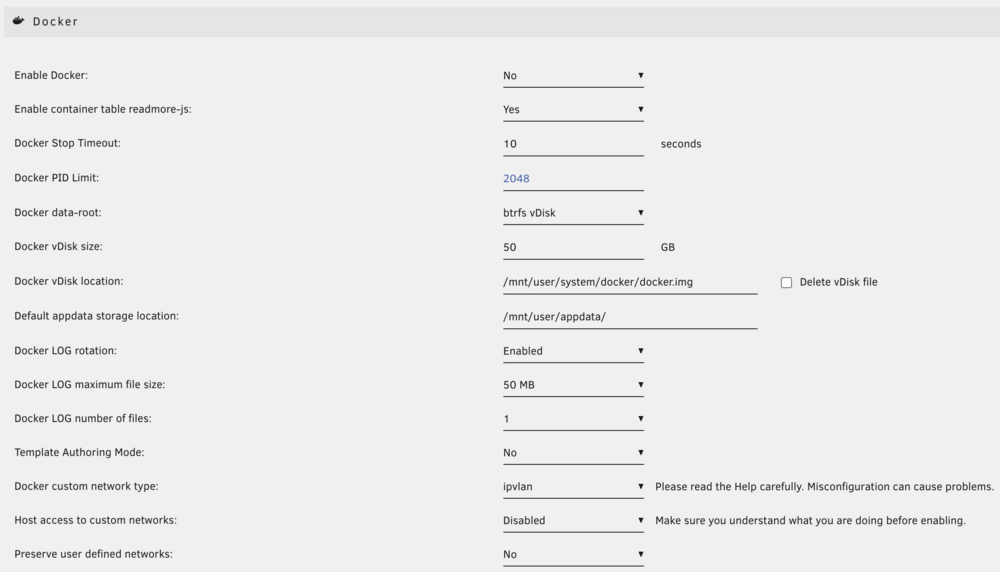
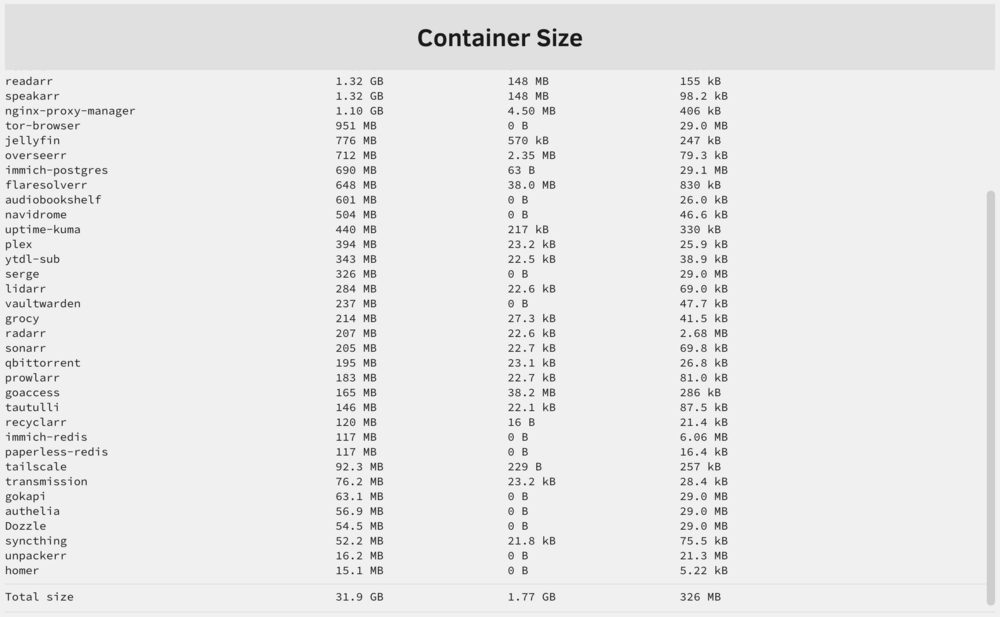
My Docker file was getting full (I genuinely believe there's nothing wrong, just have many containers), so I disabled Docker, increased the vDisk size, enabled Docker again and nothing changed. The Unraid dashboard still reports the same 70%+. Is there anything else that needs to be done?
-
I love ghostfolio but I fully agree that users generally come to Unraid because of friendly community and streamlined container experience. Unfortunately, having to maintain several other containers just to start ghostfolio is far from streamlined design. Why these can't be bundled?
-
That's pretty inconvenient though. Can I run as root or have a way to quickly execute the `ytdl-sub` command from the UI? Also, it would be awesome if the cron job outputted some logs, which AFAICT it currently doesn't.
-
How do I change the Docker port 6881? It's not adjustable in the template for some reason, and no matter what I do I get ``` docker run -d --name='qbittorrent' ... -p '8080:8080/tcp' -p '54321:6881/tcp' -p '54321:6881/udp' ... ``` which drives me crazy. I can port forward whatever in my router but, to the best of my understanding, the qBittorrent client reports its port 6881 to a torrent tracker which blacklists 6881.
-
Giving this a spin today, the project looks lovely! Also experienced issues with the "Test email" function. I initially tried the 465 port (SSL) which caused the whole container to hang with no useful logs. Then changed it to 587 and it worked fine.


