





Kirk4444
Members
-
Joined
-
Last visited
-
Thanks JorgeB! Your comments were very helpful
-
Sorry guys, figured it out. Had a stupid extra empty space at the end of my string. up'd it to 48 gigs... do you think that is too much?
-
Sorry!!! I figured out what I did wrong. For others who may be inexperienced like me, chatgpt said don't use notepad like I did. There was an extra empty space at the end of the string. I downloaded notepad ++ and up'd my allocation to 48, and now check it out! But now it's orange. LOL, did I go for too much?
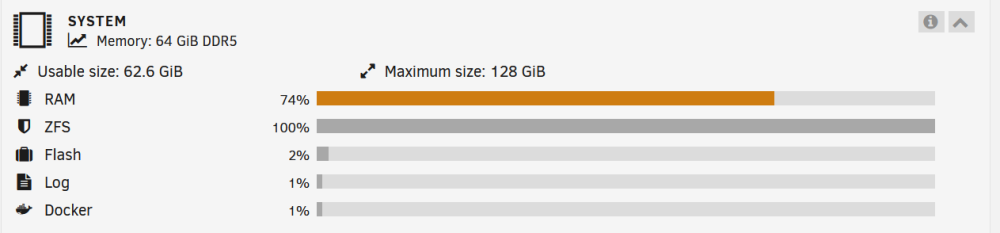
-
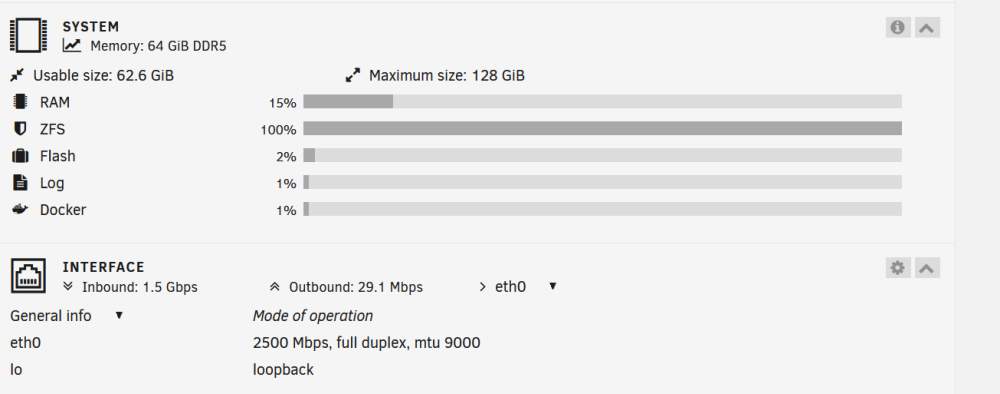
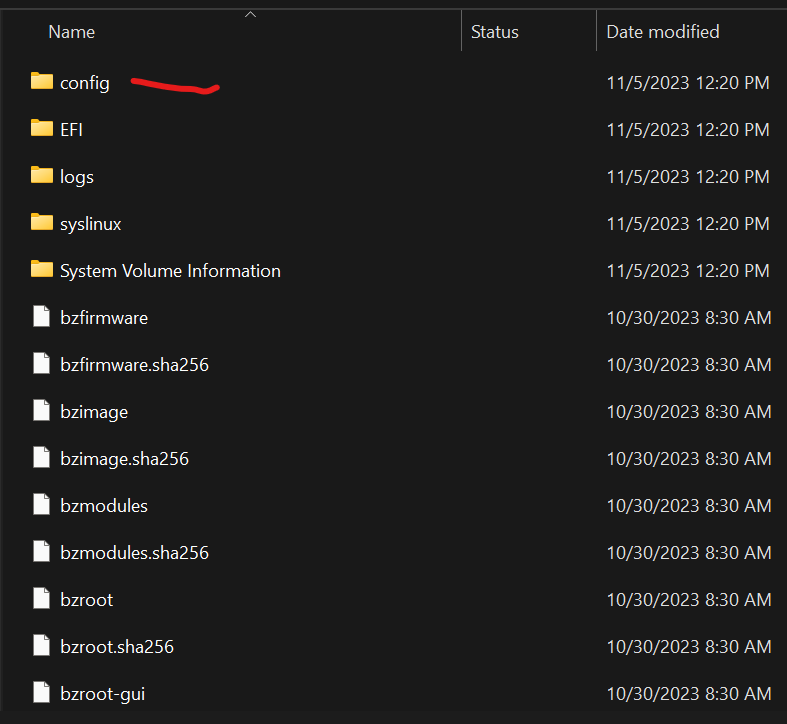
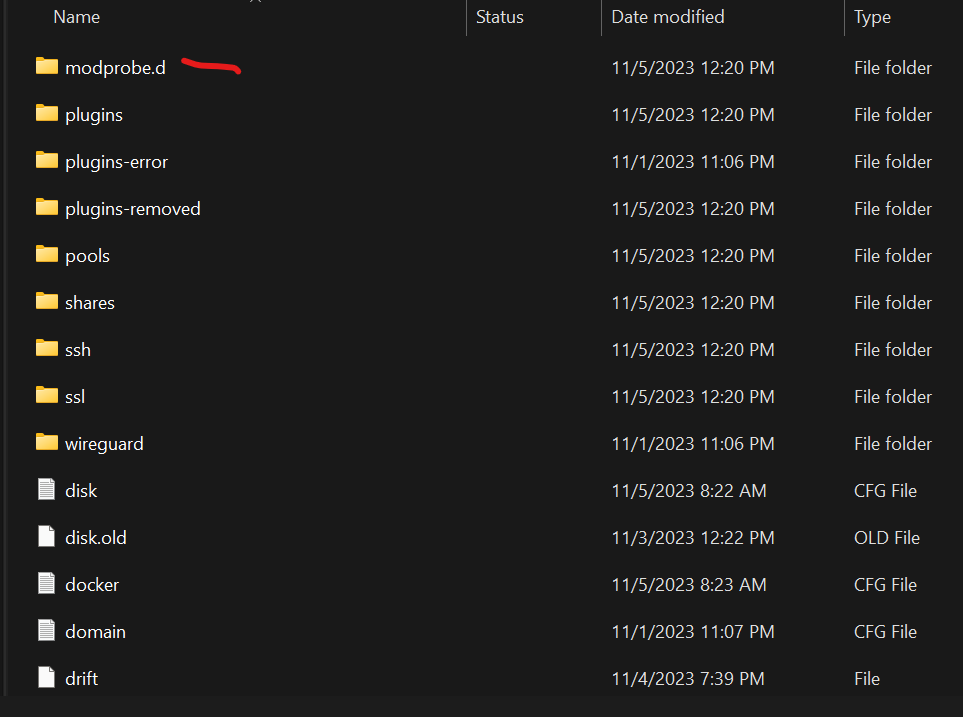
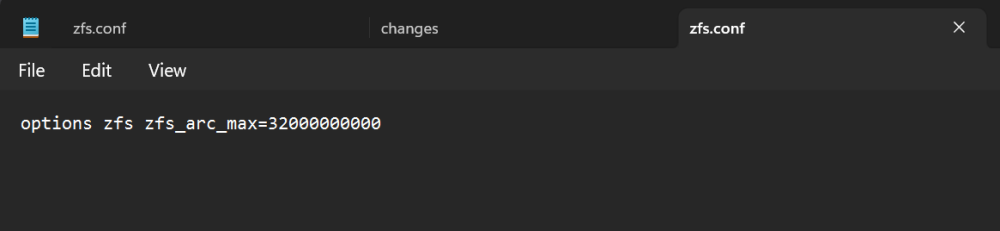
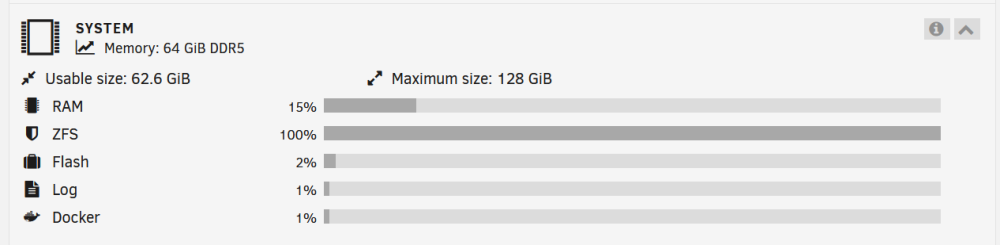
Hi experienced Unraid users! I have little experience with this, so I'm hoping someone from the community can help me. I've just created a new server and have been brave enough to try ZFS! LOL. I installed 64 gigs DDR5 RAM to support ZFS, but it seems to be barely using my RAM. Per the Unraid notes, ZFS is only allocated 1/8 or your RAM. My server really is only a NAS, so I want to give ZFS as much RAM as I can. I thought I'd start by trying 1/2 of available RAM. Here's what I did. I went about trying to do this by: - Shutting down server and putting USB Unraid boot drive into my PC. - I then went to the config folder - went to modprode.d folder - created a notepad doc with this text: options zfs zfs_arc_max=32000000000 - saved it as zfs.conf in the folder - ejected USB from my PC and plugged back into my server and booted up. Now have the below result. I'm not sure it helped. I'm trying to allocate 1/2 my RAM. Am I doing something wrong? Thanks so much in advance!!!

-
Hi @JorgeB and @Mr Q, Thanks for your posts above. I'm having the same issue but I don't think I've been able to solve it. I am rather inexperienced, so I'm going to try to ask very basic questions, hoping one of you will have the patients to help me . I went about trying to do this by: - Shutting down server and putting USB drive into my PC. - I then went to the config folder - went to modprode.d folder - created a notepad doc with this: options zfs zfs_arc_max=32000000000 - saved it as zfs.conf in the folder - ejected USB from my PC and plugged back into my server and now have the below result. I'm not sure it helped. I'm trying to allocate 1/2 my RAM. Am I doing something wrong? Thanks so much in advance!!! Here's my dashboard too:
-
Hi Unraid community, I'm hoping someone may be able to help me figure out this idea. I'm hoping to create a family or personal calendar app & to do list that I can run from my server and project to an external wireless display. (like a display in the kitchen where the family can see it) I've been trying to figure it out for a couple of months and I seem to be going in circles. Hoping someone can help! Ideas/Issues/problems: - Wireless display will likely need to be a small TV, so it will need to be a graphical user interface only. Is this where a Virtual Machine could help? - Would need to be editable. A touchscreen display would be amazing, but have had a difficult time finding one large enough. If not touchscreen, how could I control and edit items? - Nextcloud maybe has potential, but not sure how to run it directly from server to wireless display? I only know how to run it from the web GUI on my PC? - Magic Mirror maybe? What do you guys think? Would be so grateful for some help/guidance. Thank you so much! Kirk



