





Mpwg
Members
-
Joined
-
Last visited
-
Update: the stuck needed just a "good old" unplug and re-plug
-
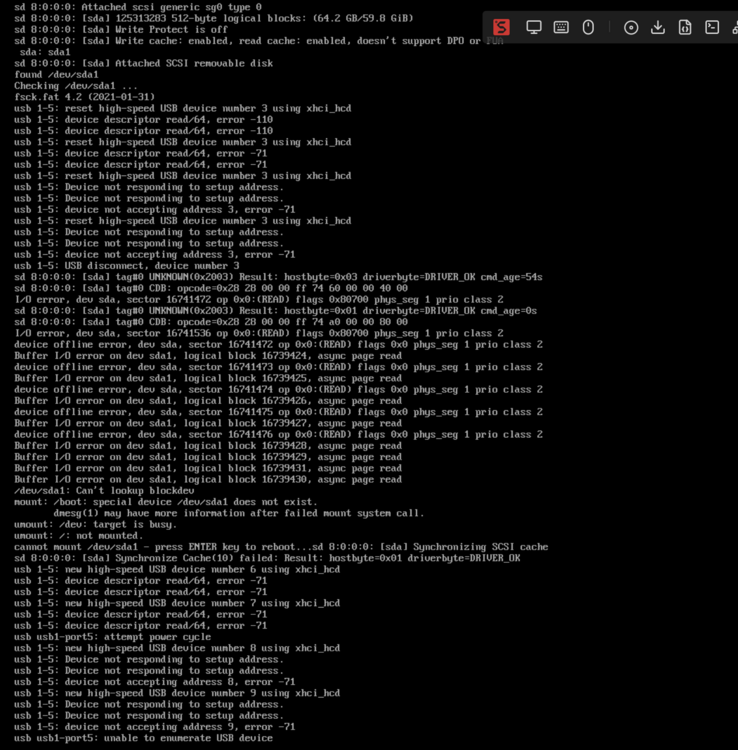
THE F*ING USB stick died Please remove the dependence on this stupid system and let us boot from a proper drive!
-
My system doesn't boot anymore... here the screenshot from the boot screen
-
No. Ot only happens Sometimes (not always, maybe 10-20% of cold boots) i guess its some issue with my board.
-
Simple idea: keep the usb stick for license check, but boot from any disk. my main issue with the stick is: sometimes my pc doesn’t detect it on boot.
-
Wart about this: Unraid is installed on a regular SSD (or disk) and die USB Stick is just checked for licensing
-
Hi I've just started my Unraid Path and while I love the System, I think the USB-Stick "thingie" could be improved: Why: USB Sticks just suck. 😠 my new Stick is starting to misbehave after just a week, but I understand your need to protect your license. My Idea: Allow installation on an internal SSD (Disk/whatever) and use the USB Stick just as a Dongle. (don't run anything there, just use it for License Checks


