fjguijarros
Members
-
Joined
-
Last visited
-
It works! Thanks! I haven't lost information and Docker is correct. What could have caused that problem?
-
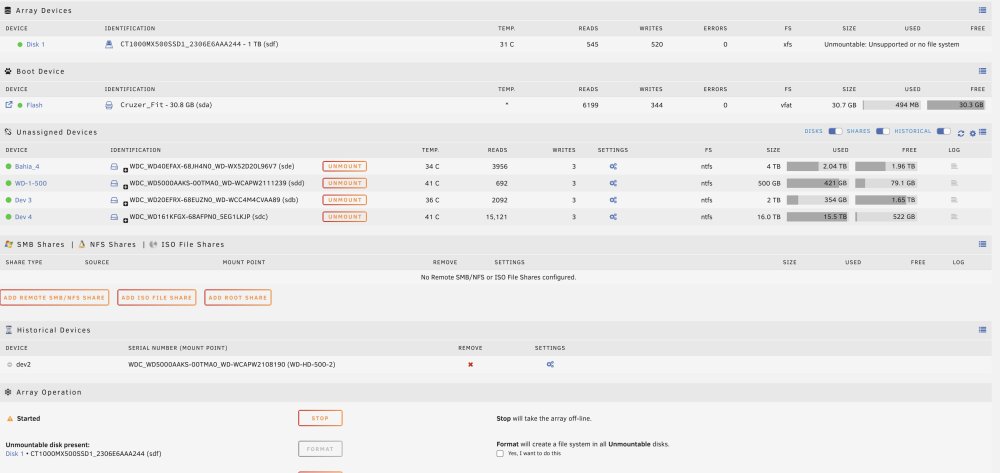
Thanks. This is the result (run it again without -n )
-
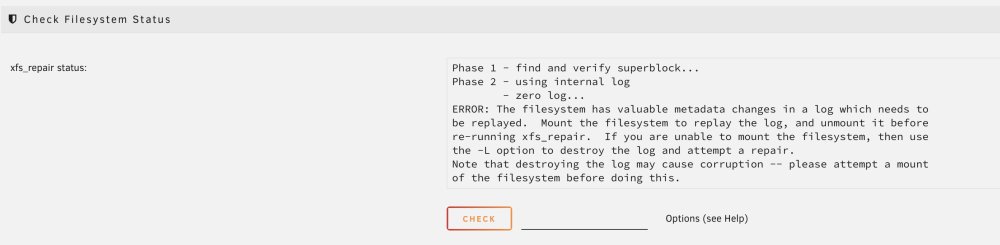
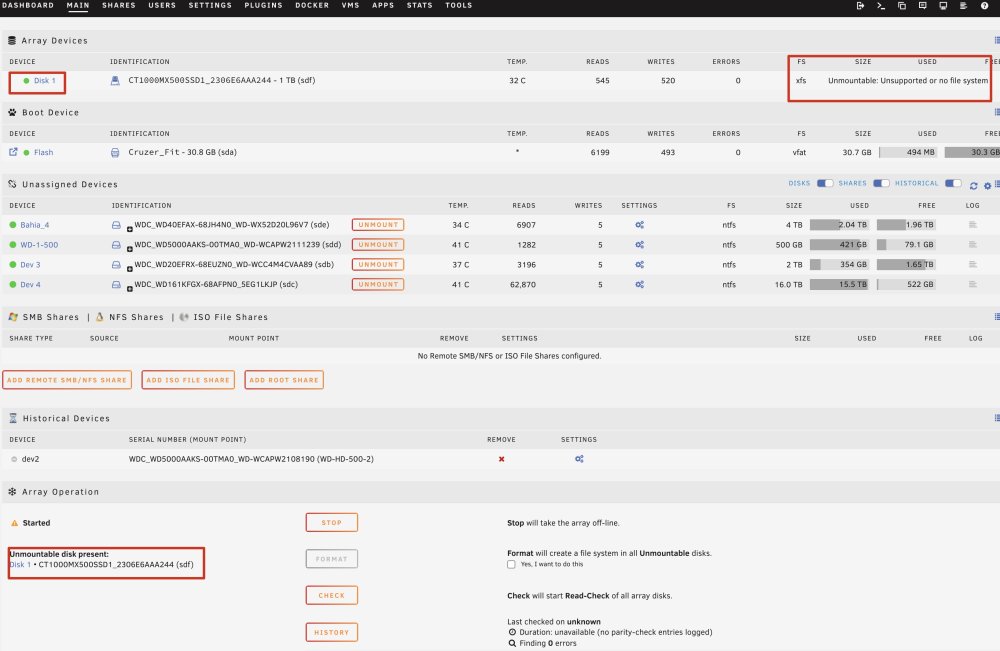
Thanks for the information. I have run xfs_repair status in maintenance mode (the file system is XFS). From GUI with -nv parameters. The result is as follows: Then I start the matrix and the result is the same: unmountable disk present. Any other ideas? Thank you very much again.
-
Hello, The UNRAID server stopped working. I had two problems. The first with the USB drive. I have restored de USB Flash Drive and it works now. The second is that docker stopped working. I checked the disk array where I have a single drive and UNRAID says it can't mount the drive. That's why docker doesn't work either. What could have happened? How can I repair the disk? The drive is a Terabyte SSD. Thanks in advance nas-diagnostics-20230721-0144.zip