By-Jokese
Members
-
Joined
-
Last visited
-
Any way we could get this? Thank you so much!
-
Is there any way to advertise specific routes without using the terminal to restart and reconfigure tailscale? A textbox in the UI would be a great addition.
-
By-Jokese changed their profile photo
-
Thanks @trurl. @itimpi As soon as my new motherboard arrives, will try with the manual method to see if it boots and licenses correctly with the Samsung Bar Plus (32GB). Will mark as solved if it works ;).
-
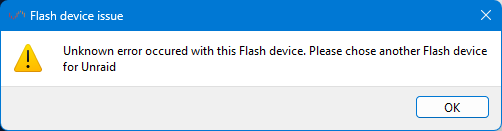
Sorry, only can answer one question per day (forum limit). @IrmaIsfot, No I didn't get any message down there, just an error, it seems to be the UUID as in mine there are more Zeros. But I have bought many USB and all do have zeros. I think it is more a thing of Windows versions.
-
I'm trying to create a boot image on a USB for unraid. I have tried with all my USB a none work, I bought 3 different models and still none work. I have tried with SanDisk Cruiser multiple models and nothing, I have tried buying the one you all recommend (Samsung BAR Plus) and still not working. The UUID still has a lot of 000s at the end, (at least the one shown in the Unraid Flash Creator). I have spent more than 50 euros, on different models you suggested officially on the forums. What else do I need to do? I'm using the latest version of the Flash creator (https://craftassets.unraid.net/uploads/downloads/Unraid.USB.Creator.Win32-2.1.exe). Any help? Thanks!