





dracon
Members
-
Joined
-
Last visited
-
JorgeB's solution also worked for me after upgrading to 7
-
This issue has been resolved in v0.6.4
-
@deano_southafrican Coming back to you with an update. I was able to reproduce your latest issue and it looks to be a timeout error when fetching data from the MongoDB Atlas. I could only think that this might be due to trying to connect to a very far server from your current location? Make sure you're using the closest location as possible. Either way, I've released a new version and you should now be able to update the docker container (or you can also directly click Force Update in case it did not yet detect the update). This new release adds a few extra checks when connecting to MongoDB and adds more logging for troubleshooting. If you use Discord, I invite you to join the support server so that we can communicate easier on any other issues. Let me know how it goes, thanks
-
@deano_southafrican Thanks for getting back with an update. 👍 Good to see the logs, I will look into the issue this weekend
-
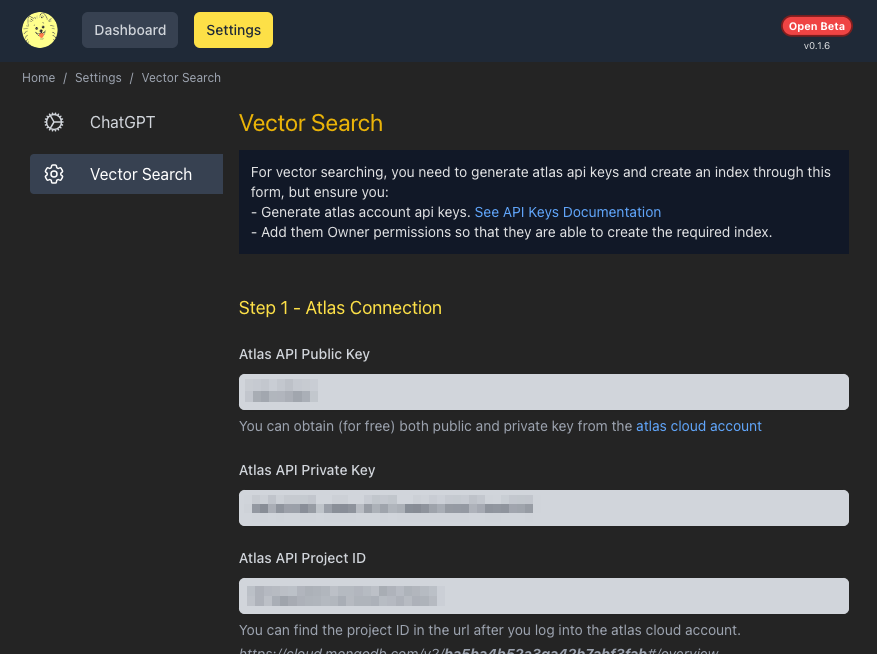
Hi @deano_southafrican, It's definitely a connection issue to MongoDB Atlas. If the connection would be successful, you'd see a few more successful logging messages about it, here is an example of a successful output: There are a few gotchas when it comes to connecting to MongoDB Atlas: - Network Access - I would say this is not yet an issue in your case, as network errors would appear later on in the logs. To be sure, you could just allow access from anywhere by going to Network Access -> Add IP Address -> Select `ALLOW ACCESS FROM ANYWHERE` Your issue however, is sooner than this step, which could be the next point: - API Keys Access - Ensure you assigned `Organization Owner` access to your API Keys by going to `MongoDB Atlas Dashboard -> Settings -> Access Manager -> API Keys (tab) -> Edit Permissions` on your keys and select `Organization Owner` (this is because it needs to create a few things programatically). But even for this lack of access, it should log out an error. These are a few things I could think of from the top of my head. This weekend I will try to reproduce your issue and also release a new version that will provide better logging to troubleshoot this MongoDB Atlas connection step in hopes that it will help in your case. Meanwhile, if you try some more solutions and you have more feedback or logs that you can show me, please let me know, thanks!
-
As promised, I have done some updates in order to improve user and developer experience. - Code is available on GitHub https://github.com/catalinberta/panko-gpt - The Unraid app panko-gpt will now ask all the required data from the beginning as env vars. Currently it is asking for MongoDB Atlas but I am thinking to implement a local db in the near future. Please note that if you have the old app already installed, you might not see the new required env vars and fail building @latest. To fix this, you have to go to Apps->Previous Apps and remove panko-gpt and install it again from the Apps page in order to see the new required fields. If you wish to manually add the missing vars instead, these are the required ones: docker run \ --name=panko-gpt \ -p 5002:5002 \ -e MONGO_ATLAS_PUBLIC_KEY='atlas_public_key_here' \ -e MONGO_ATLAS_PRIVATE_KEY='atlas_private_key_here' \ -e MONGO_ATLAS_PROJECT_ID='atlas_project_id_here' \ -e MONGO_ATLAS_CLUSTER_NAME='atlas_cluster_name_here' \ -e MONGO_ATLAS_DB_NAME='pankogpt' \ catalinbertadev/panko-gpt:latest You can reply here if you have questions. You can also use Discord to get in touch with me or via GitHub issues.
-
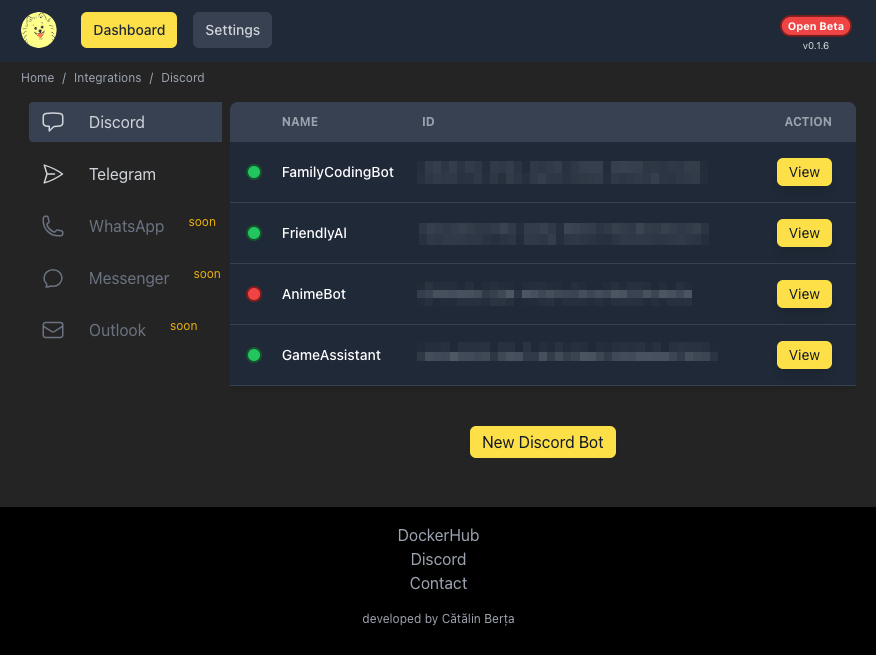
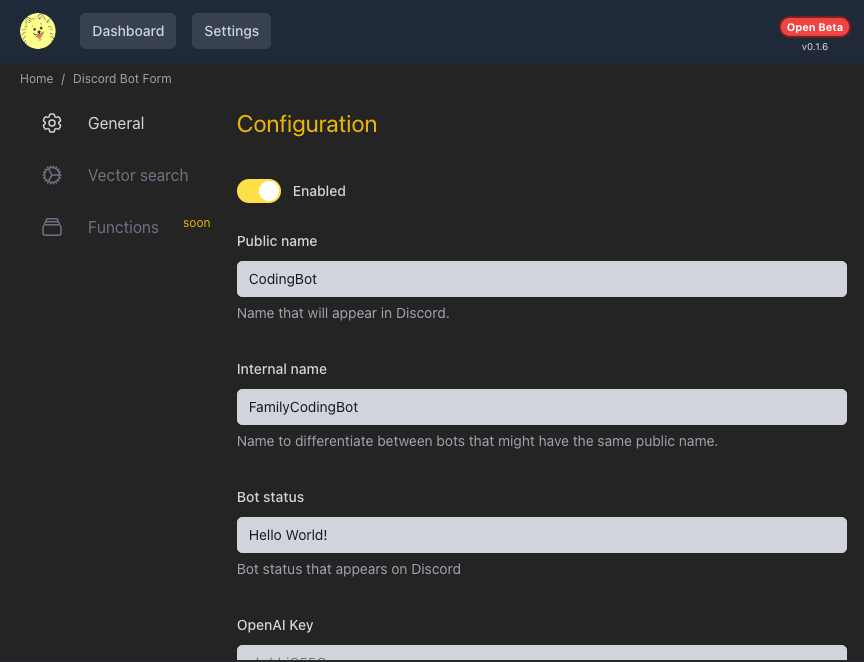
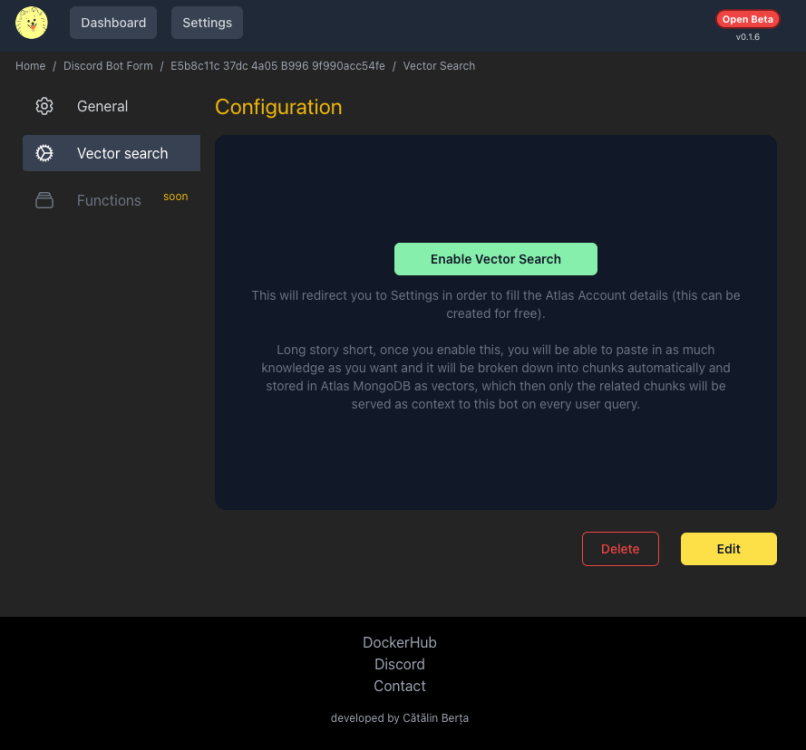
Create AI bots (currently via ChatGPT) for various messaging platforms e.g. Discord, Telegram etc. It abstracts the complexities of API connections, vector searching, etc. allowing you to focus on creating and designing the bots through a simple interface. Docker Hub: https://hub.docker.com/repository/docker/catalinbertadev/panko-gpt/general Discord: https://eq6w.short.gy/discord-invite It uses mongodb atlas, so running the container requires to pass a mongodb url. While it works if you supply a local mongodb url (or some other community edition mongpdb url), I strongly recommend to use the cloud version mongodb atlas (you can use the free tier), because vector searching is only available in the cloud version and you can personalize the bots much better using vector searching. Sorry, this is a limitation from mongodb. Once setup, in the WebUI you will be able to create bots by filling a form. For Discord bots, you will need to have a bot key that you can get from the discord developer applications For Telegram all you need to do it is message BotFather and you can create bots/keys on the fly. A few known gotchas: - to setup vector search, you need to create mongodb atlas api keys - make sure you give the keys Owner permission (as it will create the index for you) - make sure you whitelist your server ip (where panko-gpt is running) in Network Access (by default, it whitelists the IP the account gets created from) - you need to make the discord bot join a server first, this app only handles the communication part After a few user tests, I've realized that the setup can be cumbersome, so I will try to abstract all of this away in future versions The code will be available open source on GitHub soon. Happy to assist with any issues here or on Discord for more interactive support. And any feedback is highly appreciated and helpful! Thanks
-
dracon changed their profile photo
-
I had the same issue, after countless attempts of altering tons of settings on all levels (bios, unraid, vm etc), installing a new windows VM pointing to the same iso/disk (and thus, not have to reinstall windows) simply worked.
-
This also did it for me after switching from GPU to VNC back and forth. So setting the bus back to 0x00 did it.



