





Janis.S
Members
-
Joined
-
Last visited
-
Has this been addressed for 7.0.0-rc.1?
-
Yes I have the DXP4800 Plus (4 Bay) and would like to test it. Thank you very much your efforts
-
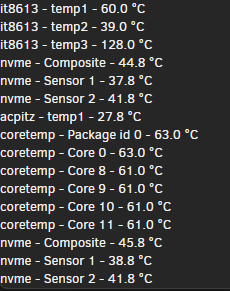
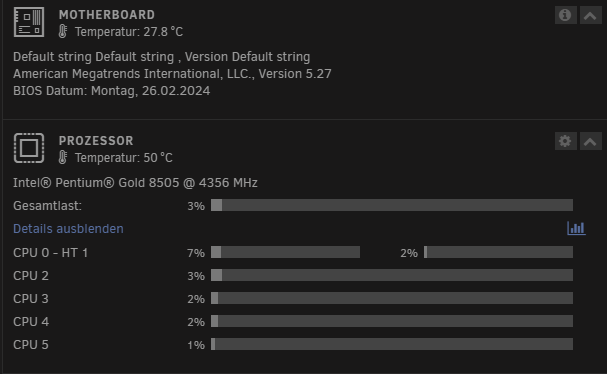
I have been running the DXP4800 Plus with Unraid for a few days now. Do you know which sensor is the right one for the mainboard temperature? I guess CPU is Package id 0. Also, the mainboard model is not displayed and the CPU should have 5 cores and 6 threads, right? Someone has also posted a script for the LED controller under truenas on github. If someone here has the skills to develop a script or plugin for Unraid that would be great
-
Thank you Here is my edit for the DXP4800 Plus
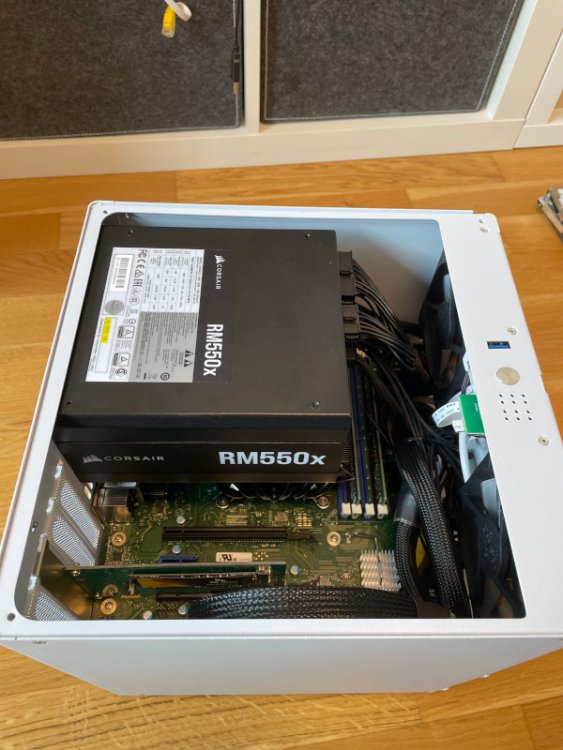
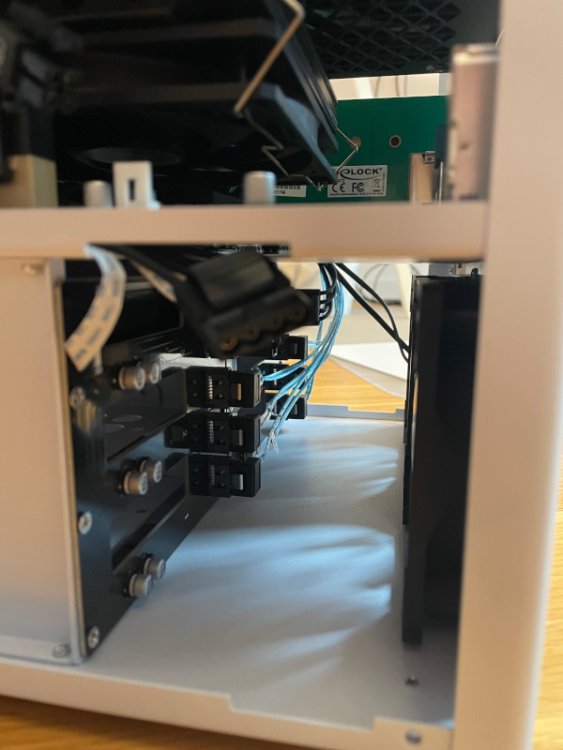
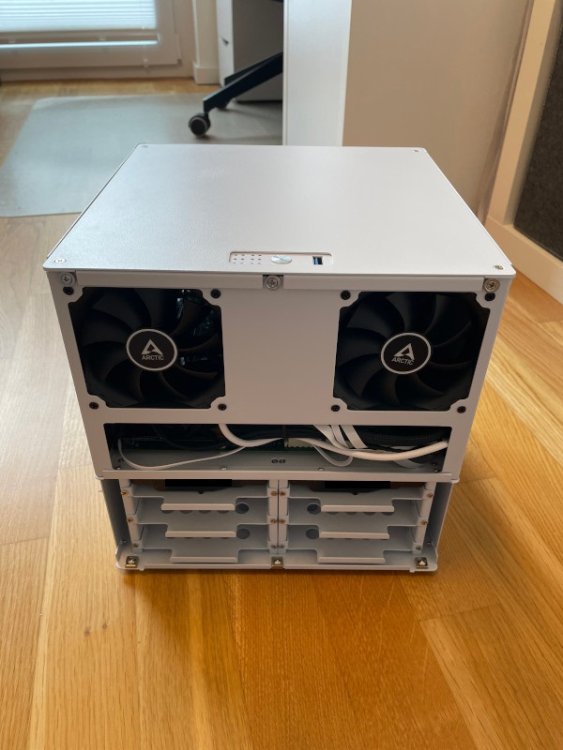
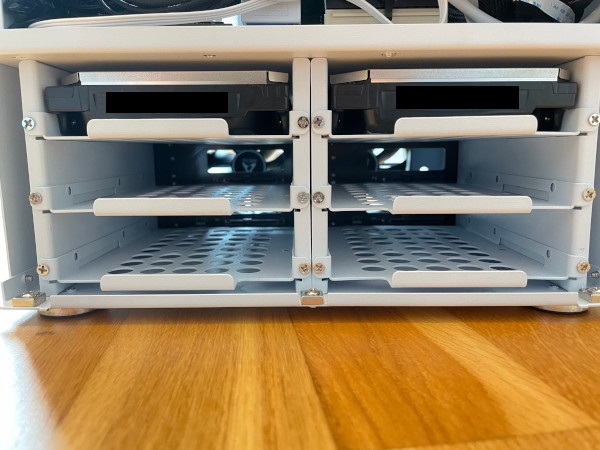
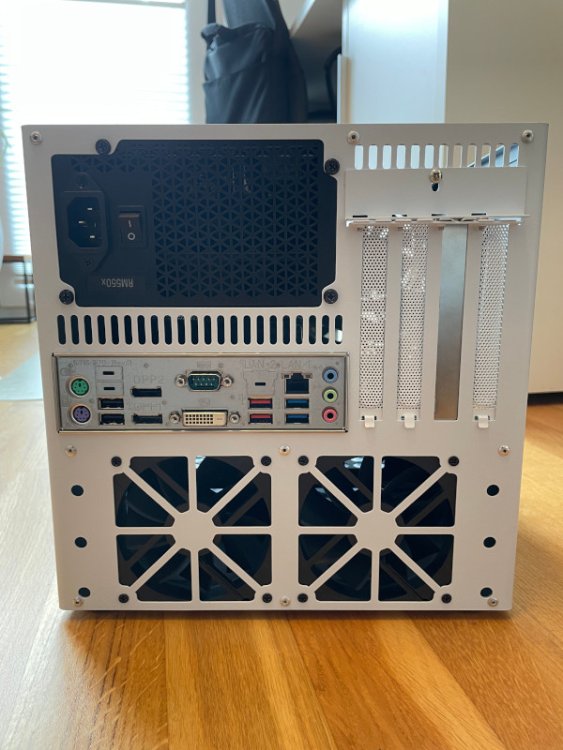
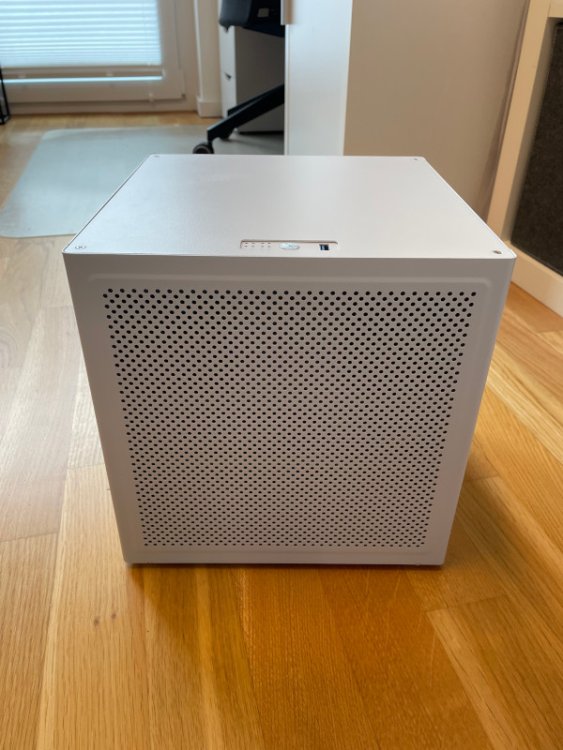
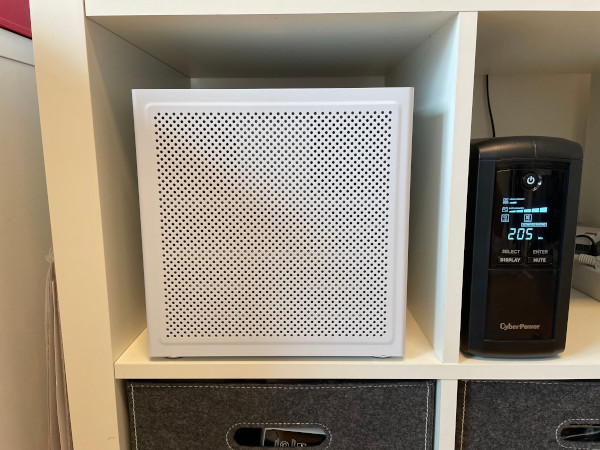
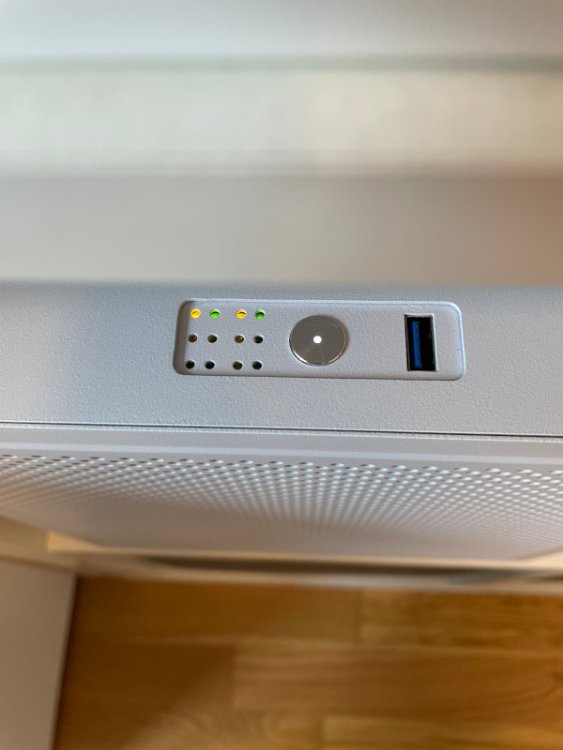
 Does anyone here have the skills to create an icon for my new ugreen nas? ThanksLow power NAS build After experimenting with different hardware, this is the result of building a compact NAS with support for up to 6 HDDs that consumes as little power as possible. The case layout is not ideal due to the position of the PSU directly above the CPU cooler, but with the Alpenfoehn Black Ridge I was able to find a cooler that fits perfectly in terms of height and blows the air through the heatsink from below. The front cover is magnetic and I replaced the included plastic mesh filter with a custom made magnetic nylon filter. Hardware: Case: Space Auriga 18,9l MB: Fujitsu/Kontron D-3644B mATX CPU: Intel Xeon E-2174G 3,8GHz (iGPU for hardware transcoding) RAM: 2x 32GB 2666MHz Kingston Server Premier ECC DDR4 PSU: Corsair RM550x (2021) PCIe: Delock PCI Express x4 Card > 1 x internal NVMe M.2 Key M CPU-Cooler: Alpenfoehn Black Ridge + Arctic P12 Slim PWM PST 120mm Case Fans: 4x Arctic F9 PWM PST 92mm Parity Drive: 20TB Toshiba Enterprise MG10ACA20TE Data Drive: 20TB Toshiba Enterprise MG10ACA20TE Cache Drive: 2x 2TB SK hynix Gold P31 NVMe Cables: 2x Corsair sleeved molex cable (for sata backplane), 6x SATA to 6x SATA cable UPS: CyberPower VP700ELCD Power consumption with 12 docker running / no VM: Idle (both disks running): 15-17W Idle (both disks spun down): 7-8W Idle (both disks spun down + UPS consumption): 9-10W Temps: CPU (idle): 29-31°C CPU (all cores at 100%): 67°C max HDDs: 27°C HDDs (parity check): 35°c max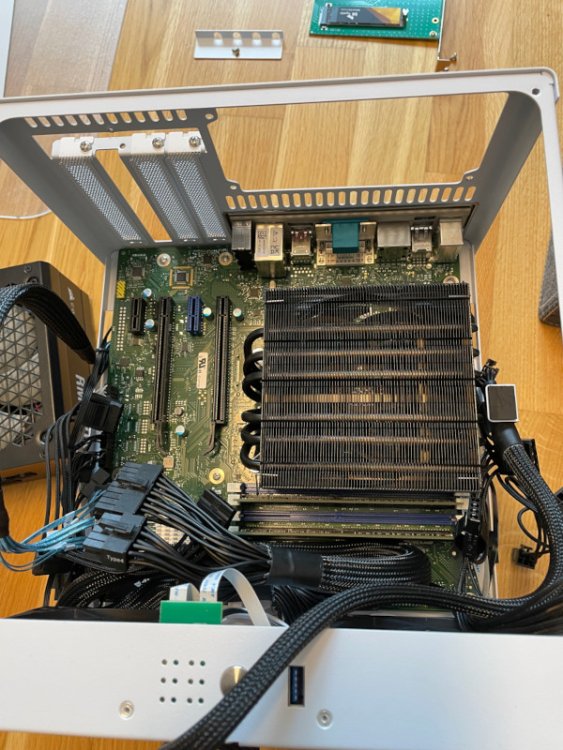
 Ich bekomme mit dem selben Board, i3-8100 und 2x Kingston KSM26ED8/32HC das selbe Fehlerbild. Kann man das ganze dann einfach ignorieren bis Kontron es evtl. mal fixt oder hat es Auswirkungen auf die ECC Funktionalität?Ich kann die CyberPower VP700ELCD sehr empfehlen. Funktioniert nativ mit Unraid ohne extra Plugin, hat eine wechselbare Batterie und zieht nur 2,3 Watt.Hallo Leute, was ist von solchen Angeboten auf Ebay zu halten? Versand aus China, laut Händler handelt es sich um Neuware mit allem Zubehör. Wenn man mit Paypal zahlt sollte man doch eigentlich auf der sicheren Seite sein falls etwas nicht passt. Selbst inkl. Zoll ist der Preis ja relativ gut. Alternativ finde ich auch das Fujitsu D3644-B interessant. Das ist in Deutschland ja für unter 200€ zu haben, allerdings nur 6 SATA Ports und kein IPMI. Da müsste ich dann mit ASM1166 erweitern für meine 8 HDDs. Wäre das wohl trotzdem noch sparsamer als das ASRock? Als CPU soll ein Xeon E-2176G drauf kommen.Ich habe mir extra mal Jellyfin installiert um zu gucken ob es evtl. an Plex liegt, aber auch da schaffe ich nur einen Stream, ab dem zweiten fängt es an zu ruckeln. Habe auch mal alle Docker bis auf Jellyfin gestopt und trotzdem das selbe Ergebnis...Evtl. läuft das ganze mit dem Asrock Board irgendwie einfach besser als bei Asus. Sehr merkwürdig weil es ja die selbe CPU ist Edit: Habs auch extra mit Videos in verschiedenen Bitrates und verschiedenen Audiocodes etc. probiert. Immer das selbe ErgebnisHabe Intel GPU TOP installiert und die iGPU ist unter Plex auf jeden fall ausgewählt. Waren das HDR Inhalte und hattest du tone-mapping aktiviert? So sieht es bei mir mit einem Transcoding Stream von 4k 30Mbps auf 1080p/12Mbps aus. Wenn noch ein Stream dazu kommt ist die CPU maximal ausgelastet und es geht nichts mehr..sehr merkwürdig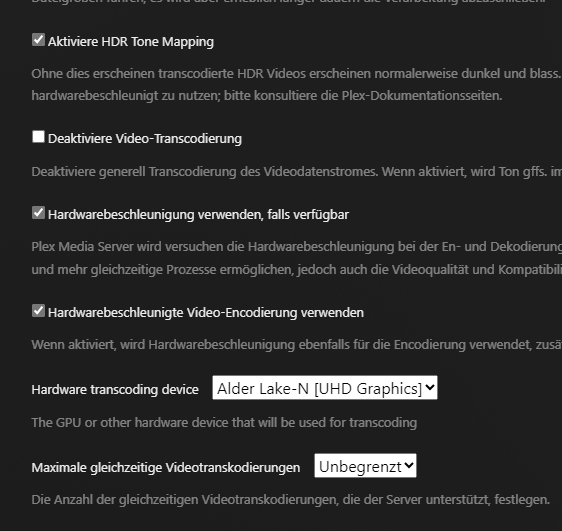
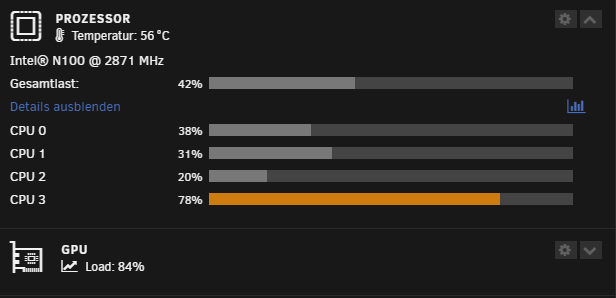 Should it normally be possible to run hardware transcoding and generate video preview thumbnails/intro/outro detection all at the same time? I'm currently using an Intel n100 CPU and all 4 cores go up to 100% while doing this, so no smooth transcoding is possible. The only solution right now is to run all these things scheduled overnight. Would it help to upgrade to an i3-12100? I would really like to be able to run these things as soon as new media is added but still be able to run 1-2 streams at a time.Is anyone using this motherboard? I am planning an i3-12100 build and am not sure about this motherboard. A few months ago someone posted a reply here saying that he's not getting fan speeds reported back in Unraid when using this exact model. The selection of LGA1700 motherboards with 2x M.2 slots is unfortunately not that great. Biostar B660T-Silver would be my second choice.Ich habe das Asus PRIME N100I-D D4 jetzt mal für einen kleinen Plex Server ausprobiert und bin von der Leistung etwas enttäuscht. Hatte irgendwo gelesen das der n100 2-3 4K HDR transcodes schafft inkl. Tone Mapping. Bei mir ist leider nach einem Stream Schluss 😒 Und wenn ich solche Dinge wie Intro detection/Video Preview Thumbnails aktiviere gehen alle 4 Kerne auf 100% und nebenbei noch einen transcode starten ist unmöglich. Mein i3-9100 konnte das vorher relativ problemlos (allerdings nicht unter Unraid getestet).



