





ikarus82
Members
-
Joined
-
Last visited
-
Hi, I solved the problem exactly like that. set up new pool edit share settings reboot to have correct starting docker containers But - this shouldnd happen and IÄm in fear what's perhaps happening next. E.g. because of my most important share: Or other things. Learning is: Wait longer with updats and only if I have time to solve those issues + use divverent platform for critical software like iobroker thankyou for your support @JorgeB

-
Im a bit speaxhless now. I have to change my whole config and shares becouse of that without exactly knowing what I neet to change and hope it will work. This is ... Thank you for your reply. A bulk change is not possible? ANd can someone tell me exactly how to avoid data and config loss?
-
unraid-diagnostics-20260515-1457.zip This is the diagnostic file It looks like the config is tstill there. But also if I delete chr mirror_cache.cfg file, I can not create a new one. (the bak file is for safty reasons) /boot/config/pools# ls -lah /boot/config/pools/ total 160K drwx------ 2 root root 32K May 15 15:11 ./ drwx------ 13 root root 32K May 15 13:30 ../ -rw------- 1 root root 726 May 15 15:10 mirror_cache.bak -rw------- 1 root root 726 May 15 15:11 mirror_cache.cfg -rw------- 1 root root 646 May 15 13:33 single_cache.cfg mirror_cache.cfg contains: diskFsType="btrfs" diskUUID="b02fb987-80ed-4328-8e9e-6cb5c4b04a22" diskAutotrim="on" diskCompression="off" diskWarning="" diskCritical="" diskExpansion="" diskShareEnabled="yes" diskShareFloor="" diskBootSize="0" diskComment="" diskExport="-" diskFruit="no" diskSecurity="public" diskReadList="" diskWriteList="" diskVolsizelimit="" diskCaseSensitive="auto" diskExportNFS="-" diskExportNFSFsid="0" diskSecurityNFS="public" diskHostListNFS="" diskSpindownDelay="-1" diskSpinupGroup="" diskFsProfile="raid1" diskFsWidth="2" diskFsGroups="1" diskId="CT1000MX500SSD4_1922E2073F30" diskIdSlot="-" diskSize="976761560" diskId.1="CT1000MX500SSD4_1910E1EFED24" diskIdSlot.1="-" diskSize.1="976761560"
-
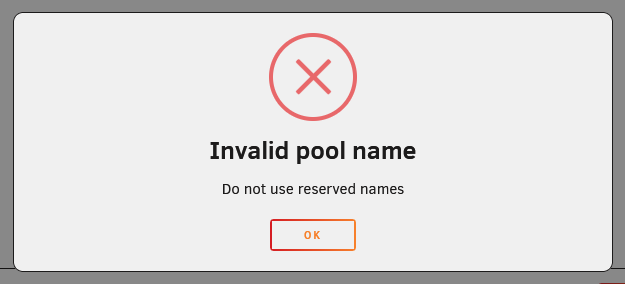
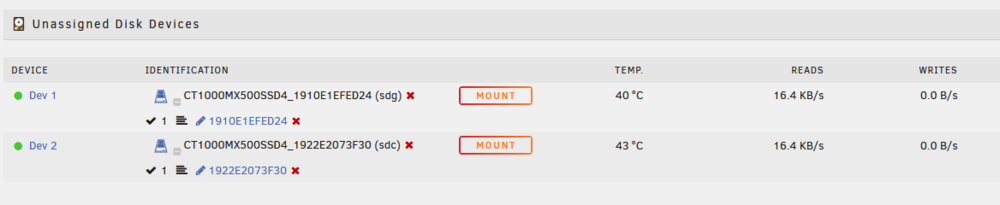
Hi, I had a cache pool called "Mirror_cache" and after updating to 7.3 I was asked to setup. So I checked if I can use these disks to boot. I configured and saw, the disks will only be used for boot in this case so I rolled back (before ever pressed ok or something). After boot was complete, the whole pool is not shown in my Main Section anymore (another one calls Sinlge_cache still is). So I thougt, I only need to add the pool again, but I cant add one with this name as ist shows me "Invalid Pool name do not use reserved names" Rollback is not an option if I got it right, so wha tto do? This is the most important data I have, like Appdata from Docker etc. Can I use another name wihtout any problem and all shares and connections can be adjusted in the "Shares Section" or can I somehow manuelly bring back the pool by copy data vom Backup?
-
Thank you, but after making the drive empty, there were still about 370 GB of used space. SO I formated it after saving an now I will have a look what happens if I use it again. btrfs balance start -dusage=75 /mnt/cache was without any error before.
-
Thank you, but: You do not have permission to view this topic.
-
Hi, that was also my idea, but I reduced "Minimum free space" in the Shares Section for all oft the shares to a minimum (I tried 1 GB, 1 MB etc.) and it doesnt make any difference, which share I'm using, it's currently 157 GB free space and writes to the drive stopped when I tried to copy, starting from 6XX GB fre space. SMB still tells me, that ther is free space. So where do I have another setting to reduce "min free space"? Could it be a bug and I have to change it in the config files? Btw. Also in "Main" and the Drive Settings, minimum free space is "0"
-
Hi, I have an issue, that my cache drive "single_cache" is marked as full alsough ther is plenty of space. Fix Common Problems and "More Information" told me to place this request. I alredy tried some things I found in the net but nothing worked. Can you give me a hint? Plan B would be to empty the drive and completely renew it. Thanks! unraid-diagnostics-20240205-2006.zip

