





Hastur
Members
-
Joined
-
Last visited
-
OK, problem solved. Processor which i bought (used) find out to be broken - L2 cache gets some malfunction. Seller makes no problem witch replace broken one but don't have spare i5-13500 so them give me a i7-13700... :D After previous problem I'm still test stability of this processor (after 3 days of extreme test still no problem) I can say only one thing - it's a beast! 24cores with 64GB of ram make my Unraid server almost better than my gaming computer :D
-
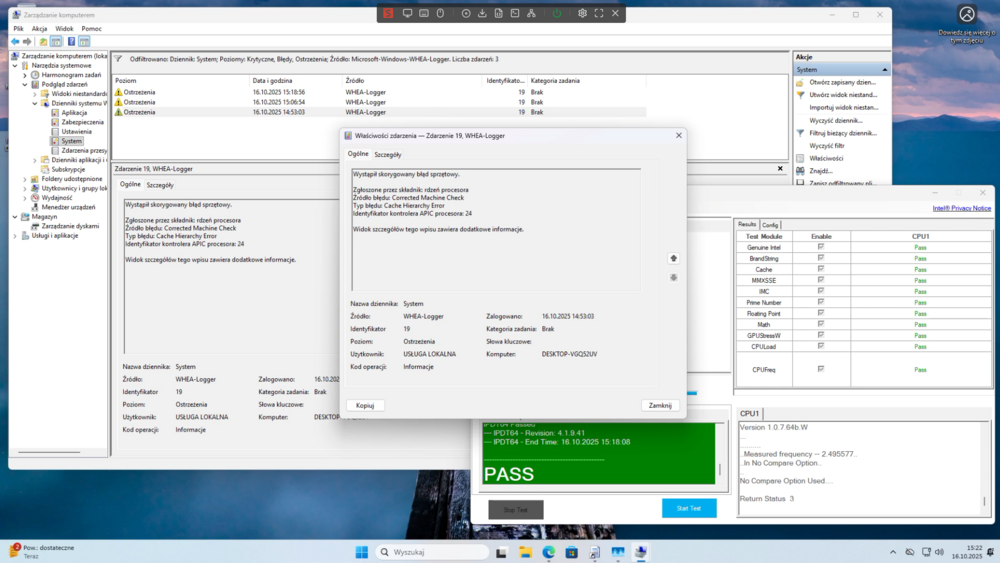
I've probably got the problem: L2 cache on processor. On Windows I've got the same errors in system logs durring the Intel Processor Diagnostic Tool process. I will try switch the CPU and give an info if this works.
-
Update: I turned of XMP profile and set frequency at JEDEC 2400 speed, after that i turn on memtest for 14h, it makes 5 or 6 full cycles without any problem. I updated BIOS from 12.01 to latest 12.03. After that i see lots of bluetooth errors in syslog console so i turned off wifi/bt device (i see a lots of similar problem on this forum/reddit). After that Urraid seems to be somewhat stable but in syslog console i can see Unraid-NAS kernel: mce: [Hardware Error]: Machine check events logged I attach the mcelog in post. mcelog.log
-
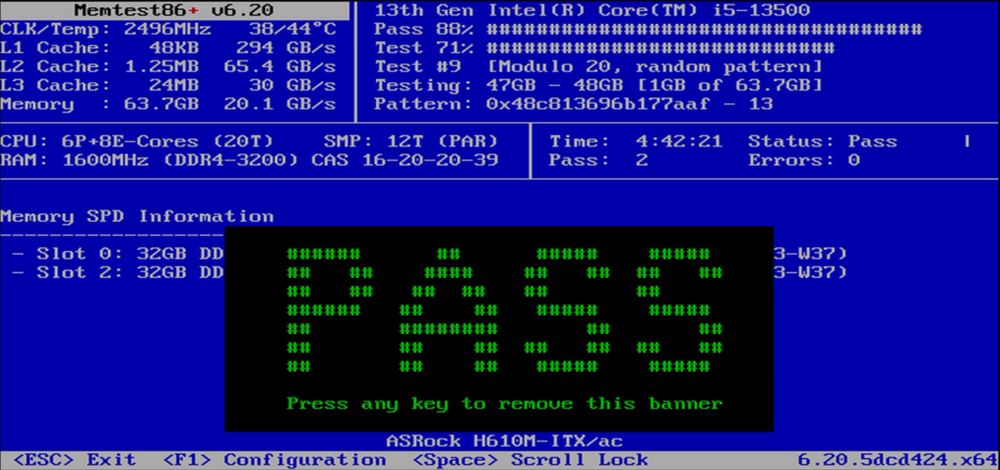
When I start to set up remote syslog server on other machine I faced second server freeze, this time not in some nightly IDLE state but during parrity chceck after previous unclean shutdown. Currently I turn Memtest86 and it pass without any problem 2 (almost right now almost 3) times. On reddit guys point it that turned on XMP profile may be a reason and in fact that I turn on XMP profile for this RAM. I try to turn it off and do further monitoring with remote syslog.
-
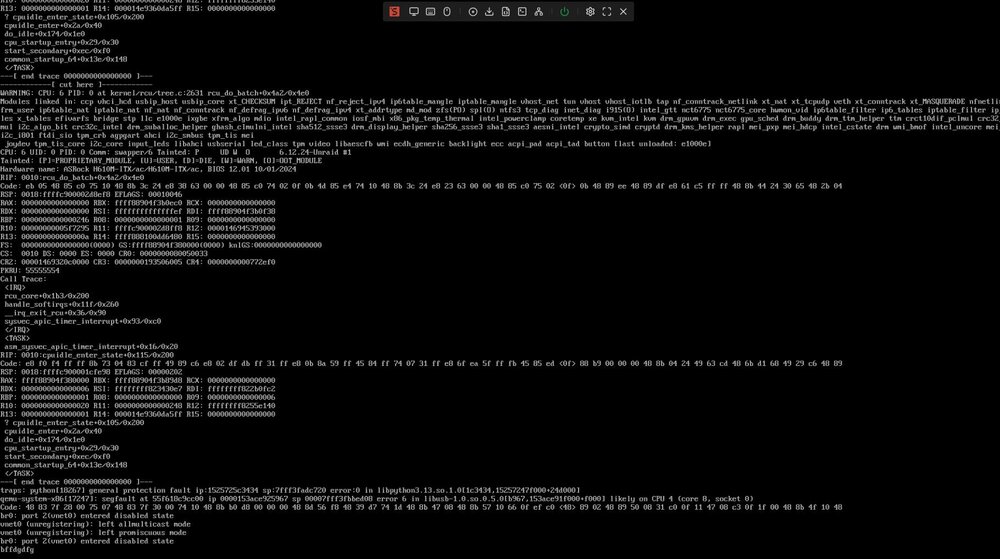
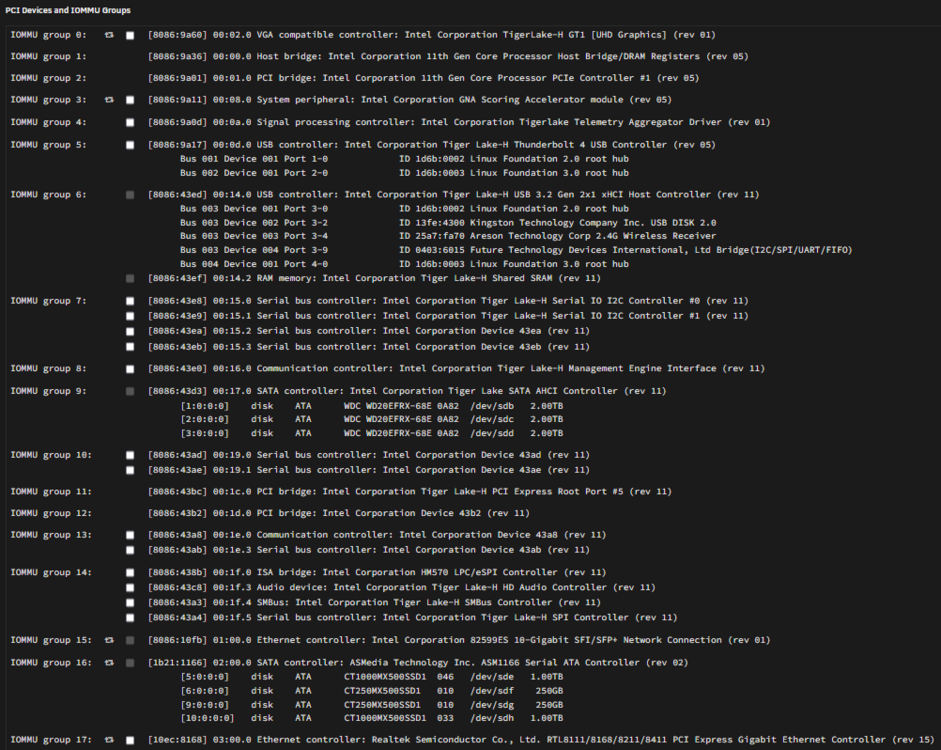
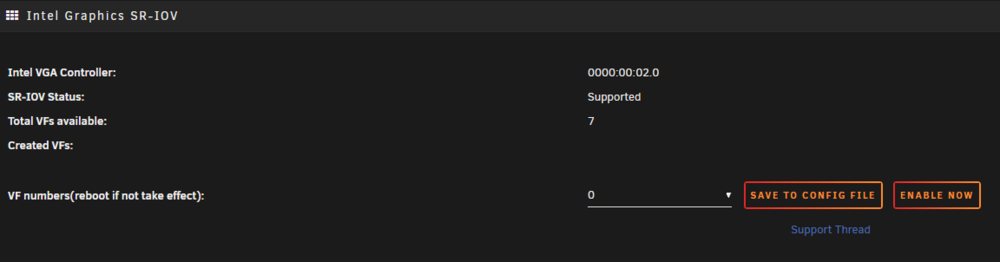
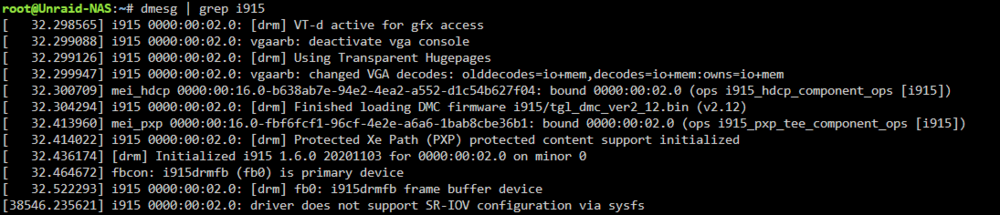
Hi, yesterday I migrate my main Unraid server to a newer and how i then thinking - safer hardware: From Erying i7-11800h HM670i ITX CPU/board which works perfectly fine and stable for about 1.5 year to a Asrock H610M-ITX/ac with i5-13500 CPU. It's not my first rodeo with migrating Unraid so whole hardware upgrade went smoothly, rest of components stay's from previous build: 64GB DDR4 3200 Kingston RAM, Intel x520 DA1 10Gb NIC, ASM1166 M.2 to SATA adapter and drives. I done all sort of stability checking, config checking, etc. and was even finally be able to use SR-IOV intel iGPU to a Windows VM cause my 11800H platform don't support SR-IOV nor GVT-g. BUT... After night i try to check how's my server running and I see that my HomeAssistant VM is dead, webGUI report: 500 Internal Server Error, but all docker containers work without any problem (Homarr, CodeServer, GPTWOL, MySpeed etc). When i connect to a local console via KVM i see errors which you can see on screenshots. I was able to log in but after some time i loose connect even for docker containers and local console. When restart - standard parity check after unclean reeboot and everything looks fine but I'm afraid the problem may back. Unraid version is 7.1.4, BIOS was updated and it was last before newest. Please help me to diagnose and debug my problem guys.
-
True, when I planed to migrate my homelab servers I focus too much on 3D printed cases and dimensions of components than about hardware quirks, also summer sales on Erying and mobo for 190$ mess with my thinking. My bad. Thank You, thats all what I need to hear. Fortunately raw performance of this CPU is more than enough for my VM's so i can live without SR-IOV. Maybe in the future i pick some ITX mobo with 13th gen.
-
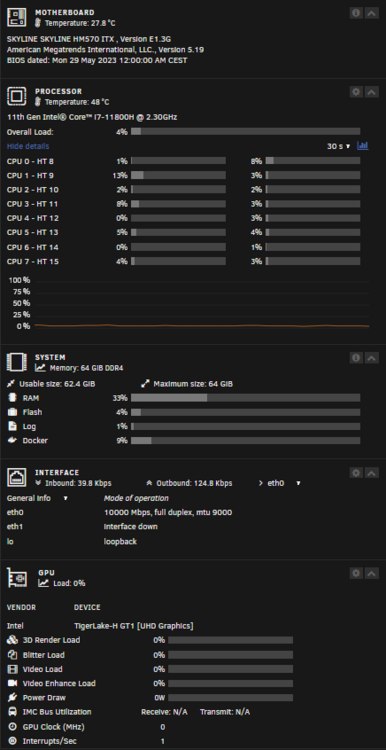
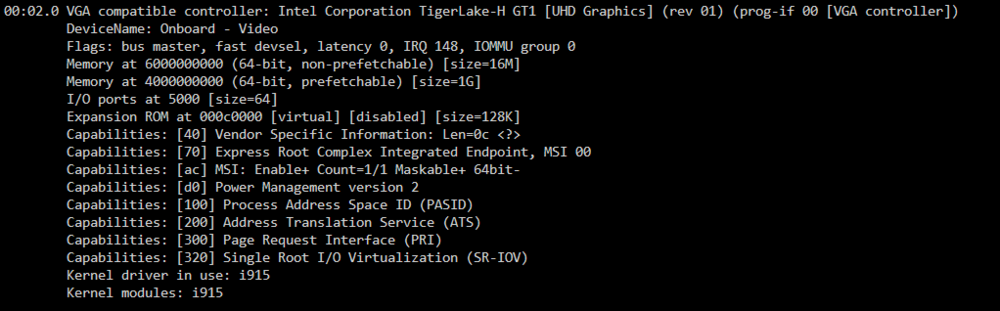
Hi, does anybody have some success with i7-11800H and UHD graphics? I migrate my Unraid server from i7-7700 on some HP board to a Erying SKYLINE HM570 ITX with i7-11800H (overall performance is outstanding compare to old CPU). After that Intel-GVT-g plugin stop working because of incompatible processor so I've switch to SR-IOV but now i have an issue when I thy to add VF nothing happened in GUI and after reboot anytime when I click on SR-IOV plugin whole system hang up, Unraid GUI is unresponsive, putty refuse to connect, local console (keyboard an monitor) don't work. Only thing that I can do is force reset server and then the plugin is missing in my plugin list. I don't see any errors on logs. In this list: https://www.intel.com/content/www/us/en/support/articles/000093216/graphics/processor-graphics.html I see that Tiger Lake (without "H") processor is not supported nor in GVT-g nor in SR-IOV, i7-11800H is Tiger Lake-H but I cannot find any info which GPU virtualization I should use to have acceleration in my Windows VM's. Any help? 🥺 P.S. Tested in Unraid 6.12.13 stable and 7.0.0-beta.2 in both cases the same issue. In BIOS all this mumbojumbo magical options like intel VT-d VTX and many else is on.
-
Point of view depends on the point of sitting/circumstances alter cases. I'm sorry to bother you or anyone else with my perspective.
-
No, becouse nobody sell drives with this words: Anyway, my whole butthurt is becouse of one reason: When I decide to build a DIY NAS six months ago I've made some reserch, try OMV, Truenas and bunch other solutions, then I find Unraid, I've tested it and think "Ok, maybe it's not free but as far I read its one time payment and predictible licence upgrade cost" After that I buy really cheap hardware - old HP 800G3 tower for around 40$ and old stock WD RED 4TB again for around 45$ per disk plus some basic licence and it was really cheap and more than I need sollution. And now what? Licencencing switch from perpetual to subscription (i know, only for new users not for me) and licence upgrade cost will be increased up to X. Which actually affect me if I plan to upgrade licence in future (so i buy pro licence to not pay PRO+n $ cost) Maybe if I use this software for 8 years I feel different in this situation. Nobody likes to feel like a donkey.
-
Actual PRO licence: 129$ https://unraid.net/pricing Manufacturer Recertified Seagate Exos X14 12TB: 124$ https://serverpartdeals.com/collections/recertified-seagate-exos/products/seagate-exos-x14-st12000nm0538-12tb-7-2k-rpm-sata-6gb-s-512e-256mb-3-5-manufacturer-recertified-hdd both equally trustworthy in use as sentence:
-
Like i've think... Right now and 130$ later i've upgraded my both license to unlimited/PRO. Just in case if I ever need to change my storage config. But tbh I do this only becouse I've already buy hardware specialy for unraid setup. If I consider making DIY NAS/LAB solution right now i will propably go to proxmox with three micro node with some ceph storage with VM/doker/fileserver solution
-
in draw.io there is some similar Dell rack servers stencils

-
OK, I have a strange feeling that I know the answer. I'm asap upgrading my two licenses to the PRO version because I feel like I'll go bankrupt after the "announcements". "Buy Once, Use for Life. No subscription. No hidden fees." *set David Bowie - Changes.mp3 as official soundtrack of the thread*
-
I ask one more time but in few less words: does LT plan to increase pricing of upgrade licence key in near future for legacy users?
-
I have exactly the same concerns and questions. I love Unraid software, I tried OMV, Truenas and bunch other niche solution. I pick Unraid mainly becouse of friendly implementation and one time pay. Currently i've got one homelab server with "plus" and one backup server with "basic" licence and it's more than enough for my needs. Yes i know, I've read already all 8 pages of this thread, read blog post and watch podcast. I understood that my licence will work in future just like today (i hope) but if I ever need to upgrade both licence to PRO, does pricing will be still the same? Curently upgrade cost is $79 + $49 for my licences. IDK if i shoudl upgrade licence ASAP to PRO becouse LT may increase upgrade cost to PRO licence in some distant future (1 maybe 2 years?). Please guys keep in mind that somebody may live in country where about 130$ is already quite big money. I know, i can live with that, this software is worth this money. But if the prices of upgrade wil increases for example to 300$ or more (plus cost of already purchased licences) my whole concept of cheap DIY homelab/NAS solution is pointless. Sorry everyone for my "cheap" thinking but i unfortunately need to include price/added value ratio in my home budget for DIY projects



