monster16
Members
-
Joined
-
Last visited
-
i really must be missing the point here and having real new noob brain. When i removed the drive from the old build and started again i was asked to set up a new parity drive... why i don't know. I have since started adding new data to a new hdd drive and this is the system im working with. My old 14tb drive is now sat with all this data on it and every time i go to add it to the new array it wants to wipe it completely and start again which i don't want as i don't have a full back up of all the data on the drive. I want a way to either see this drive in the array to watch the media or be able to copy the data from it to the new drives and then format it if needs be. The 14tb drive is currently shown under disk devices and i can click a few boxes and see all my data i just can't seem to move it all
-
I did start with a new array and for some reason the parity drive was set up again as new.
-
How do i go about doing this. Im very new to unraid and this is above my comfort zone without some instructions for idiots
-
i did and do. when i setup the initial system i had one and upon starting again i set up it up again
-
So I have a 14tb hdd with data on it already. This drive has been formatted in unraid I had unraid setup and transferred some data to this drive, because unraid stopped working I removed the drive and reset the whole system and started again. Now my questions are this 1. Can I just add this drive back, show it in the array without reformatting it and my data is there and away I go watching my media again. 2. If not the first question then can I add the drive to unraid without it being in the array and copy the data to the two new drives that are in the array
-
jims-server-diagnostics-20231013-1351.zip
-
I would if i knew how and just end up with a load of txt documents in my downloads folder on mac
-
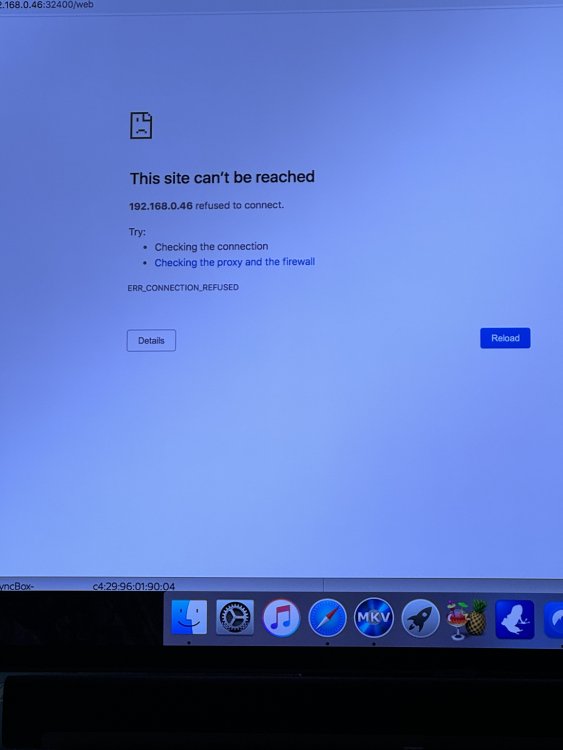
So new to unraid and at the moment not too impressed. Im not tech savy other than basically turning on a computer I have built the server to host my media. I have the ip address assigned. I load the server (currently chrome) and start the array with no issues. I start the apps with docker and they tell me they have started once i go to open them using the web gui im met with the error doesn't want to connect. When i first built it and ran it no issues i have changed the RAM settings and reverted these back to the original but still have this issue. Any help is appreciated