





dagmenico
Members
-
Joined
-
Last visited
-
I thought about it too, in fact I also tried changing the cable: in the package there were two cables with 4 ports each, I tried both changing the cable and the port on the same cable. Always the same problem 😞
-
This is what I have done with the Western Digital, it was brand new and checked before installing it. By the way, also the Seagate was brand new. Do you have some other idea? Thanks
-
Thanks JorgeB, how can I check in order to find the issue and resolve it? I have an old Corsair 500W PSU and my server drains about 70W in idle and about 160W in full load. Unfortunately I cannot change the position of the LSI board because I have only 1 PCIe slot
-
Some time ago I bought an LSI 9207 card to be able to increase the number of disks on my Unraid server. I connected a new 4Tb Seagate IronWolf and for a while things went well (it's the only disk connected to the new card). One day I had a disk failure and thought I'd replace it with a new Western Digital Red just to be safe. After a few days I also had the same error on the new disk, so I thought it might not be a disk problem but a port problem, so I formatted it and reinserted it connected to another port on the LSI card. It worked for a few days, then I got the same error. I formatted it again, checked to make sure the disk had no errors and inserted it into the array on another port on the LSI card. After a few days, still the same error. Pretty much any disk I mount on the card in any port works for a while and then gets rejected. For this reason I didn't trust connecting more than one disk on the card, because I only have one parity disk. I specify that the disks connected to the motherboard have never had errors. Each time the error is that the disk is not detected and changes name (e.g. sdj instead of sdb). Has this happened to anyone and knows how I can fix it? I'm going crazy and would like to be able to connect multiple disks on the LSI card without fear of losing data. Thanks in advance unraid-diagnostics-20241209-0903.zip unraid-syslog-20241209-0802.zip
-
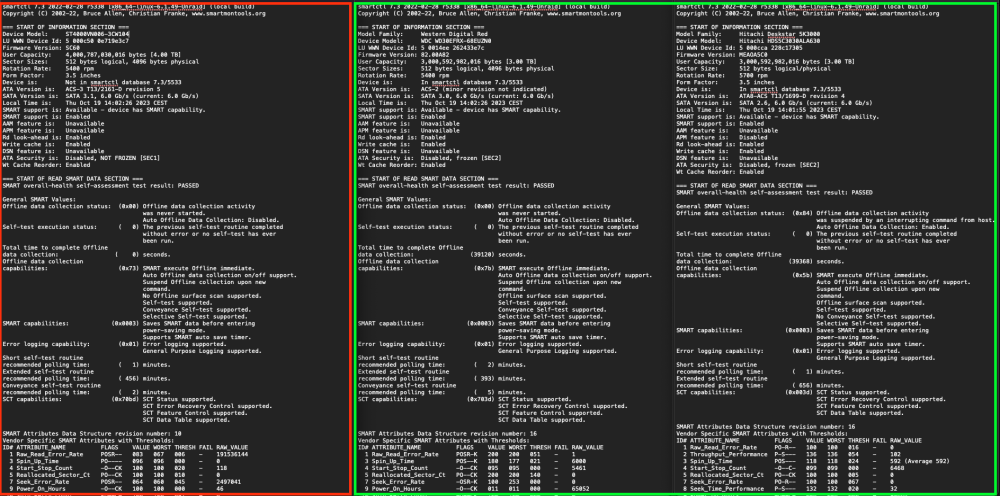
Ok so nothing fancy... I attach also the diagnostic for the disks (green the disks that spin down correctly, red the disk with the issue)
-
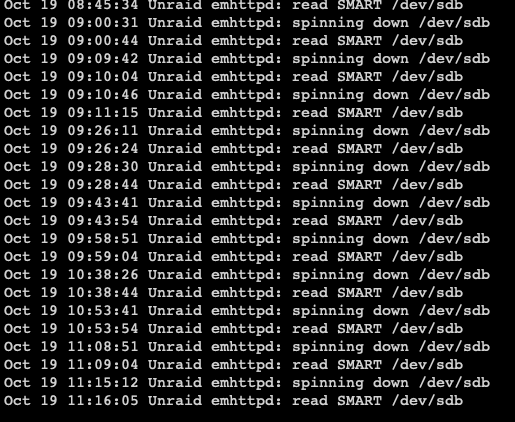
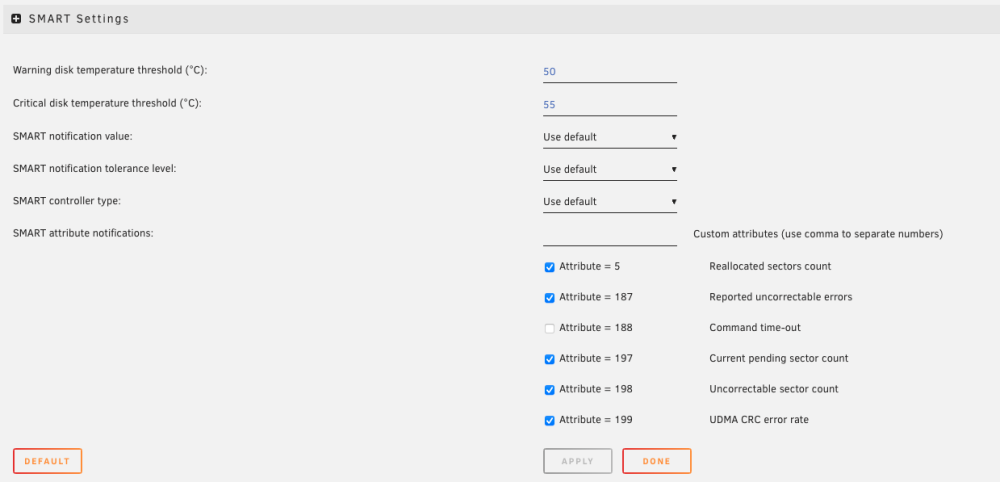
It seems that is the SMART read that keeps the disk spinning. I'm I wrong? I've also checked the SMART configuration for the disk and I confirm is the same as the other disks
-
Hi, I use 6.12.4, as specified in my original post. I'm struggling with this issue because I have about 30 days to return the disk and take a WD Red. I have other WD Red in my server and had no issue, but this time I was curious to try an IronWolf because I read those are better. Do you think there is anything I can do?
-
Hi, same issue here. Yesterday I installed a brand new Seagate IronWolf 4Tb on my Unraid server (6.12.4). This disk is a replacement for an old seagate Barracuda on a LSI board. Since I installed the new disk I saw that the disk won't spin down as per settings. If I try to spin down the disk manually, it spins up after few seconds but I see no activity on the disk (no reads, no writes and no file opened on file activity plugin report). With the old disk I experienced no issues on this. Any advice? Thanks

