koim
Members
-
Joined
-
Last visited
-
This issue has persisted since version 6.x.x. The recent beta2 update "Fix: Updated kernel to restore Intel Arc GPU (Xe driver) compatibility [-beta.2]" still exhibits the same problem. Attached is the diagnostics zip file. I hope the system freeze issue after passing through the DG1 GPU can be resolved. The virtual machine configured for passthrough is named "fnnew". Additionally, if using the command echo "" | tee /sys/bus/pci/devices/0000:03:00.0/reset_method, the entire system does not freeze when starting the virtual machine. However, shutting down that same virtual machine will still cause the entire Unraid system to freeze. All these operations were performed after completing the necessary device isolation steps in the System Devices section. tower-diagnostics-20250829-1927.zip
-
Problem Description Experiencing complete system freezes during DG1 GPU passthrough attempts. Steps to Reproduce 1. **Initial Configuration** - Mark DG1 as "Ignore" in System Settings () - Reboot system - Attempt GPU passthrough to VM 2. **Observed Behavior** - System freezes immediately after passthrough initiation - No crash logs generated (complete lockup) 3. **Temporary Workaround** Applied PCI device reset method from https://forums.unraid.net/topic/188632-issue-with-passthrough-of-dg1-gpu-to-virtual-machine: echo "" | tee /sys/bus/pci/devices/0000:03:00.0/reset_method - VM starts successfully after this command 4. **Remaining Issue** - System freezes again when shutting down VM via web interface - Requires hard reset to recover ## Request for Assistance - Has anyone encountered similar DG1 passthrough/shutdown freeze behavior? - Are there additional configuration steps for DG1-specific reset handling? - Any known solutions for the shutdown-triggered freeze? **Unraid Version**: 7.1.0 Stable Release

-
还是有问题的,使用命令后运行fnos虚拟机,unraid不会死机。但是使用虚拟机界面的关闭该虚拟机,unraid系统照样崩溃。。要强制重启才行
-
感谢,晚点回去顺带升级最新系统后试试。刚才试了下确实是flr bus

-
Do you mean to fill in 'blacklist i915' in the i915 driver under 'system driver' Fill in 'options xe forcesprobe=4908' in dg1?


-
I can only downgrade to 7.0.0 stable version, there is no option for 7.0.0 beta 2 Is there any way to downgrade to version 7.0.0 beta 2?there is no corresponding installation package on the website
-
Posted in the wrong section; could an admin please move it to the appropriate section? Thanks!
-
When passing through an Intel DG1 GPU to a virtual machine, as soon as I create the VM, the entire Unraid system crashes. I’ve tested this on both the official 7.0.0 release and the latest 7.1.0-beta.2 version, and the result is the same in both cases.
-
其他都正常,就是虚拟机无法打开vnc了。找不到什么地方可以设置的。 原来npm反代的时候一直正常,但是自从更新了7.0正式版后,npm生了个大病,一直出错。也不知道是不是正式版更新了什么的缘故,之前预览版都好好的
-
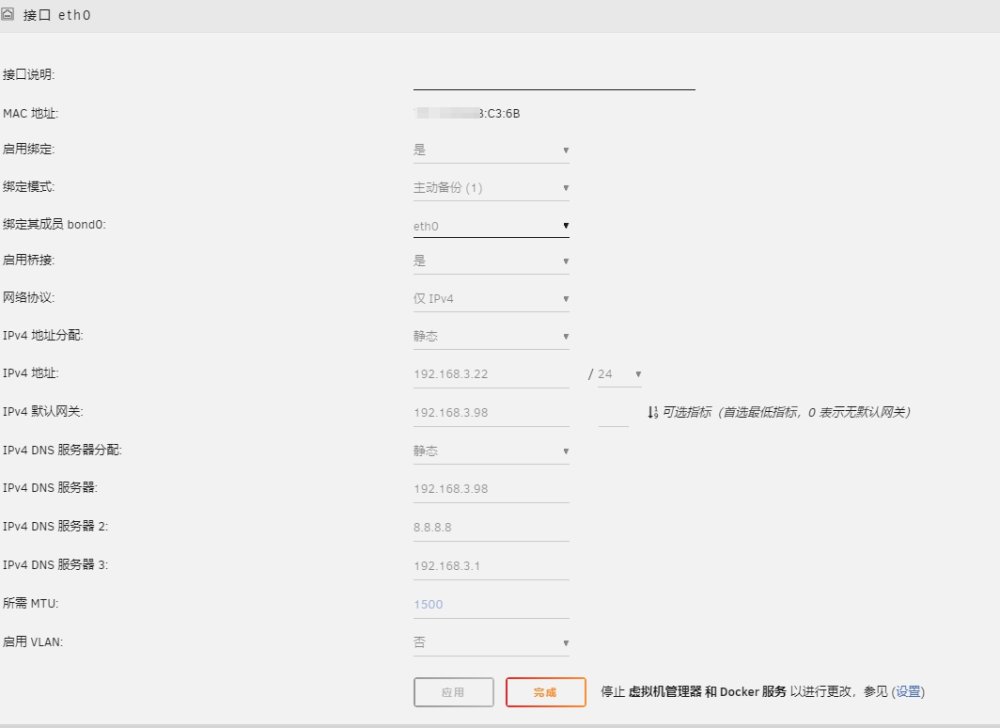
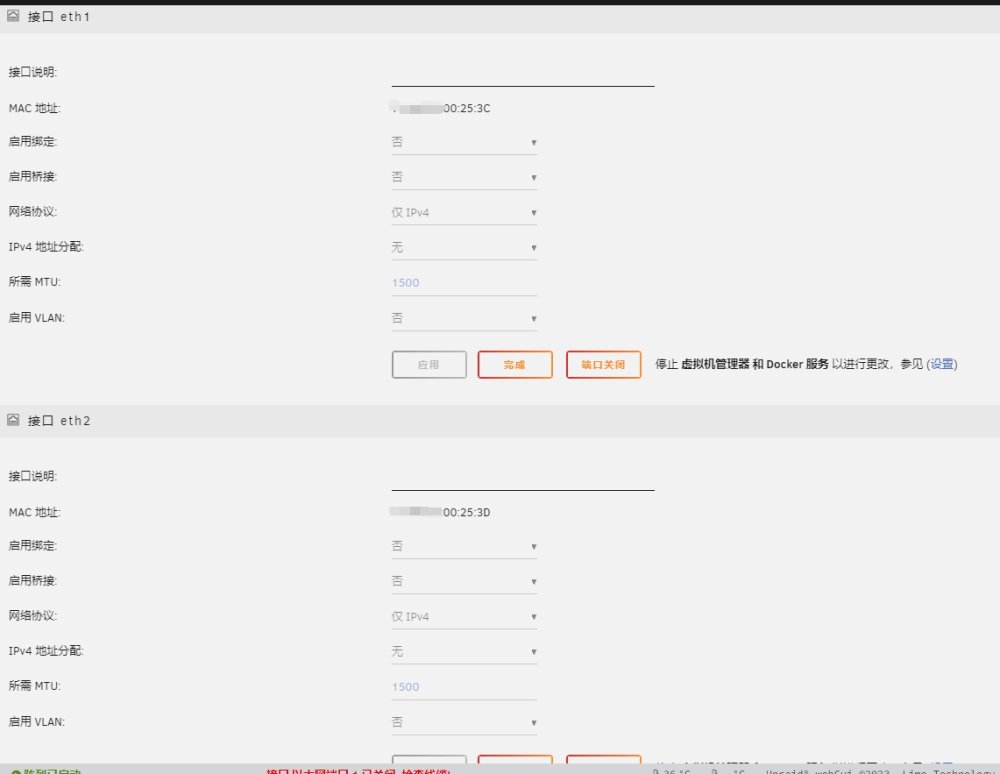
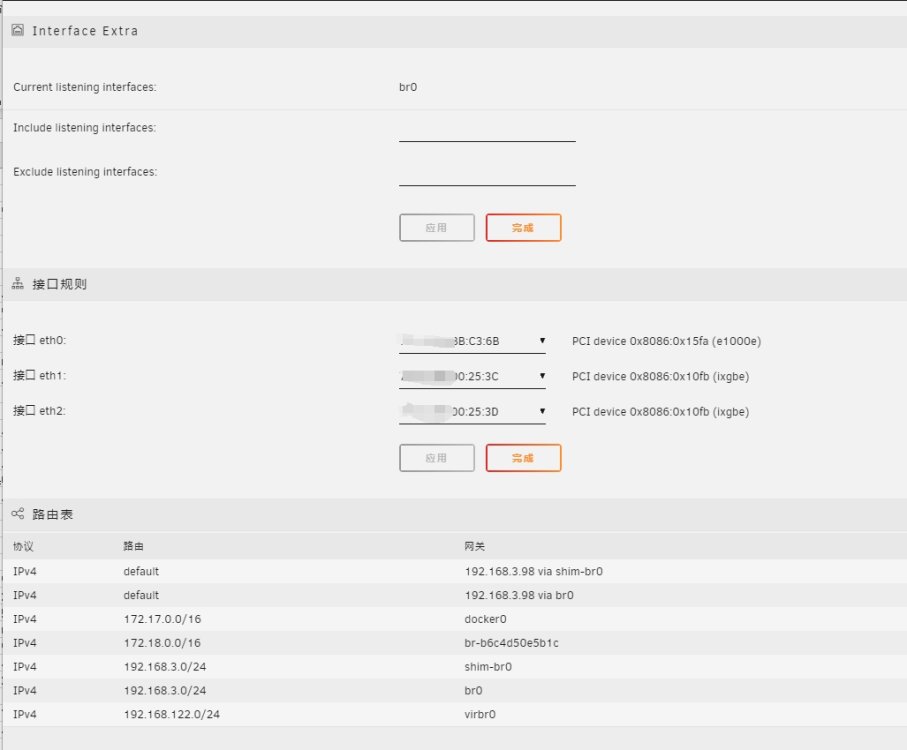
这是现在后台正常的设置。 最开始说的出错情况是 上图中把eth1和eth2改成启用绑定和启动桥接,设置完同网段的IP后 出现的。 三个网口都接在同个交换机环境下。
-
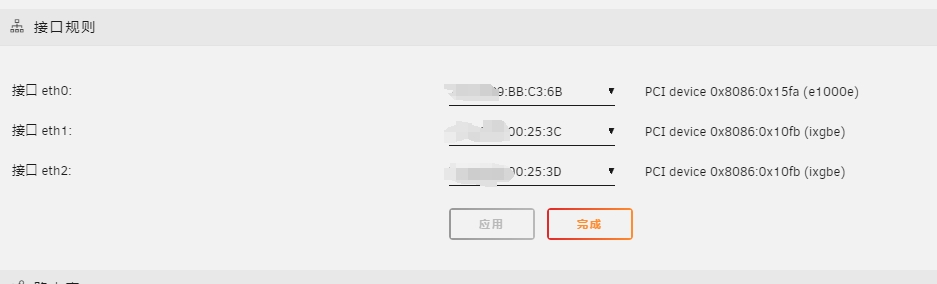
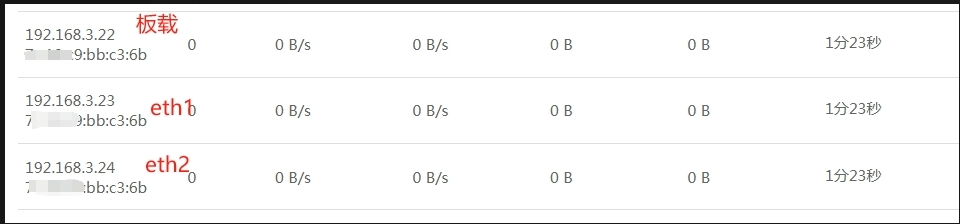
网络设置能正常识别,显示为ixgbe。把板载网卡改为eth0了。设置中关闭网卡连接后台正常。但是pcie的网卡开启后,后台过一阵子就无法连入。爱快中观察,发现是x520网卡的mac地址变得跟板载网卡一样。疑似冲突。这个是unraid的兼容性问题还是其他什么问题。望有经验的老哥解答下疑惑。。