






DarkP
Members
-
Joined
-
Last visited
Everything posted by DarkP
-
Many thanks! It works now!
-
I've installed Default version. Need to install Cuda version?
-
-
I have the same problems on 1 of the servers. One disk gets disabled after 5-19 days of normal operation. I've tried every thing: I've changed sata and power cables several times I've changed hard drives I've changed the server itself 3 times (only usb-drive with unraid and my hard drives remained the same) I've connected all drives via DAS Nothing helps. Could be the problem in the usb-drive with Unraid?
-
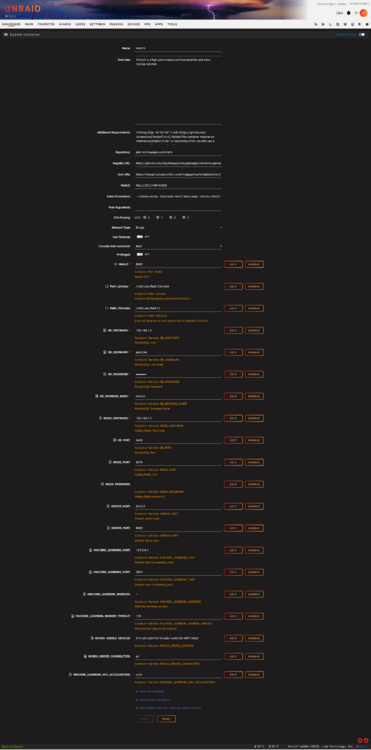
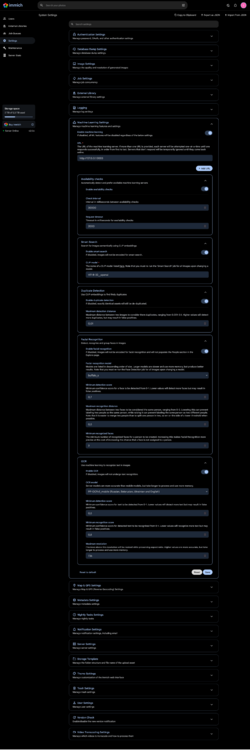
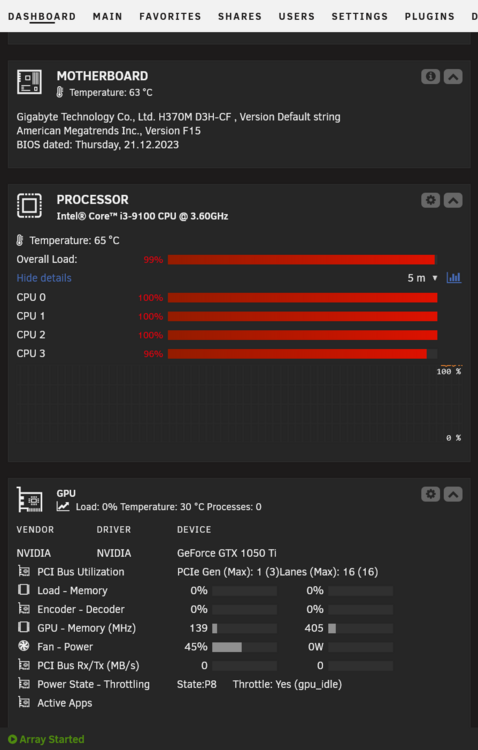
Could you, please help me? Hardware transcoding works - I see a load on my 1050ti, but all machine learning tasks a still processed on the CPU. What am I doing wrong?

-
I've changed all cables, changed ports on motherboards. Same problem. Both servers have disabled disks. Please advise. Also, how to enable disabled disks? gluk-diagnostics-20250325-1250.zip alraminar-diagnostics-20250325-1250.zip
-
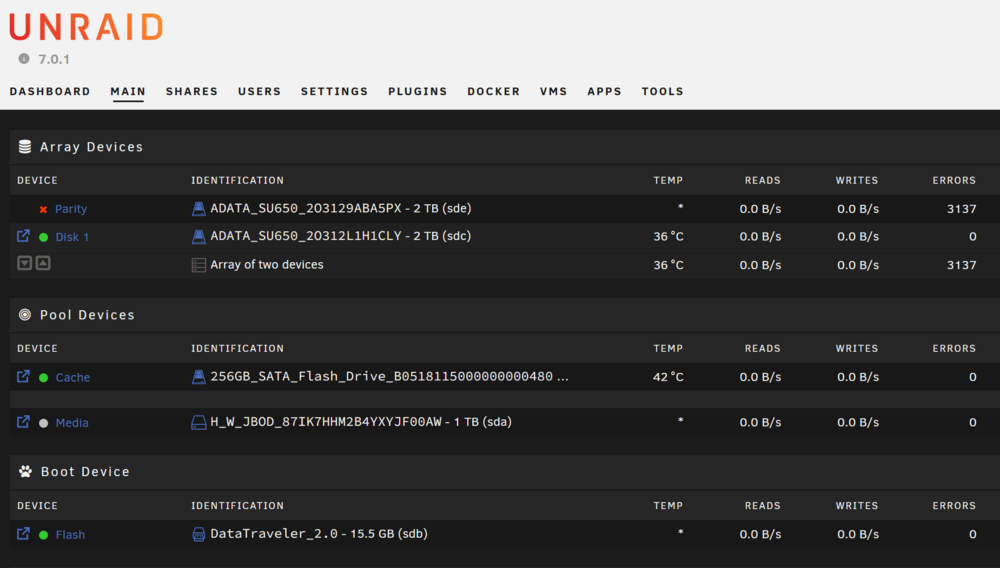
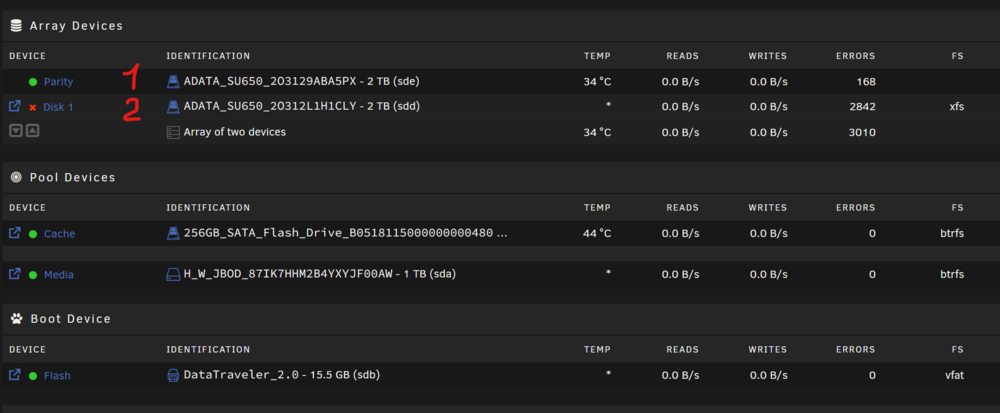
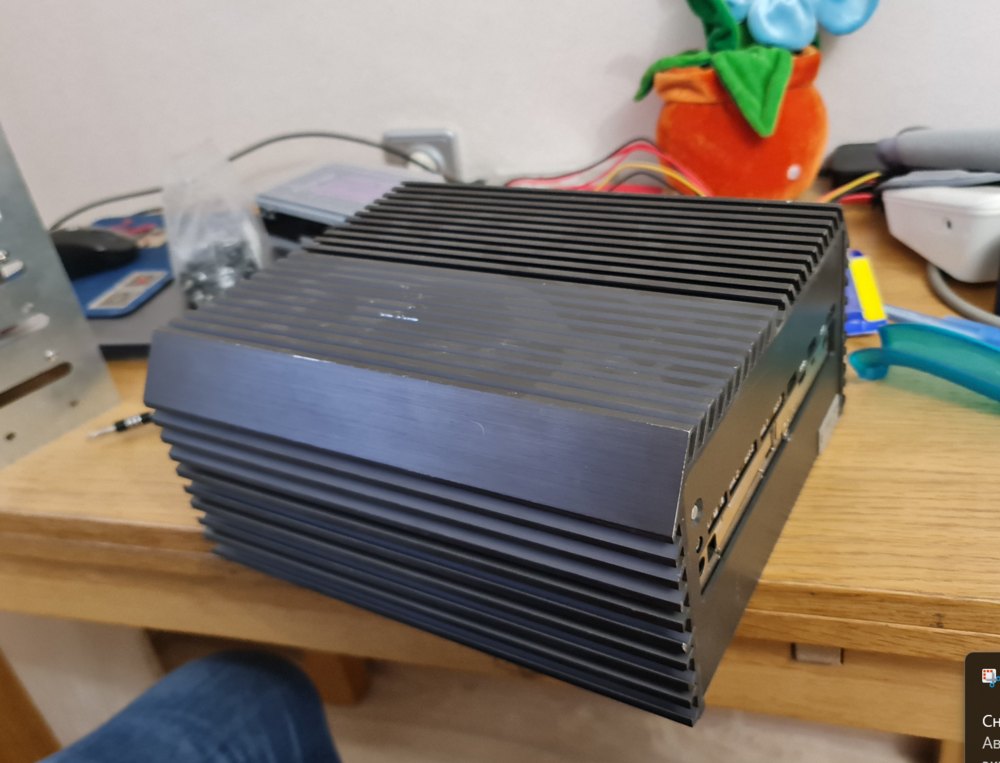
Hello, Everyone! I have 2 Unraid servers. At some point both of them started to disable disks due to errors. My guess that it was somehow connected with the update to Unraid 7.0 (but may be it is just a coincidence). On one server the problem was solved by replacing all of SATA cables to a new ones and updating to Unraid 7.0.1 (again - may be it is just a coincidence). On another server the problem persists. Please refer to the attached screenshot. The drive marked as 1 is connected via cable, the drive marked as 2 is connected directly to the motherboard (SATA connection the same as in notebooks). At first problems started with drive 1 - the system started parity check, showed some errors and disabled the drive after that. That hard disk was old, so I simply bought a new one. It worked for some time (1 or 2 weeks) and at some point errors started to show up again (and on the second drive too). I had 2 new spear SSDs, so I've changed both HDDs to totally new SSDs (it was in the beginning of January). Again they worked for a week or 2, and errors started popping up on the drive 1. At this point I realized that the problem could be in the cable - so I changed it to a new one. And updated Unraid to 7.0.1. After that the was no errors with drive 1 for a month, but errors started happening with drive 2. Again: drive 2 is connected directly to the motherboad, I cant change a cable there. The attached screenshot is made today: we see errors on both drives. I don't know what to do and I have a feeling that this is a software issue. Attached: server diagnostics, logs from SSD in drive 2, a screenshot and 2 photos of troublesome server. Please advise. alraminar-diagnostics-20250312-1427.zip ADATA_SU650_2O312L1H1CLY - log (1).txt ADATA_SU650_2O312L1H1CLY - log (2).txt
.thumb.png.e279853fcac063a172a38248891a0f76.png)
-
Please advise. gitea stopped working, it was ok for several months and at some point it lost a connection to database. log.txt

-
Thank you for the idea! It's more stable without my GPU. But it crushed once even without it. So I've plugged it back. Since the start of this topic there was 2 updates to Unraid: 6.12.12 and 6.12.13. I've installed them both and since then the uptime is more than 6 days. I hope that the problem is cured somehow by itself.
-
Dear All, Please advise. Recently I've upgraded one of my servers and after the upgrade it started freezing. I'm not able to tell any pattern, it freezes randomly, sometimes only GUI freezes (VMs and containers continue working), some times the whole server goes down (it even loses lan-connection, my router doesn't see it). And it isn't connected with the load of the CPU. My hunch - something wrong with the "new" hardware (I've installed used motherboard, used ram and used CPU). But RAM was taken from known to work stable systems. And this motherboard and this CPU worked fine for a day with Windows installed. In other words, any suggestions are welcomed. syslog syslog-previous
-
I need to think it over, what config would you suggest?
-
Current setup: - 2 HDD's - as array, one for parity, one for data - 1 ssd - pool - cache. Future setup: - 2 HDD's - as array, one for parity, one for data
-
My old server: - standard PC case - 2,5 ssd - two 3,5 hard drives - PC based on Xeon E5-2650 v2. My new server is an used industrial pc with passive cooling based on i5 6500 (I plan to upgrade it to i7 7700), it is faster and more effective, but has only two bays for 2,5 hard drives. That's why I need to transfer all system and data to new drives.
-
Hello, Please advise: how to move from one server to another. My old server has 2 hard drives and one ssd as cache. My new server has only new 2 drives. How to move all data, docker containers and VMs?
-
Many thanks for your help!
-
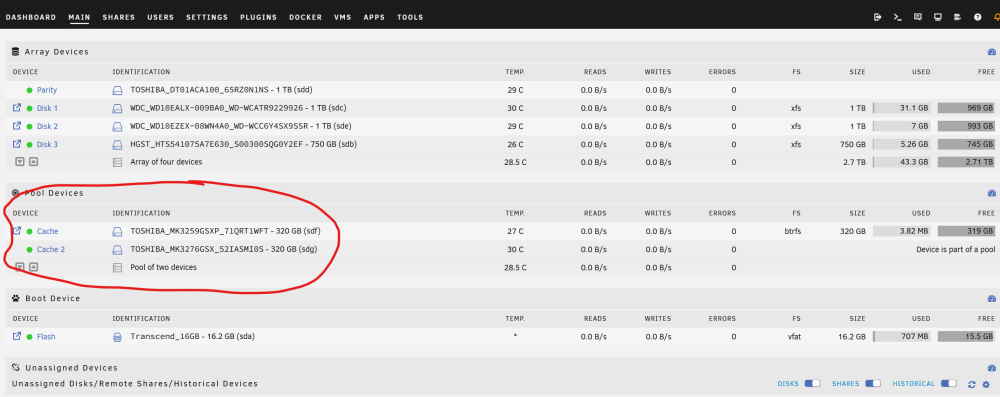
Like this? They are in Raid1? How can I check it?
-
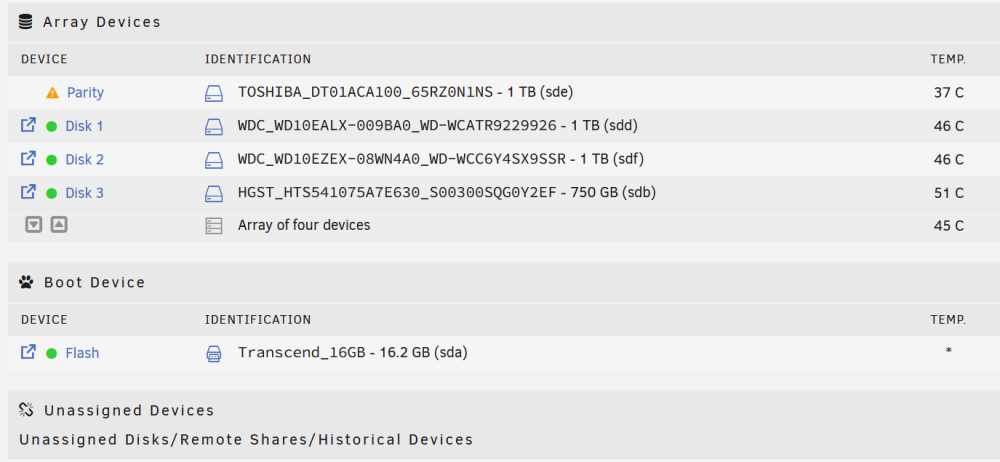
Hello everyone! Please advise. I have installed Unraid, made an array (please see the attachment), and played around with it for some time. Now I would like to add 2 more drives and arrange them in a separate software Raid1 array. I wand this 2 drives to be my main storage for my personal data, but it should be accessible by apps in docker (Photoprism for example), and I want to keep the Unraid array for apps, VMs, downloads, media library and etc. Is it possible?




.png.ba1546972a7a25c0df23a2e1774b985e.png)


