Sickboyy
Members
-
Joined
-
Last visited
-
May bad! There is the diagnostics tower-diagnostics-20250525-1047.zip
-
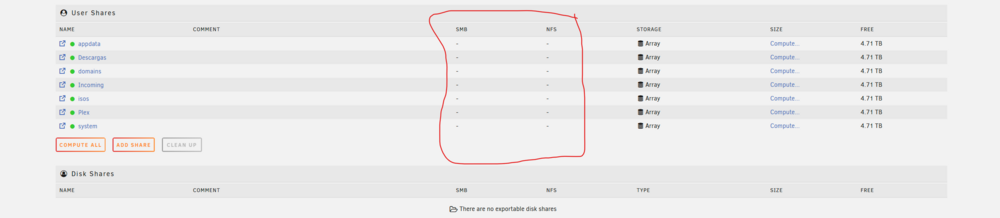
Hello, I can't seem to find a solution anywhere for this. I was an idiot and never backed up my USB drive holding my flash for the Unraid OS. I rebooted the server thinking it was just frozen (I couldn't install any new app updates) and then discovered it was dead. Anyways, I contacted support, moved my key and got Unraid OS up and running. My drives mounted with the Array just fine and even my apps settings were installed when redownloading them. BUT the apps cannot write to any of the drives and my user shares aren't discoverable using my local network. I can explore the old shares via User Shares but thats it (can't SMB or NFS to them). I've got a really stupid feeling that there is an easy fix (or not and dreading it), but I've wasted a day searching the net and flipping settings on and off (yes, I'm not very computer savvy). Any help or suggestions would be amazing!