





Tonborghini
Members
-
Joined
-
Last visited
-
For me the file path for blueprints and saves is appdata>satisfactory>.config>Epic>FactoryGame>Saved>SaveGames I was able to add my blueprints by moving the blueprint files locally on my pc to my unraid machine through my local network.
-
Sorry for the late reply. No worries about it, I use a ton of your containers and love them so I appreciate everything you already do, thank you!
-
seems there are dedicated servers out right now. I don't see many official servers
-
Will you be making a WreckFest 2 docker?
-
Hey ich so I think my issue with the PZ server was just a corrupted save file it appears. out of curiosity in case I want to startup a build 42 version of the game, what game parameters would I have to put in to have it run build 42? Edit: So it looks like build 42 isn't even supported for multiplayer yet so I'll be holding off on that until later on, but for futures sake, I was having a hard time trying to find documentation on how to update the game to an unstable or beta version. Is there a way to do it? thank you
-
Okay, thank you for checking it out! I'll keep looking into what's going on with mine and hopefully figure it out soon.
-
I've had a project zomboid server up for a few months now, it's still on build 41. Recently an update came out and after stopping the docker and starting it back up to update it, it will no longer launch anymore, just crashes midway through. I'm not sure if I've got something going wrong on my end or if this update maybe messed with the zomboid docker in someway.
-
yup working here as well. Much appreciated! You're awesome ich!!
-
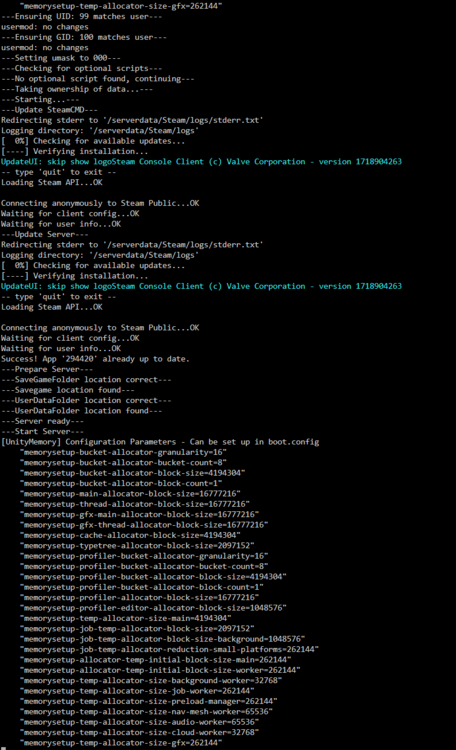
So I did that and now my log keeps crashing, it gets this far then just crashes and keeps repeating this cycle. Any ideas on what might be going on?
-
This may have been asked already, but I couldn't find it. With 7 Days to Die 1.0 releasing today, I was wondering how to go about setting up the docker to download the 1.0 version since it will be in the experimental branch.
-
I'm having troubles trying to get mods to work in project zomboid. I'm trying to get the journal mod going, and i have the workshop id inside the server ini file, and when i boot the server up it shows it loading it, but it's not in the game when I load in
-
okay, thank you. I guess I was mostly curious about how strict the ports need to be and if for example if i used 8767 for the game port instead of the 8766 like the game wants, if that would still work? I'm slowly starting to understand how port forwarding works and I assume if I use the ports already being used in my initial server that the second one wouldn't work if I used the identical ports.
-
I'm trying to setup a second server for Sons of the Forest. I'm curious on how I should handle the port forwarding for the second server? For example, do I just change the "Game Port" from 8766 to 8767 and similarly for the other two ports?
-
Is there anyway to pull save files off a satisfactory server? I was scouring the files and couldn't find any save files in them. Trying to find them because my blueprints decided to disappear after a server restart, and I think I could bring them back if i loaded the save in a single player game and reuploaded it. I guess that's how I got them to work after initially starting the server on a previous single player game.
-
Well, that was my issue. After looking at my port forwards a thousand times making sure I had them right I finally caught what I had done wrong. I had forwarded 1577, not 15777. Can't believe I missed that tiny little screw up when it should've been the most obvious. Thanks Ich, I appreciate you.

