





radiohightech
Members
-
Joined
-
Last visited
-
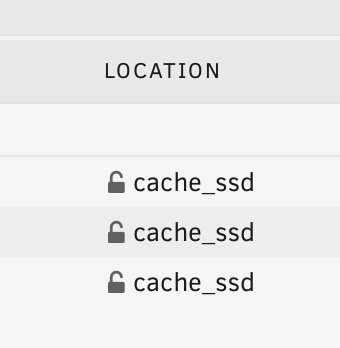
Yes, every share is like the screenshot below. I will not upload each and every share to not to flood you with multiple pictures.
-
As I stated the issue is solved. Both VM and Docker are working properly Right now there are no issues. The state of shares: Thanks for your input, it opened my mind about unraid config.

-
I have turned uninstalled mover tuning, and set my system folder to be primary on cache, changing the mover action accordingly. As of know, the following error has disappeared. Mover seems to be working since I can see my folders' location being updated as "cache_ssd" rather than both. I need for mover to finish working it seems. Thanks for your answers.

-
@trurl I just got home from work and found my Libvirt service dead after this. Everything else seems to be working and no actual data loss from the "b--w" share is seen. It seems like VM is refusing to create .img file for VMs. Here is the diagnostics: biotower-diagnostics-20231207-1727.zip And weirdly Jellyfin refuses to work in port 8096 but 8097 works fine. Thanks!
-
I have done exactly that but within terminal "mv" command, and put the cached files back to their original array place. Then I have set moved everything except the "b--w" share back to cache and set my docker paths accordingly. Right now, everything is working as expected. Thanks for your input @trurl
-
Here it is, thanks for answering biotower-diagnostics-20231207-0111.zip
-
Hey, I am a newbie on Unraid and messed up setting up the cache in first place. Right now my main share folder is split between cache and array and mover does nothing when I try to reverse things back to normal. While I put by bulk data share on array now, I cannot empty the space on cache. Here are screenshots of the setup I have. "biotow" is my shared folder. How can I move those files back to cache? Then I will set appdata, domains and isos back to cache. Thanks!




