





Vulkandr
Members
-
Joined
-
Last visited
-
Well since I have the time to prepare for the potential inevitable failure, what drive would you recommend? A Kingston USB 2.0 I had sitting around unused was blacklisted so I couldn't use that, I also have an unopened SanDisk Cruzer Blade 8GB USB 2.0 which i was considering using when this Samsung Bar Plus 64gb dies.
-
So a couple of months ago as far as I could tell my usb drive died because unraid wouldnt boot in giving an error, so I purchased a new one and put a backup of my server onto it and transferred over the key. Now today my server refused to boot up again, so I assumed it was another dead boot drive. I did try switching usb ports, etc. I was a bit frustrated but I was gonna get another usb drive and just do the backup. I had an idea, I figured i would check the drive, because I couldn't believe that it was already dead. I did every test imaginable on the drive and it all came through just fine, I also checked the authenticity of the drive using samsung magician, came back clean. so i took a risk and tried to flash my unraid backup onto the same drive, since as far as I know, your key is tied to the guid of the drive, so a fresh reinstall shouldnt harm anything. Well to my surprise, it wanted to do a key transfer and was showing a new guid, I took the plunge and did a key transfer. The drive is now currently working just fine in the server, multiple restarts later. Arn't guid's tied to the hardware? How could it possibly change? I also noticed my bios settings had been reset, could this have something to do with a dead cmos battery? How in the world would that affect the guid of the drive though? I plan on replacing the cmos battery when I get a new one, but I still figured I would make a post here if anyone has any ideas. Thanks
-
When i did a fresh install with the binhex version, everything ran perfect including web and app, same with a windows version. the second I use my own database on unraid or windows, it's just borked on web/app. tvs and phones are fine. I've tried replacing every single folder in the database but the metadata, I'm at a loss on how to fix this. Edit: I have no clue why this worked, but in the transcoder section of plex, I set Trascoder Quality: Automatic (these two only seem to matter that you changed them to something they weren't before) Background transcoding x264 preset: Faster (these two only seem to matter that you changed them to something they weren't before) Use hardware-accelerated video encoding: Disabled(Unchecked) Do all 3 at the same time. As a result of that change, both web and app transcoding works again. This might have also been also in conjunction with removing every file from the database that wasnt related to keeping my metadata and layouts. It didn't work with that alone, but transcoding started working after making those changes and removing the files together. Try making the in menu changes to see if thats enough for you, I can't say for certain if the file removals did anything. I even tried replicating it and turning on hardware accelerated video encoding broke it again, however turning it back off didn't fix the issue, til I changed the other 2 settings to something else at the same time. Once after many transcode successes I'll get an error, but the next try will work again. It seems to continue working after a restart too, so i'll call that fixed on my end. I won't mark this solved until a couple days from now to make sure this issue doesn't come back.
-
ok so i tried running it on my local machine running windows 11, if i kept my old database, it gave me the same problem, even on my 4090. However, when i did a fresh database, from local video files or from the unraid server, it transcoded just fine, so its something within my database, its not because of unraid or nvidia driver. now the question is, is this something salvageable, or am i boned lol. I will experiment with my secondary docker when I have more time, might not be til next weekend. EDIT: Also tested a fresh docker in unraid, transcoding also works, this is 100% something with my database.
-
So only browser and plex app give me problems with transcode and only if the transcode is going down in bitrate, going up in bitrate seems to cause no problems. Roku, Chromecast, WebOS, HTPC app all run just flawlessly transcoding. I'm guess this has something to do with either unraid or docker versions of plex. I'm gonna try hosting my plex server on my main pc temporarily to see if it resolves the issue.
-
Unfortunately it did not help, I already had the feature off, turned it on for the hell of it, didnt help either. I also tried turning off HDR on my monitor, didn't help either. Did some more testing and I can't find a rhyme or reason behind what plays and what doesn't, everytime I think i see a pattern, something throws that out the window. Some things transcode just fine, some don't. some are avi, mp4, mkv. hdr or not hdr, they can be h264/h265/hevc/avi, doesn't matter, completely random. Most won't transcode without failed attempts. Ended up doing some googling, It sounds exactly like this, unfortunately rolling back the nvidia driver didn't help either. Setting the quality ahead of time in the settings seemed to work though. at this point I'm kind of out of ideas.
-
Ok looks like I jumped the gun a little bit. after transferring over to a new docker and moving everything over, looks like the issue isnt the gpu. its something to do with pc browser/plex app and hdr tonemapping crashing streams. all tvs ive tested hardware transcoding hdr tonemapping, it works just fine, including the plex htpc app. realistically this isnt a big issue, as no one uses the plex app but me and i just use it to test files and watch things, but i dont transcode using it. Still odd though. from what i can tell, I can get it to transcode after a failed attempt or 2. most of the time it will keep transcoding no issue. so this might have been an issue before, i just never noticed it because i dont transcode on my pc. I'm not too miffed about transferring over, as now I have a backup docker of plex if something happens to the current one, but its strange that hdr tonemapping is causing this issue.
-
I figured that might be something i might have to do... starting over would be... not fun. Theres A LOT of work put into this database. Ill come back with results on a new docker.
-
So i recently upgraded the gpu in my server from a 1070ti to a 1080, minor change I know, but there was issues with the 1070ti. Well for some reason plex is refusing to transcode with the gpu. Everything worked fine with the 1070ti before being pulled. I was almost afraid something was wrong with the newer gpu, but its not the gpu. I changed the gpuid in the docker, jellyfin and tdarr both use the gpu just fine for transcoding, but I can't make plex use it properly. It shows up in the transcoding section of the settings area and is selected, cpu can transcode just fine, but when using the gpu, it will often fail immediately with an error and if it doesn't it will close the video stream within a minute without any error. Gpu statistics shows plex is using the gpu when it does transcode. I'm really at a loss on how to fix this. Any help would be greatly appreciated. I have the latest nvidia driver installed, I had stable previously, I tried updated to see if it would resolve the issue. The docker I use for plex is plexinc/pms-docker, the official one from plex. This seems like an issue with plex itself, as jellyfin and tdarr seem to utilize the gpu just fine.
-
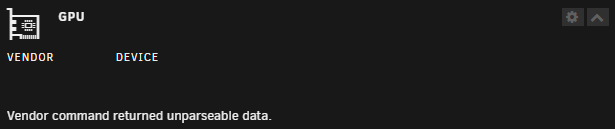
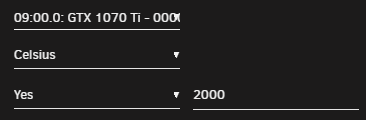
First time installing the plugin, as others on this page of the support thread have mentioned, I get a "Vendor command returned unparseable data" error message. I have a Nvidia 1070ti with the latest gpu driver installed. The gpu is attached to plex for transcoding, not sure if that could affect things. It is not attached to a VM. I do have it selected in the settings. Edit: After a few restarts of the system it started working.
-
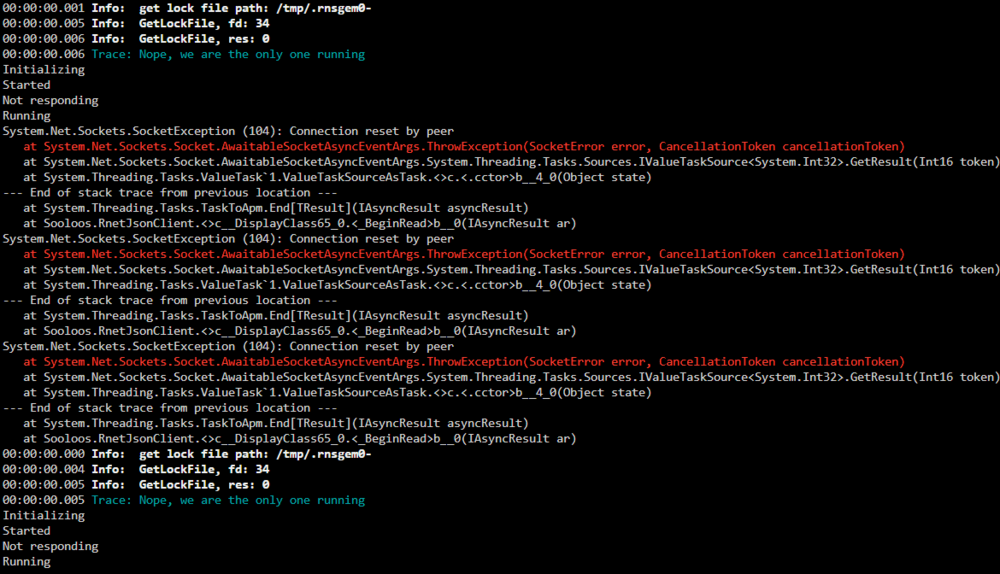
This appears to be an ongoing issue, it's been going on for a couple of months now. It'l interrupt the music session, roon client will say "looking for roon server" and then after a couple of seconds, sometimes up to a minute, itl refind the server, because the docker has restarted on its own. I then have to press play again to resume my listening sessions. There doesn't seem to be any rhyme or reason behind it, it happens randomly throughout the day, high/low disk usage, high/low internet usage, nothing seems to affect when it happens.
-
I was having issues with librespeed not working when i went to the address on my unraid server, so i figured I'd just uninstall and reinstall it since it was dead simple to set up. To my surprise the docker is gone from the apps area in unraid. any reason why? It shows up in dockerhub, but it doesnt have a template for unraid.
-
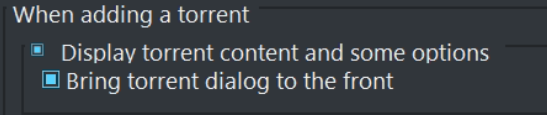
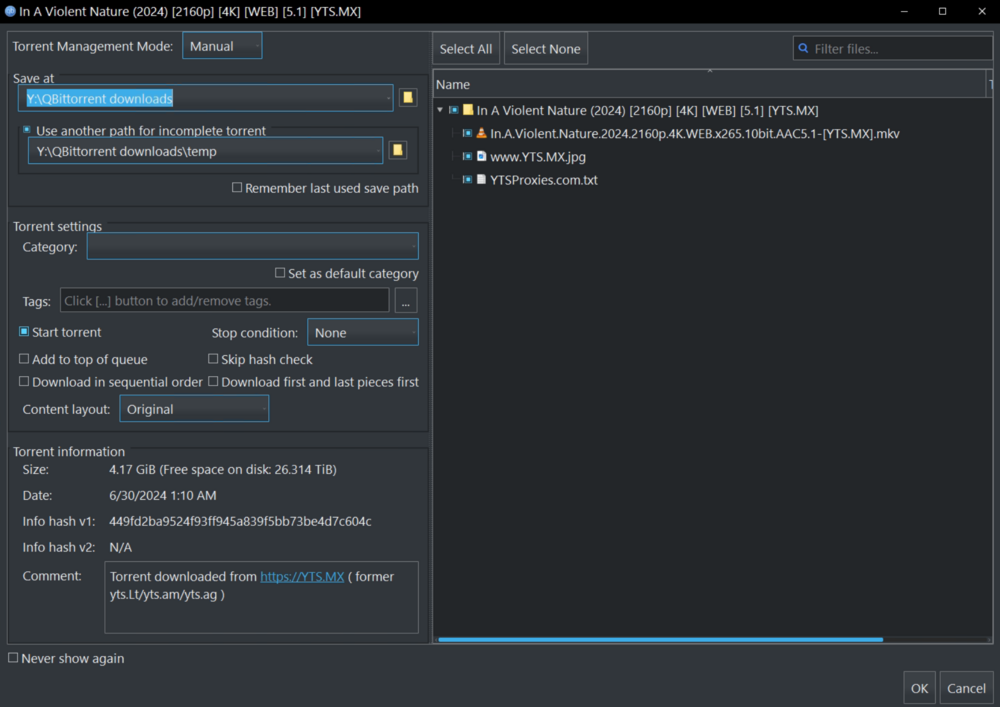
is there a way to get "Display torrent content and some options" under "when adding a torrent" like the windows version of qbittorrent? What it looks like and the option inside the windows version for context. \/\/
-
Sorry if this has been answered but couldnt find it, What is the danger in "skip stopping of container"? since it's just copying the data what danger does it pose? or is it simply not recommended because it may not be able to touch some files that are changing when docker is up?
-
That was exactly the issue, thank you for all the work you do.


