





neuronflow
Members
-
Joined
-
Last visited
Everything posted by neuronflow
-
Can you elaborate, please? My unraid runs on btrfs.
-
I have two SSDs, a small one serving as cache in front of the bigger one. I get this warning. What should I do to resolve it? See screenshots for setup details:



-
Hurray unraid 7.0 seems to bring the long-awaited changes
-
ich777 solved it: https://github.com/ich777/docker-krusader/issues/4 It seems I have to mount /mnt instead of /mnt/user because I am using exclusive shares.
-
My host path is `/mnt/user` I am using default settings for everything. I believe this might be an access rights issue, somehow.
-
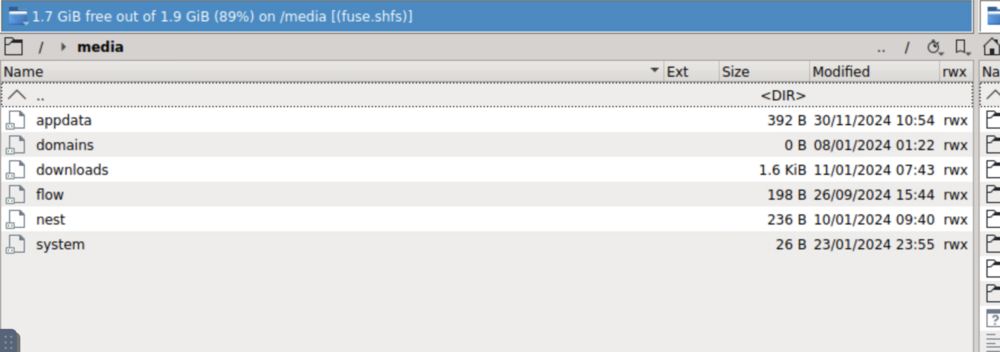
I installed binhex-krusader. If I navigate to /media I can see my shares, however, I cannot look inside the folers, instead it asks me which application I want to use to open them:
-
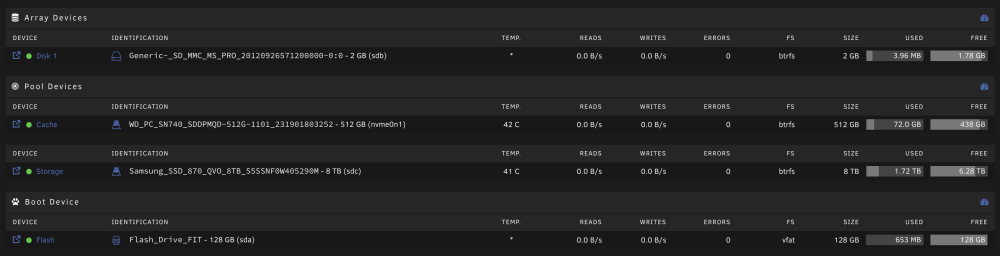
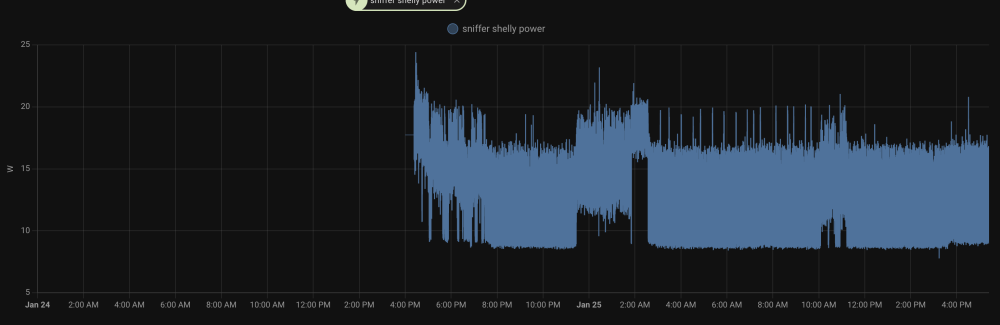
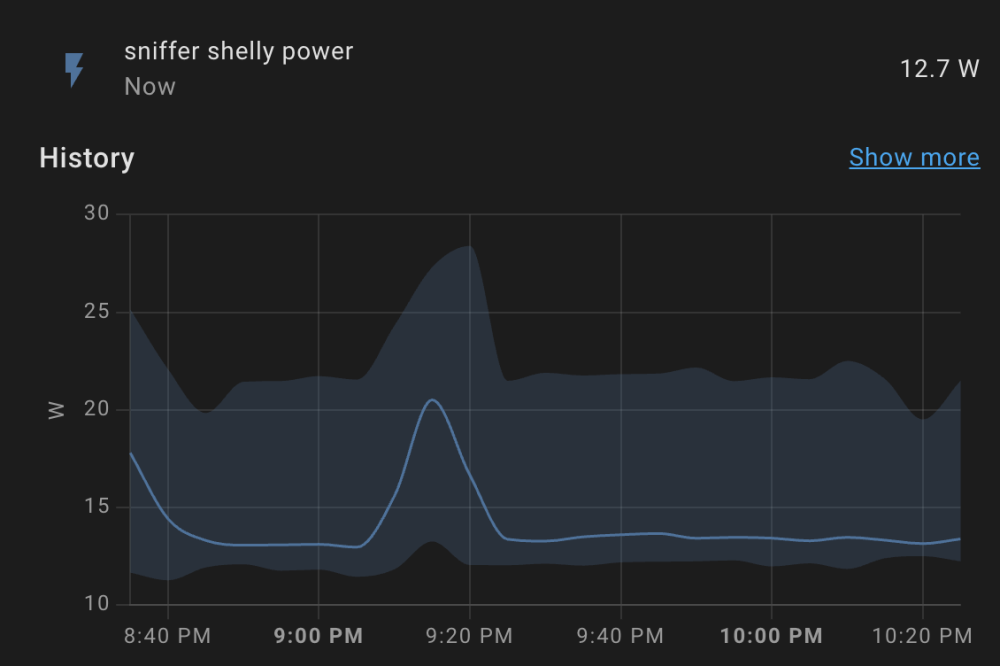
Following your suggestions I now migrated to the following setup: Interestingly this had a significant effect on power consumption - after the change it looks like this: Before it was always >10W: I hope with a future update I can use my cache again, and I will not need the 2GB SD card for my "pseudo array". Even though I can send the SATA SSD to low power mode via the GUI, it is always back online after a while and will never reach it on its own (spindown delay is set to 15min).
-
Yes, it is. Ouch, I am not sure what is wrong then. I somehow expected atleast a small effect of compression?
-
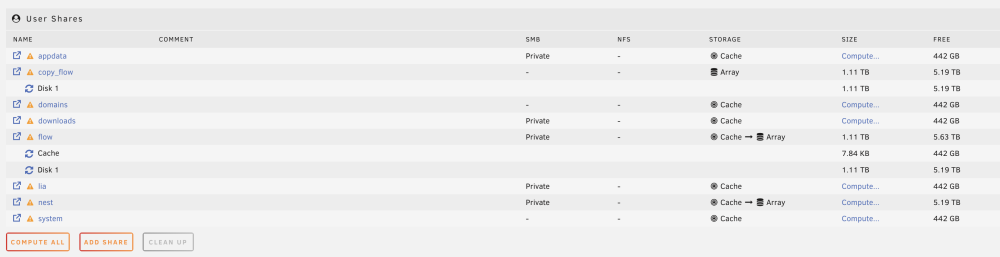
out of laziness I now copied a folder using the dynamix file manager. It remains at the exact same size as the source (1.11TB). So the compression is either not in effect or completely uneffective? Do I need to copy to another drive first and then back?
-
Will this requirement be lifted with 6.13?
-
I tried migrating my 8TB QVO to a Pool now. But I am presenting with this message when trying to configure my shares: "Array must be Started to view Shares." Without any disks the array cannot be started.
-
Ah okay, thanks I misunderstood your previous comment. After a reboot I am able to "spindown" the SATA ssd as it should be. Unfortunately you are right and there is no noticeable effect on energy consumption of this operation.
-
I have this barebone: https://www.zotac.com/de/product/mini_pcs/zbox-ci337-nano-barebone-0 The M2 is connected via NVME the 8TB via SATA. That's what I mean the current wording is confusing for SSDs. My SSDs do not reach a lower power state, even if I try to manually set them to it by clicking on the green light or clicking the `spindown` button at the bottom.
-
Even though the GUI suggests that functionality nothing happens if I click on these buttons for both SSDs.
-
PS: I would argue that lower limits here should be possible for SSDs? As far as I know setting SSDs to idle state has no real disadvantages? Maybe there should be an option to define `spindown` for HDDs and a `low power mode delay` (or similar) for SSDs? Plus a button to send them to idle. This way users who have both SSD and HDD drives have more fine-grained control.
-
sorry, I meant unbalanced (typo). spindown delay is set is set to 15minutes, but my drives remain active.
-
I agree. I found an application called unbalance which seems to support this. Now I just wonder how to send my ssds to sleep.
-
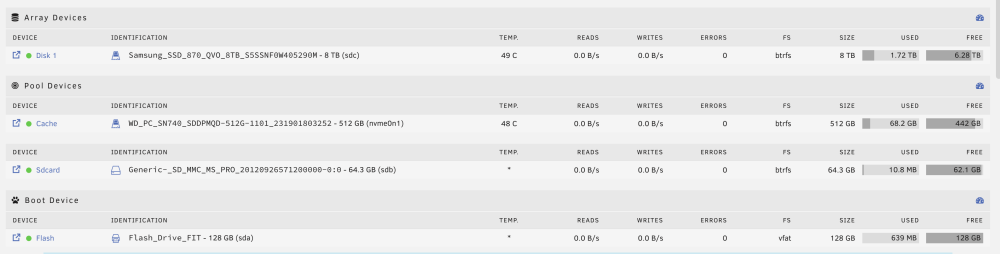
Thanks for the quick responses. I am currently experimenting with an SD card in an effort to further lower energy consumption (not sure whether it is even worth it to try): Why are only 10mb on my sd card used? Is there a way to trigger moving files from cache so sdcard (cache previously contained system and appdata): Is there a way I can send my drives to lower power mode? pressing the spindown button on the bottom seems to have no effect. I also tried via terminal: ``` root@neon:~# sudo hdparm -B 1 /dev/nvme0n1p1 . /dev/nvme0n1p1: setting Advanced Power Management level to 0x01 (1) HDIO_DRIVE_CMD failed: Inappropriate ioctl for device root@neon:~# sudo hdparm -B 1 /dev/nvme0n1p1 ```

-
@JorgeB thanks for taking the time to answer my questions. So if I understand you correctly even the native TRIM features of BTRFS are turned off if I use my SSD in an array? Will there be an option to use TRIM in the array in the future? is there an ETA for this feature? is there a command to rewrite the whole drive, this time with compression?
-
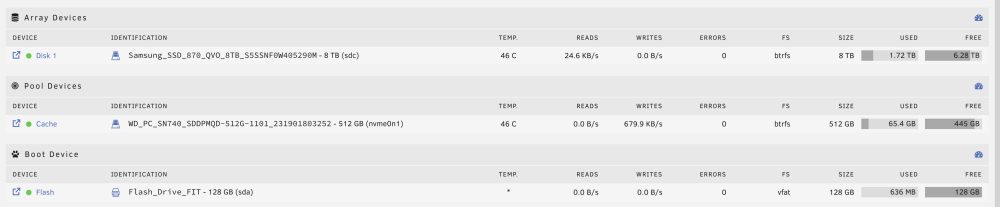
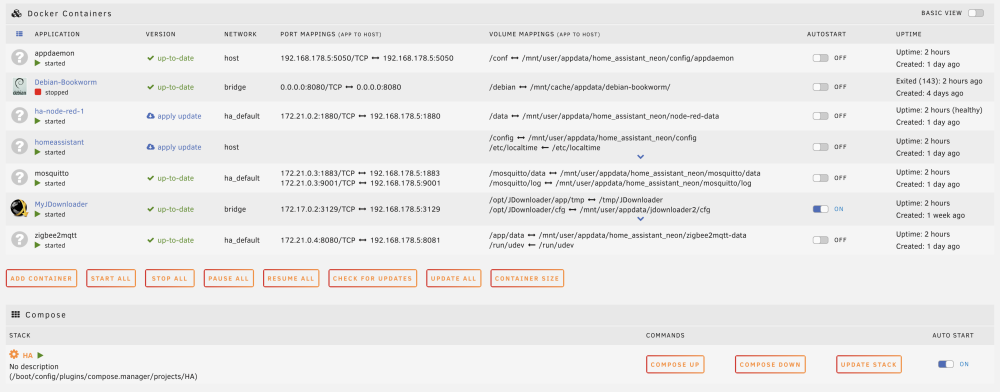
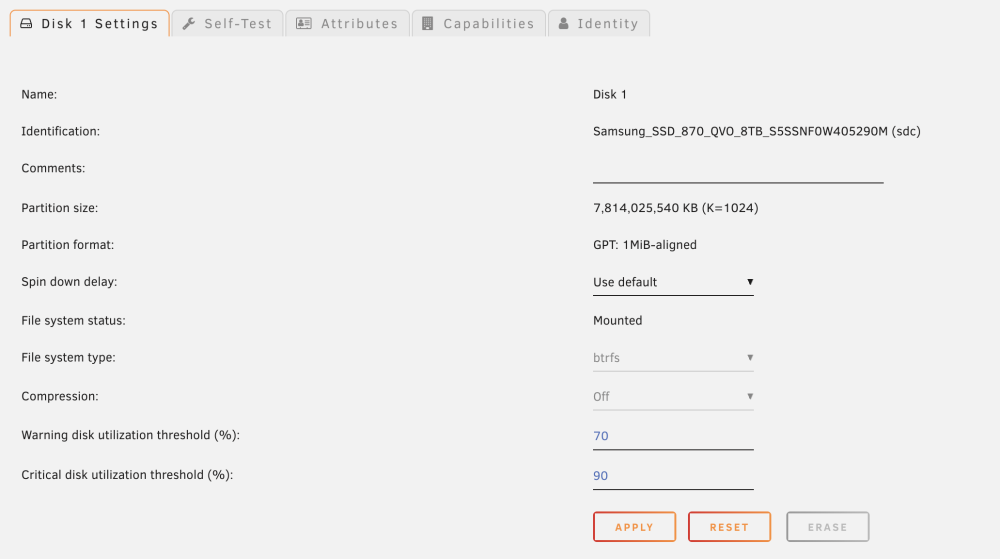
I am currently playing around with my mini server based on a Zotac CI1337: https://www.zotac.com/de/product/mini_pcs/zbox-ci337-nano-barebone-0 My current unraid configuration looks like this: I am using the 512GB NVME SSD as as a cache to reduce write operations on my bigger 8TB SSD: In addition I have such a zigbee dongle connected: https://sonoff.tech/product/gateway-and-sensors/sonoff-zigbee-3-0-usb-dongle-plus-p/ My unraid server serves as a small NAS / home server, running home assistant and jdownloader and sometimes a debian: I measure power consumption with a Shelly Plug S. Out of the box my "low-load energy consumption" (arguably the system never really idles with HA and JD running?) was around 14W. I am a bit disappointed with that, given that the N100 has a TDP of 6W I somehow expected to arrive under 10W, currently the system needs 3-4times the enegy than the Raspberry Pi4 it replaced. So I am now trying to reduce the energy consumption and optimize system settings. I managed to reduce consumption by around 1W following recommendations here: Not bad. To my pleasant surprise this also lowered SSD temperatures by 2-3 degrees K. I am wondering whether my high power consumption happens because the SSDs never reach their "low-power-state? related: To my surprise unraid presents a "spindown" option for both of my SSD drives (even though SSDs cannot spindown): To my even bigger surprise this setting actually affects the SSDs, the green light in the main menu switches to grey if the SSD "spinsdown" and no temperature is reported anymore?! Is it actually advisable to run my SSD in an array or should I switch it to a pool? Can I still use my cache "in front off the 8TB" in case it is a pool? What else I could do? If I understand this post correctly TRIM is disabled for my 8TB SSD as it is part of an Array, even if there is no parity like in my case: Also which file system is advisable for my use case? From my naive understanding BTRFS also has native trim features? I've been using BTRFS for years now so I did not think much when I set it up. But I realize most unraid users seem to use ZFS. E.g. posts like this seem to be centered-around ZFS @JorgeB? I also see a trim feature in the settings of my pool, but not in the array. How can i check whether my SSD drives actually reach their low power state? Could I save energy by using an SSD card for permanent small activities like home assistant, only waking up the SSDs, when their speed is actually required (e.g. NAS usage)? Thanks for your help! PS: more questions: In the settings of the array I also found a compression feature, is there a way to compress files already written on it? If I move my SSD from the array to a second pool, will it wipe all the data on the drive?

-
Is it possible to use a SD card instead of a USB stick? I am building a very small NAS system based on an intel N100 and I don't want to sacrifice an USB port. SD cards can also have unique identifiers and they are able to write large amounts of data (e.g. high-res video recording) for extended time periods, so they seem much better suited for this job than USB sticks? If not is there a low-profile USB stick you can recommend? I want to keep the footprint of my system as minimal as possible.


