





qodesmith
Members
-
Joined
-
Last visited
-
Currently, Unraid is using Docker engine 27.5.1. The latest version of Docker, 28.4.0, has some interesting AI model capabilities built in with their Docker Model Runner feature. Would be great to have access to this in Unraid. Is it possible to upgrade the Docker engine?
-
@Mainfrezzer Would /etc/profile be on the usb drive or one of the internal harddrives? I just turned off the server & back on again. Everything is working now.
-
I recently added the following line at the end of my /etc/profile file: source ~/.bashrc Now, when I go to open the terminal, the window pops up but just hangs there forever. If I try to ssh into the machine, running the command "ssh root@<ip>" just hangs there forever too. What have I done???
-
I renamed a bunch of files and this seems to have fixed the problem. For context, I have a cron job that downloads YouTube videos from a play list. It checks for new videos added to the playlist every 2 hours and downloads them. I was naming the files with the template of `<title> [<id>].<ext>`. Since I'm using the video titles as part of the file name, I believe this is where my issues came from. Those titles can get super long. That being said, what is the character limits in Unraid for file paths and file names?
-
I have an idea of what folder has the long file names. Going to do a mass rename and report back if the issue is solved...
-
@JorgeB Yup, rebooting does in fact bring them back, but like you said, it goes out again. Is there a way to find out what path that is? And where in the diagnostics did you find that?
-
Attaching the diagnosticsunraid-diagnostics-20240712-1109.zip
-
Before: After: I recently tried to add a 128GB SSD drive as a cache drive. I ended up not wanting to keep that and ever since I removed the drive, this issue has been happening. If I reboot the server, the shares show up again for a few minutes but then disappear. What's going on?
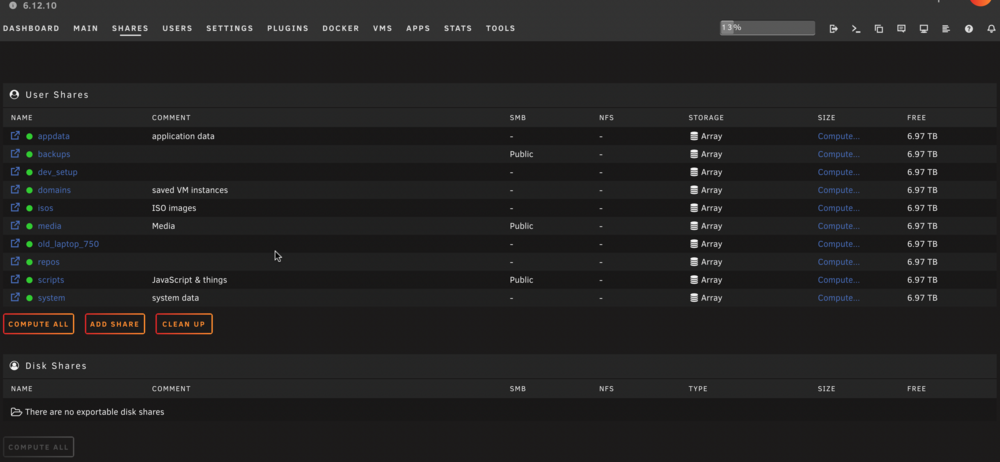
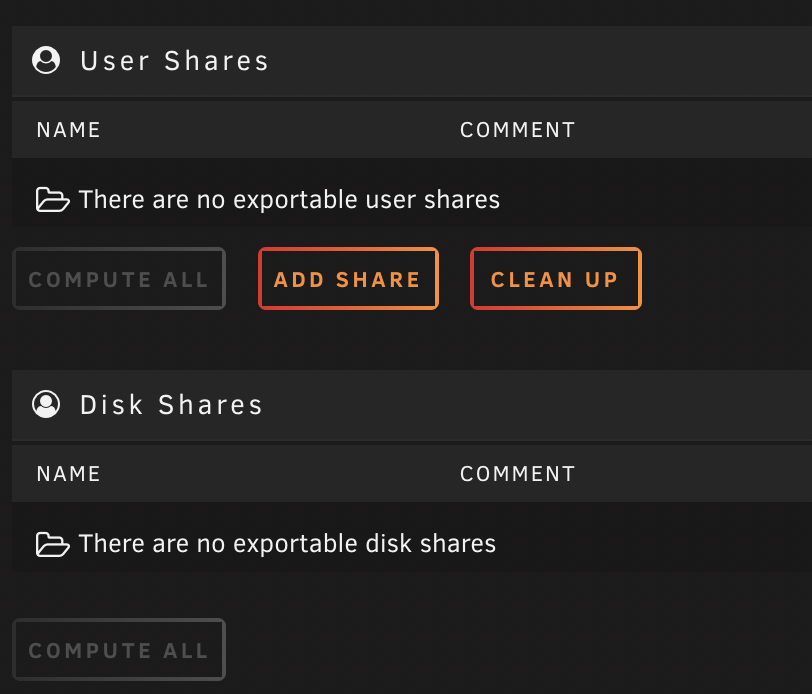
-
I ended up installing Bun directly on my unraid server. I was probably over thinking it with trying to use Docker.
-
I'm new to both Unraid and Docker. I'd like to have Node.js or Bun available on my Unraid server. Is it possible to create a Docker container that has Node or Bun installed so I can SSH into the container, start Node (or Bun), and run some JavaScript?
-
So I just did a fresh install of Unraid, removed all but one of the drives from my array, and only installed the SpeedTest-By-OpenSpeedTest docker application. My hope was to eliminate any variables. Again, I'm getting really slow server => client results: 3.2Mbps download (server => client) 41.2Mbps upload (client => server) Is my ethernet port on my motherboard bad or something?
-
On Brave, my issue is I can't get passed the login screen at all! Chrome works just fine.
-
I swear I used to be able to access the web ui in brave, but not anymore. I'm on 6.12.4
-
Just got up and running with Unraid last week, I installed Jellyfin, uploaded some of my library, and was happily watching old Star Trek episodes from my TV. Then I tried to watch some hi-res movies and got terrible lag. I installed and ran Open Speed Test and the results were: 3.3Mbps download 34.1Mbps upload No wonder the hi-res videos were lagging - such slow download speeds! My question is why? What could cause such a difference between up/download? Are there some network settings I should be looking at? I appreciate anyone's help.
-
@JorgeB I was previously accessing the UI with Brave from my laptop and it was working, but not now. Just tried Chrome () and it works, so thank you for that. Any reason why the GUI doesn't show up on the server itself? I have a monitor, mouse, and keyboard hooked up to it but it's an eternal blinker.



